 MuseGen
Mastering Sound Online: Beginner’s Guide to Pro Results
MuseGen Team
5/4/2026
You're finally done mixing. It sounds great in your studio headphones - then you upload it and suddenly it feels smaller, harsher, or weirdly quieter than other tracks. Mastering sound online is the step that helps your music translate across phones, earbuds, cars, and streaming platforms - without guessing. In this guide, I'll show you a beginner-safe workflow for mastering sound online, the loudness targets that matter (LUFS + true peak), and when AI mastering helps versus when you should involve a human.
What "Mastering Sound Online" Really Means (and What It Doesn't)
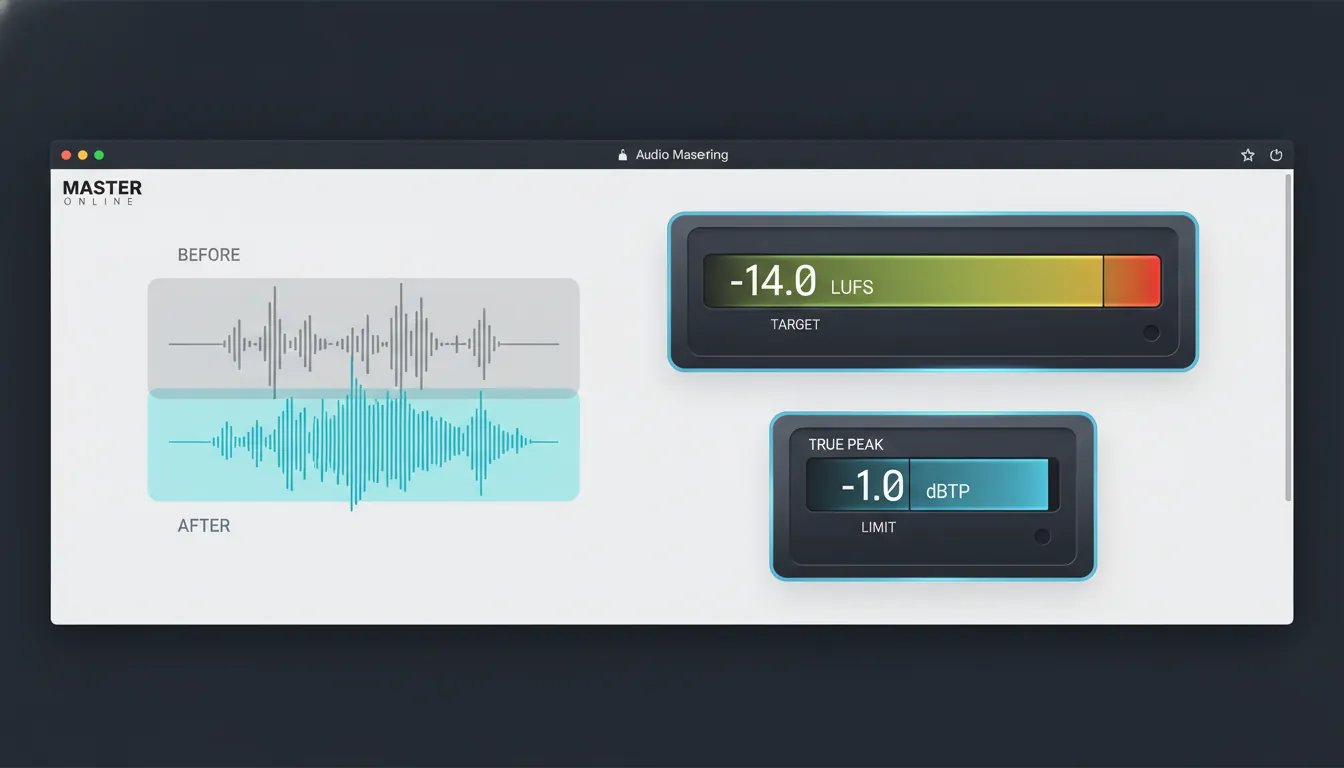
Mastering sound online usually means you upload a stereo mix (WAV/AIFF) to a web tool or AI service, pick a target (often streaming-optimized), and export a finished master. The best platforms also provide loudness metering, reference matching, and revision history so you can A/B decisions. It's fast and accessible, which is why creators use it for singles, podcasts, YouTube, games, and ads.
What it doesn't do well: fix a broken mix. If the vocal is buried, bass is uncontrolled, or the snare is painfully sharp, online mastering tends to make those problems louder and more obvious. In my own tests, the "instant master" only sounded pro when the mix already had clean balance, controlled low end, and enough headroom.
The Non-Negotiables: LUFS, True Peak, and Headroom
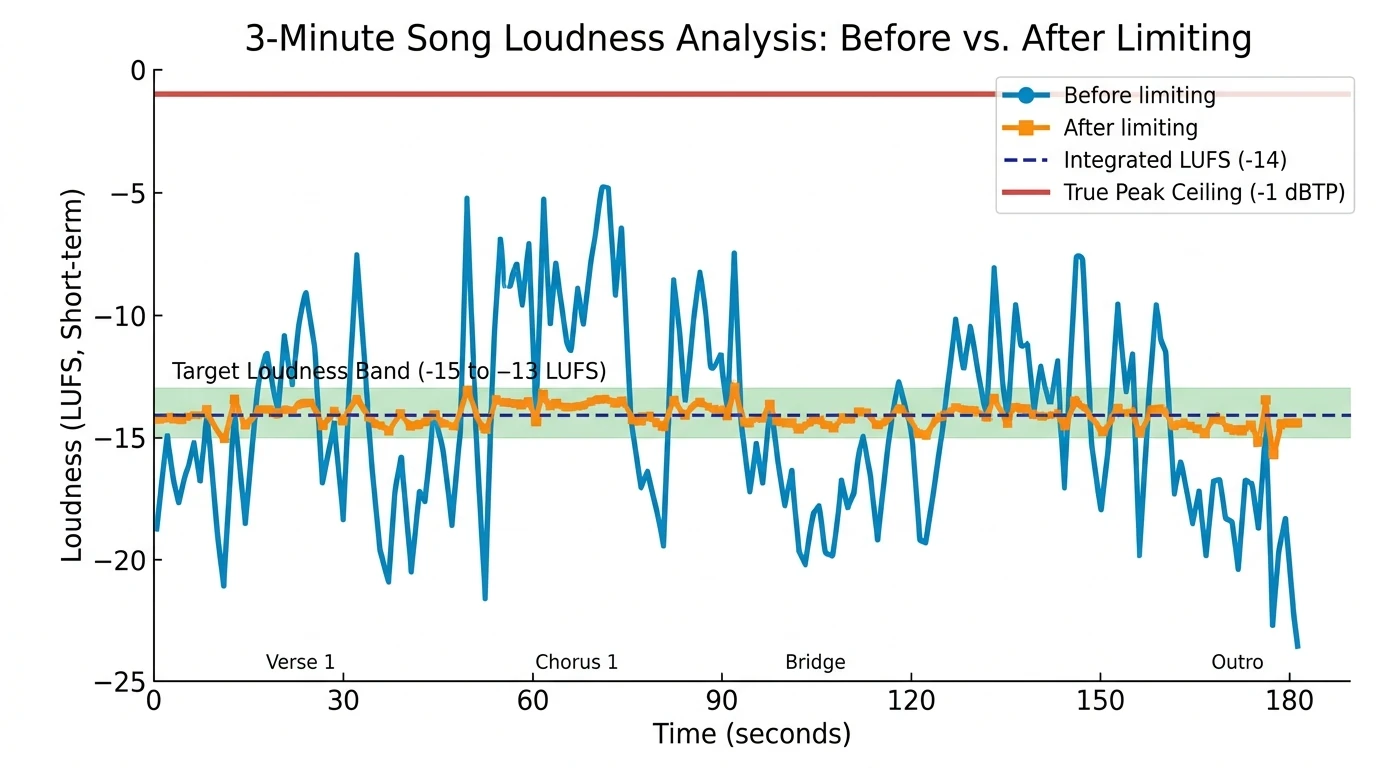
Most beginners chase "loud" and accidentally get "flat." Streaming platforms normalize loudness, so the goal is consistent perceived loudness without clipping after transcoding. That's where LUFS (perceived loudness) and true peak (inter-sample peaks that can clip after encoding) come in.
Here are practical, widely used targets drawn from common platform guidance and mastering-metering best practices:
| Platform / Use Case | Integrated Loudness Target (LUFS) | True Peak Ceiling (dBTP) | Notes | | ----------------------- | --------------------------------- | ------------------------ | -------------------------------------------------------------- | | Spotify (normalized) | ~ -14 LUFS | -1.0 dBTP | Avoid excessive limiting; normalization reduces "hot" masters. | | YouTube | -13 to -15 LUFS | -1.0 dBTP | Great all-around target for video uploads. | | Apple Music | ~ -16 LUFS (+/-1) | -1.0 dBTP | Transcoding can raise peaks; leave safety margin. | | "Loud" streaming master | ~ -11 LUFS | -2.0 dBTP | Can work for some genres; may reduce punch if pushed too hard. | | CD / no normalization | -9 to -13 LUFS (genre-dependent) | -0.1 dBTP | Loudness wars territory; be careful with distortion and fatigue. |
If you remember only one setup for streaming: aim around -14 LUFS integrated and cap true peak at -1.0 dBTP. That combination survives most real-world playback and encoding gracefully.
A Beginner-Friendly Workflow for Mastering Sound Online (Step-by-Step)
This workflow is designed for speed, safety, and repeatability - the three things that make mastering sound online actually work.
1) Prep your mix so mastering can succeed
Online mastering is "final polish," not "mix rescue." Do these first:
- Leave -6 dB of headroom on your mix bus (no clipping, no red lights).
- Remove any "just to be loud" limiter on the master during export.
- Keep bus processing gentle (a little glue compression is fine; heavy multi-band isn't).
If your low end feels random, fix it in the mix - mastering will not magically re-balance a kick and bass that fight each other.
2) Export the right file (this is where many uploads go wrong)
Export a stereo WAV/AIFF:
- Sample rate: keep your project's native rate (often 44.1kHz or 48kHz).
- Bit depth: 24-bit is a safe mastering upload format.
- No normalization on export.
- Leave a second of silence at the start/end if your platform needs clean fades.
3) Choose a target based on where it will live
Pick one primary destination:
- YouTube-first release: target -13 to -15 LUFS
- Spotify/streaming-first: target ~ -14 LUFS
- Apple ecosystem focus: target ~ -16 LUFS
This decision is what keeps your track from sounding "fine on one platform, broken on another."
4) Apply the "light-touch chain" (EQ -> dynamics -> limiter)
Whether you use a web tool, a plugin chain, or an AI master you fine-tune, the order stays similar:
- EQ (subtractive first): remove harshness or mud gently (often small moves).
- Compression (optional): 1-2 dB of gain reduction can add cohesion.
- Limiter (final): set the ceiling to -1.0 dBTP for streaming safety.
A common beginner mistake is pushing 8-12 dB of limiting and calling it "pro." If the transients disappear and the chorus feels smaller, back off.
5) Measure, then listen (in multiple places)
For mastering sound online, metering is your guardrail - listening is your judge.
- Check integrated LUFS for the whole song.
- Check true peak doesn't exceed the ceiling.
- Listen on:
- Studio headphones
- Phone speaker
- Car or small Bluetooth speaker
If your vocal tone shifts wildly between speakers, it's usually a midrange balance issue in the mix - not something to "fix" with more limiting.
Online Mastering Options: AI Tools vs Human Engineers (Realistic Pros/Cons)
Online mastering sits on a spectrum: fully automated AI, AI-assisted with controls, and hiring a human engineer remotely. Each has a "best fit" scenario.
Quick comparison (what I recommend in practice)
- AI mastering (fastest): best for demos, content creators, and rapid iteration.
- AI + manual control: best for producers who want speed but also want to steer tone and punch.
- Human mastering engineer: best for serious releases, albums needing cohesion, and tracks with tricky balances.
Authoritative reads worth skimming for context:
- Mastering.com's step-by-step mastering workflow
- Mastering The Mix on streaming targets (LUFS/true peak)
- MusicRadar's take on online mastering services vs a pro engineer
How MuseGen Fits: Mastering Sound Online When You're Creating Fast
MuseGen is built for creators who want studio-ready results without a long technical runway. In a typical workflow, I'll generate a few variations, pick the best arrangement, then move into mastering sound online to make it release-ready for streaming and video. The big advantage is speed: you can iterate composition, stems, and final polish in one browser-based flow.
Practical ways to use MuseGen before the master:
- Generate stems (drums, bass, music, vocals) and do quick balance fixes before mastering.
- Use smart mixing to reduce obvious masking (like bass swallowing kick).
- Export high-quality WAV stems/MIDI for deeper DAW control when needed.
If you're exploring MuseGen's ecosystem, start here:
Common Problems in Mastering Sound Online (and How to Fix Them)
Problem 1: "My master is loud but tiring"
This is usually too much limiting or clipped transients.
- Lower limiter input/threshold
- Aim for healthier dynamics (don't crush every peak)
- Compare to a reference at matched volume
Problem 2: "It sounds fine in WAV but clips on streaming"
That's often true peak + transcoding.
- Set ceiling to -1.0 dBTP (sometimes -1.5 dBTP for extra safety)
- Avoid heavy high-frequency excitement that creates spiky peaks
Problem 3: "Bass disappears on phones"
Your low end is there, but it's not translating.
- Improve harmonic content (gentle saturation on bass in the mix)
- Check mono compatibility
- Don't over-widen low frequencies
Problem 4: "AI mastering made the vocal harsh"
AI tends to brighten and tighten - sometimes too much.
- Choose a less aggressive style/preset
- Reduce any "clarity/air" emphasis
- Fix sibilance in the mix (de-esser) before mastering
Measuring Loudness: Avid Pro Limiter Loudness Analyzer, LUFS, & dBTP
Mini Checklist: A Safe Online Master Every Time
Use this as your repeatable process for mastering sound online:
- Finish mix balance; leave -6 dB headroom
- Export 24-bit WAV (no normalization)
- Target ~ -14 LUFS for most streaming
- Limit with ceiling -1.0 dBTP
- A/B vs reference at matched loudness
- Test on 3 playback systems
- Export final WAV + MP3 (and add dither only when reducing bit depth)
Conclusion: Mastering Sound Online Without Losing the Music
The best mastering sound online results come from a simple truth: mastering rewards preparation. When your mix is clean, your targets are realistic (LUFS + true peak), and you keep dynamics alive, online mastering can get you surprisingly close to "label-ready" - fast. If you're generating and producing at speed, tools like MuseGen can shorten the path from idea to polished track, especially when you export stems and make small mix fixes before the final master.
FAQ: Mastering Sound Online
1) What LUFS should I target when mastering sound online for Spotify?
A solid target is around -14 LUFS integrated with a -1.0 dBTP ceiling to handle normalization and encoding safely.
2) What's the difference between peak and true peak in online mastering?
Peak is sample-based; true peak estimates inter-sample peaks that can clip after MP3/AAC encoding - so true peak is safer for streaming.
3) Should I master louder than -14 LUFS for streaming?
Sometimes (genre-dependent), but streaming will often turn it down. If pushing louder kills punch or adds distortion, it's not worth it.
4) Can AI mastering fix a bad mix?
Not reliably. AI mastering can polish a good mix, but it usually exaggerates issues like harsh vocals, muddy bass, or imbalance.
5) What export settings are best before mastering sound online?
Export 24-bit WAV/AIFF, keep the project sample rate, avoid normalization, and leave headroom (commonly -6 dB on the master).
6) Why does my master sound different on YouTube than in my DAW?
YouTube applies loudness normalization (around -14 LUFS typical behavior) and encoding, which can change perceived punch and highs if the master is too hot.
7) Do I need different masters for YouTube, Spotify, and Apple Music?
Often you can use one streaming-safe master (e.g., -14 LUFS, -1 dBTP). For strict optimization, you may create platform-specific versions.