 MuseGen
MP3 Tagger Deep Dive: ID3 Tags, Covers, and Clean Names
MuseGen Team
5/14/2026
A messy music folder is like a record store with blank shelf labels: the songs are there, but finding the right one takes too long. That's exactly the problem an mp3 tagger solves - by writing clean, consistent metadata (ID3 tags) into each MP3 so players, phones, DJ software, and streaming apps can display the right title, artist, album, and cover art. If you generate tracks with AI, export stems, or deliver audio to clients, tagging is also your "last-mile" professionalism step. Let's break down how an mp3 tagger works, what ID3 versions matter, and how to avoid compatibility traps.
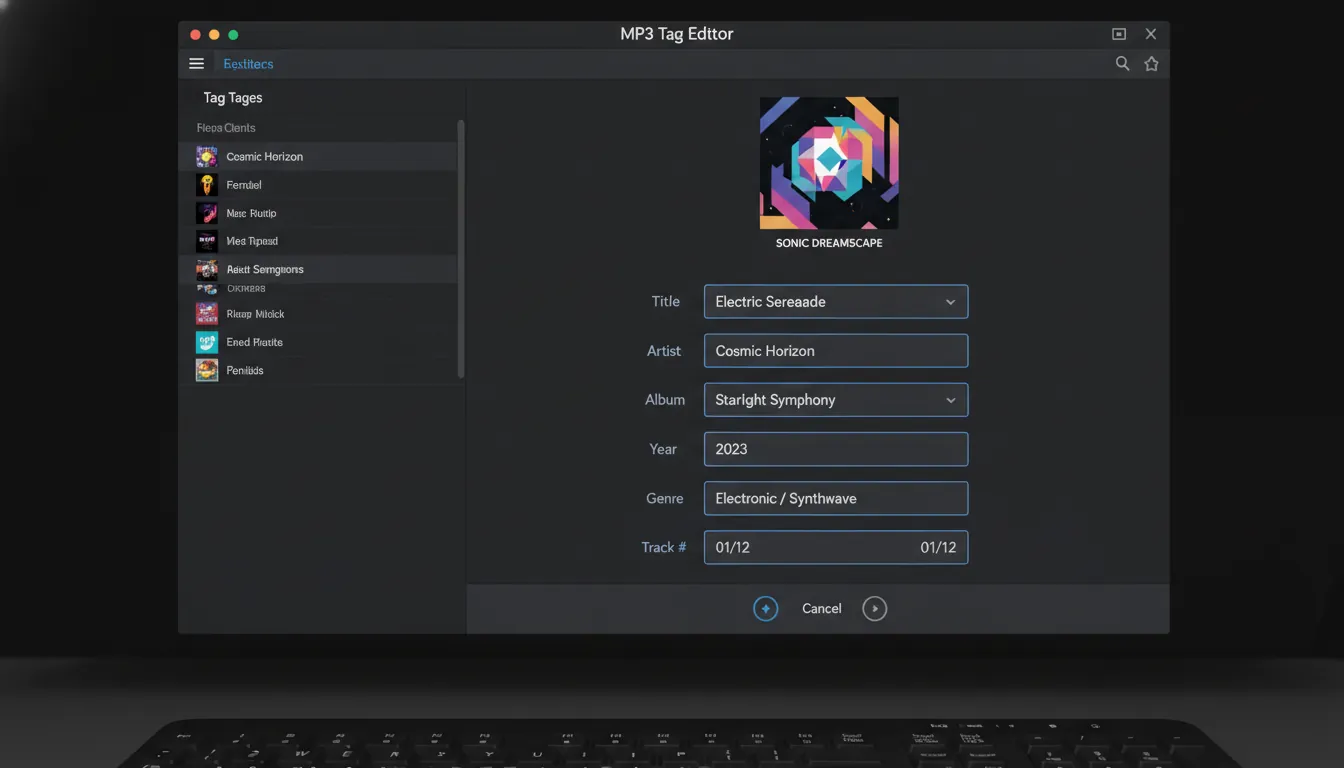
What an MP3 tagger actually changes (and what it doesn't)
An mp3 tagger edits metadata stored inside (or alongside) the audio file - typically ID3 tags - without changing the audible sound. Think of it as updating the label on a bottle, not the liquid inside. Most taggers can also rename files and organize folders based on metadata, which is why they're often used to "clean names" in bulk.
Common fields you'll edit in an mp3 tagger:
- Title, Artist, Album
- Album Artist (critical for compilations)
- Track number and Disc number
- Year/Date, Genre
- Comments, Lyrics, Composer
- Embedded album art (cover image)
ID3 tags in plain English: frames, versions, and why they matter
ID3 metadata (especially ID3v2) is stored as a set of "frames," where each frame holds one kind of data (title, comment, unique ID, etc.). This frame-based design is why ID3v2 can hold long text, multiple values, and images - capabilities that ID3v1 simply didn't have due to fixed-size fields.
ID3v2.3 vs ID3v2.4: the compatibility trade-off
In the real world, the "best" setting for an mp3 tagger is often the one that plays nicely everywhere.
- ID3v2.3: widely supported across older car stereos, legacy players, and some embedded devices.
- ID3v2.4: newer spec; supports UTF-8 text (better for global languages) and improved multi-value handling (null separators instead of
/), as summarized by the Library of Congress ID3 overview.
In practice, I've found that if you share MP3s broadly (clients, DJs, older hardware), writing ID3v2.3 + UTF-16 is often the "least surprises" choice. If your ecosystem is modern (apps, servers, current OSes) and you need full Unicode behavior, ID3v2.4 can be cleaner - just test playback on the devices that matter.
Where the tag lives: why streaming reads metadata fast
ID3v2 tags are typically prepended to the start of the file, so players can show title/cover immediately while audio streams. The ID3v2.4 structure documentation notes this default placement and that tags can be appended in some cases, though prepend is preferred for streaming behavior (Mutagen ID3v2.4 structure).
A quick note on advanced frames (useful for pros)
If you're tagging podcasts, audiobooks, or long-form audio, ID3 addenda introduced chapters (CHAP) and table of contents (CTOC) support (again referenced in the Library of Congress summary). Power users also rely on frames like comments (which can exist multiple times by language/descriptor) and unique file identifiers (UFID) - both described in the ID3v2.4 frame docs (Mutagen native frames).
Cover art (APIC): getting embedded album artwork right
Album art is usually stored as an embedded picture frame (commonly APIC in ID3). A good mp3 tagger can add, replace, export, and sometimes auto-resize covers. For example, Mp3tag has recently added cover management and resizing/cropping workflows, including scaling/cropping to square (noted in its release updates) (Mp3tag official site).
Practical cover art guidelines (for tagging and distribution):
- Use JPG or PNG
- Prefer square artwork for most players
- Keep resolution high enough for modern displays (many distributors recommend very large sizes; one example spec is 3000x3000 RGB) (OFFstep cover specs)
What I do when shipping client-ready MP3s: embed a square JPG (good compression), keep file size reasonable, and verify that at least two players (desktop + mobile) show the cover correctly.
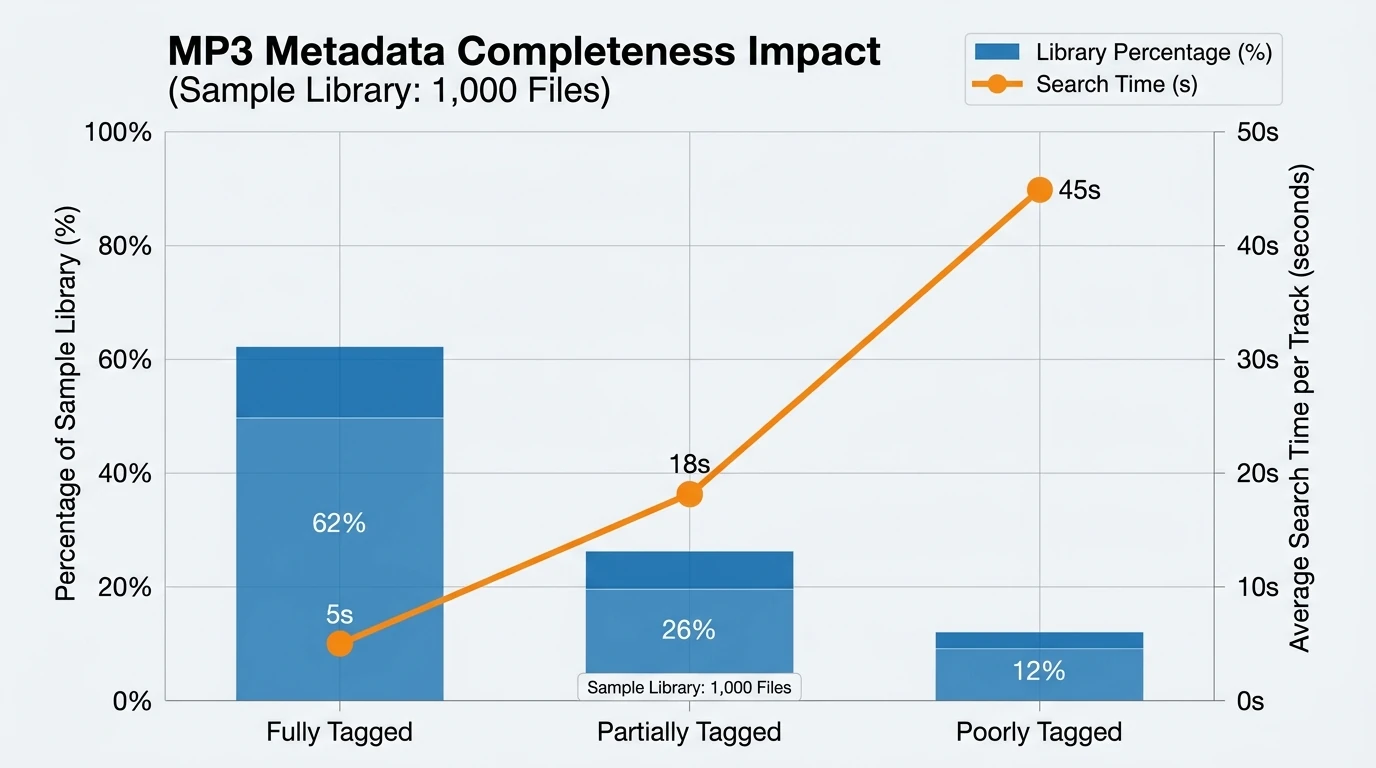
Clean filenames from metadata (and metadata from filenames)
A modern mp3 tagger usually works both ways:
- Tag from filenames/folders (when your files are named well but tags are empty)
- Rename/move files from tags (when tags are authoritative and filenames are chaotic)
This matters because apps often display metadata, while humans often browse folders. Tools commonly support patterns like:
Artist - Title.mp3Album/01 - Title.mp3Genre/Artist/Year - Album/Track - Title.mp3
Some workflows even "skip" unneeded filename segments using dummy variables, then write only the useful parts into tag fields - exactly the kind of pattern-based extraction described in guides like MyMusicTools' walkthrough on extracting tags from filenames (How to extract MP3 tags from filenames).
Best practice: choose one source of truth.
- If you're preparing a release: tags should be the source of truth, then rename from tags.
- If you inherited a messy archive: filenames may be more accurate than tags, so extract tags from filenames first.
Choosing an MP3 tagger: what to look for (with real comparisons)
You'll see the term mp3 tagger applied to everything from minimalist editors to library managers. Focus on these capability buckets:
- Batch editing (multi-file changes without mistakes)
- Reliable ID3 version handling (v2.3 vs v2.4 control)
- Cover art tools (embed/replace/export/resize)
- Online lookups (MusicBrainz/Discogs-style matching)
- Scripting/actions (repeatable cleanup)
Here's a practical comparison table based on commonly cited tools and platform support.
| MP3 tagger tool | Best for | OS support | Strengths | Watch-outs |
|---|---|---|---|---|
| Mp3tag | Power batch tagging + cover workflows | Windows, macOS | Strong batch actions, Unicode support, cover management features ( Mp3tag) | Learning curve for advanced actions |
| MusicBrainz Picard | Accurate automatic tagging via fingerprints | Windows, macOS, Linux | Great for fixing unknown/unnamed libraries; can rename/move based on tags | Needs review to avoid wrong matches |
| Kid3 | Cross-platform tagging + scripting | Linux, Windows, macOS, Android | Broad format support and control over tag versions ( Kid3) | UI feels "pro" vs "simple" |
| TagScanner | Windows tagging with player + imports | Windows | Good database pulls; built-in player (as summarized by Wide Angle Software) | Windows-only |
| MediaMonkey | Library management first, tagging second | Windows, Android | Strong library features; tagging available (Wide Angle Software summary) | Tagging tools can feel buried |
If you want a second opinion on feature sets across popular options, Wide Angle Software's roundup is a helpful starting point (best MP3 tag editors).
A pro workflow: "clean tags + clean names" in 10 minutes
When I'm prepping tracks for delivery (especially instrumental packs, podcast cues, or AI-generated variations), I use this repeatable flow:
- Back up the folder (tagging is safe, but mistakes scale fast in batch).
- In your mp3 tagger, set the target tag version (often ID3v2.3 for max compatibility).
- Select an album/folder and fill:
- Album, Album Artist, Year/Date, Genre
- Track numbers (auto-number if needed)
- Add cover art (one clean square image for the whole release).
- Spot-check 2-3 files in a different player (desktop + phone).
- Rename files from tags using a consistent pattern, e.g.
01 - Title.mp3. - Save and re-scan in your library/player.
Common MP3 tagging mistakes (and how to avoid them)
- Wrong "Album Artist" on compilations: causes albums to split across artists.
- Mixing ID3v2.3 and v2.4 randomly: some devices read one better than the other.
- Embedding huge PNG covers: can bloat file size and slow browsing.
- Using inconsistent separators: multi-value handling differs (v2.3 often uses
/, v2.4 uses null separators per the Library of Congress note). - Trusting online editors with sensitive files: uploading audio to third-party sites can be a data/privacy risk - use offline tools when possible.
How this connects to MuseGen (and why creators should care)
If you're generating music with MuseGen, you're already thinking like a producer: iterations, stems, naming, deliverables. The fastest way to make AI-generated tracks feel "industry-ready" is to finish them like any other release - clean metadata, consistent artwork, and predictable filenames - so collaborators can audition, search, and catalog instantly.
I've seen clients judge a pack's quality in seconds based on whether the mp3 tagger work is done: correct titles, consistent artist naming, embedded cover, and no "final_final_v7.mp3" chaos.
Tag MP3's on Mac - Add Metadata and Artwork To Mp3 and Wav Files
Conclusion: make your library look as good as it sounds
An mp3 tagger is the quiet tool that makes everything else - players, searches, playlists, client handoffs - work smoothly. Once you understand ID3 versions, cover embedding, and a repeatable rename strategy, you can clean thousands of files with confidence instead of fighting your library one track at a time. If you're producing with MuseGen, treat tagging as the final polish step that turns "a folder of audio" into a release-ready catalog.
FAQ: MP3 tagger questions people search
1) What is an mp3 tagger used for?
An mp3 tagger edits ID3 metadata (title, artist, album, cover art, etc.) inside MP3 files so media players display correct information and sorting works.
2) Should I use ID3v2.3 or ID3v2.4 in an mp3 tagger?
Use ID3v2.3 for broad device compatibility; use ID3v2.4 if you need modern Unicode behavior and your playback ecosystem supports it well.
3) How do I add album art to an MP3 file?
Use an mp3 tagger that supports embedded artwork, then add a JPG/PNG as the cover (often stored in an APIC frame). Verify on mobile and desktop players.
4) Why do my MP3 tags look right in one player but wrong in another?
Players may prefer different ID3 versions, handle multi-value separators differently, or prioritize one tag block over another (e.g., ID3v1 vs ID3v2).
5) Can an mp3 tagger rename files automatically?
Yes. Most tools can rename (and sometimes move) files using tag-based patterns like Track - Title or Artist/Album/Track.
6) How can I create tags from filenames in bulk?
Many taggers let you define a filename pattern (variables for artist/title/track/year) and write those values into the ID3 fields for many files at once.
7) Is it safe to use online MP3 tag editors?
They're convenient for a few files, but uploading audio can create privacy and rights risks. For professional or unreleased material, offline tagging is safer.