 MuseGen
Suno AI Music Generator Review: Sound Quality & Limits
MuseGen Team
5/7/2026
At 11:47 p.m., you type "dreamy synth-pop with a bittersweet hook" and expect a rough loop. Suno AI music generator often gives you a full song - verse, chorus, vocals, and a radio-like structure - before your coffee cools. That "instant band-in-a-box" feeling is Suno's superpower, but it also hides the trade-offs: export quality depends on your plan, and the platform still has real limits around control, licensing confidence, and consistency. In this review, I'll focus on what matters most in practice: sound quality & limits.
What Suno AI Music Generator Is (and what it's best at)
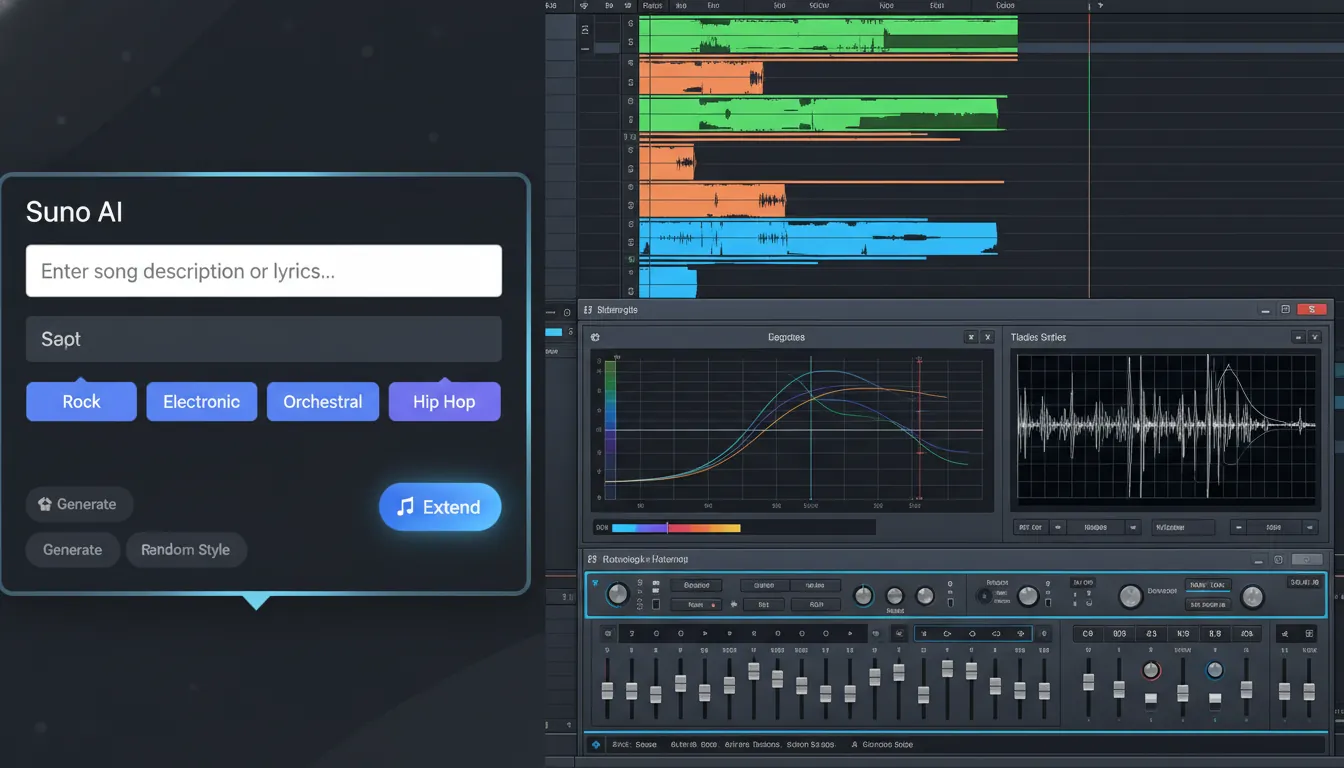
Suno is a cloud-based AI music generator that creates complete tracks from text prompts - often including vocals and lyrics. Compared with older "beat makers," it aims for coherent song sections and believable performances. In my testing, it's strongest for ideation: turning a brief into something you can react to fast, then iterating with new prompts.
Where Suno AI music generator fits best:
- Creators who need music beds quickly (shorts, reels, podcast bumpers)
- Songwriters sketching toplines, hooks, and arrangement ideas
- Agencies making fast concept demos (with licensing caution - more below)
Sound Quality: How Good Does Suno Actually Sound?
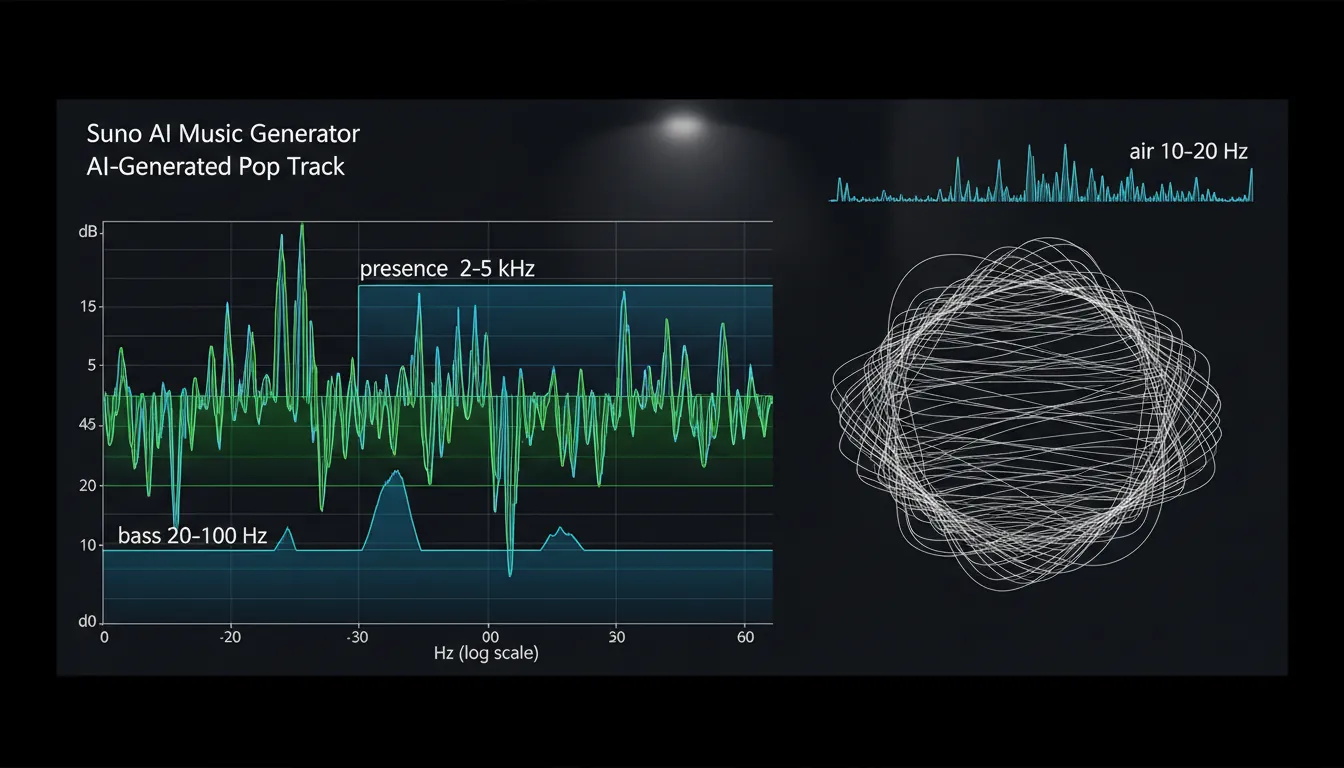
Suno's perceived quality is a mix of (1) the model's internal generation fidelity and (2) what you can download on your plan. Some tracks genuinely feel "release-adjacent" on first listen - tight structure, convincing vocal tone, and genre-appropriate production. But under closer monitoring (headphones + analyzer), you'll hear recurring patterns: softened transients, slightly smeared reverb tails, and occasional phase/chorus-like artifacts in dense moments.
If you want to evaluate suno ai music generator output like an engineer, these are the checks that matter most:
- Frequency extension (air above ~16 kHz): free-tier exports can roll off early, making cymbals and "air" feel muted.
- Dynamic range: many generations arrive somewhat "pre-squashed," which can flatten impact between verse and chorus.
- Stereo imaging/phase: wide mixes can sound impressive, but sometimes collapse oddly in mono.
- Noise/artifacts: the "chirp/warble" edge can appear on sibilants, hats, or sustained vocals.
For a practical framework, the measurement approach described in PixelBin's sound quality analysis guide maps well to how I'd QA an AI track: spectrum, SNR, dynamic range, and stereo correlation - then a real listening test on multiple systems.
Export Formats & "Quality Ceiling" (why WAV isn't magic)
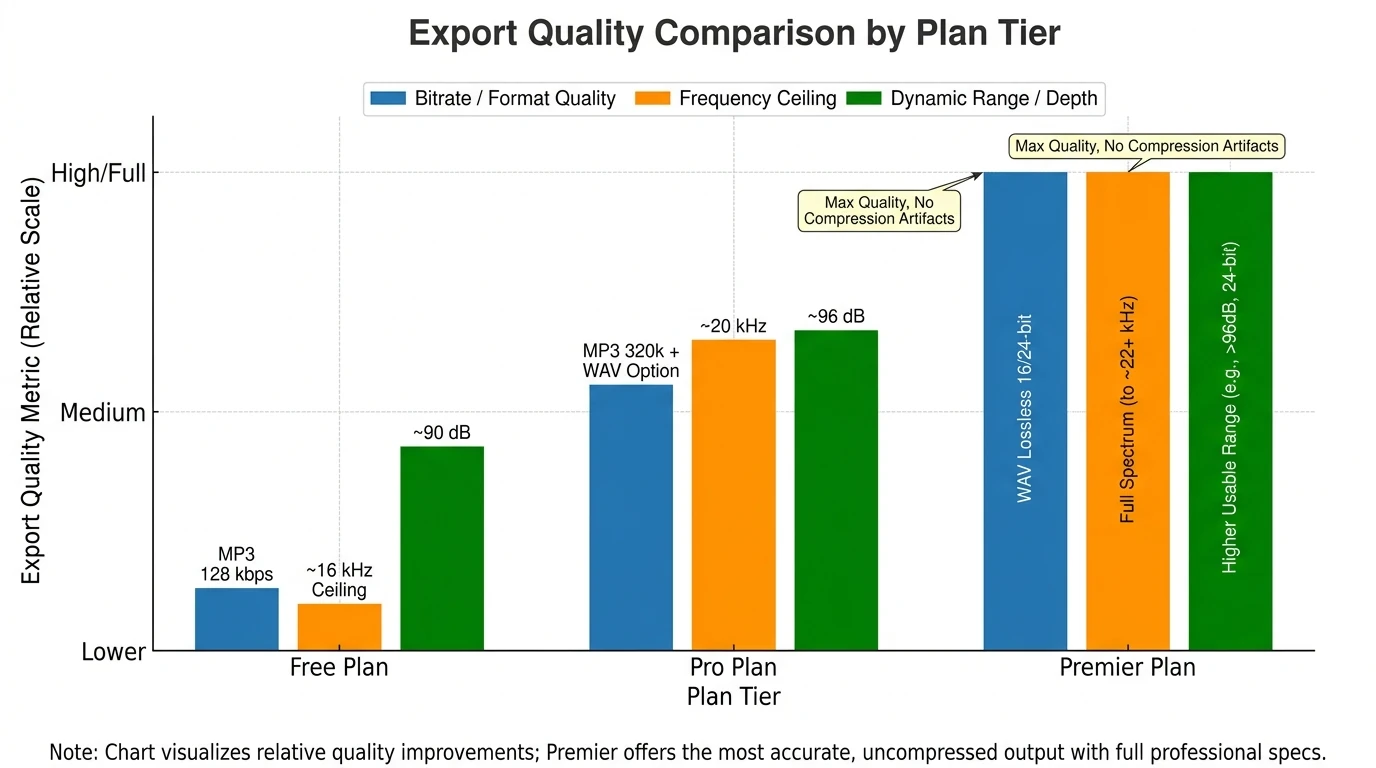
A common misconception: "If I download WAV, it becomes studio quality." WAV prevents additional compression, but it can't restore detail that wasn't generated in the first place. I've converted MP3 outputs to WAV just to test processing chains, and the result is still limited by the original texture - especially in high-frequency detail and transient punch.
Still, higher tiers do matter. Based on the commonly cited plan specs and technical breakdowns, you can expect the biggest jump going from free MP3 to higher-bitrate exports and lossless WAV options (where available). A helpful technical summary is in the Suno V5 export spec discussion at MusicMake.ai.
Limits That Affect Real Projects (Length, credits, stems, reliability)
Suno AI music generator is built for speed, but the workflow can feel boxed in when you're trying to finish a track like a producer. Limits show up in four places: generation caps, length caps, editing depth, and output options.
Key limits to plan around:
- Length limits: free generations are shorter; paid tiers support longer songs and extensions.
- Credit system: you can run out fast if you iterate heavily on prompts/extends.
- Stems/download control: if you can't export stems, "fixing" a vocal, kick, or bass becomes guesswork.
- Extend reliability: some users report frustrating extend behavior during high load; I've also seen "great first minute, then trouble extending" moments that break momentum.
This table summarizes the typical constraints people care about most:
| Feature / Limit | Free tier | Pro (approx. $10/mo) | Premier (approx. $30/mo) | | ------------------------- | ------------- | --------------------------- | --------------------------- | | Credits | ~50/day | ~2,500/month | ~10,000/month | | Max song length (base) | ~2 minutes | ~4 minutes | ~4 minutes | | Extended length (typical) | limited | longer extends | longest extends | | Export quality | MP3 ~128 kbps | MP3 ~320 kbps + WAV options | WAV lossless "studio-ready" | | Commercial use | No | Yes | Yes | | Stems download | No | limited/credit-based | included | | Priority | standard | standard | higher priority | | API access | No | No | beta/limited |
For a deeper read on tier restrictions and practical workarounds, see the breakdown at MusicMake.ai's free tier limits guide. Pricing summaries also align with the plan overview at Sparkco's Suno features and pricing article.
Licensing, Ownership, and the Controversy (what you should do)
Two separate issues get mixed together: what Suno grants you vs what the law recognizes.
Ownership & commercial rights (the practical rule)
- If you generate on Free/Basic, Suno generally owns those songs and you're limited to non-commercial use.
- If you generate while subscribed to Pro/Premier, you typically own outputs and receive commercial use rights.
Suno states this clearly in its help documentation: Do I have the copyrights to songs I made?. The same page also notes an important reality: fully AI-generated music may not qualify for copyright registration in the U.S. without meaningful human authorship.
Content ID and "sounds like" risk
Even with commercial rights, you can still face platform issues if a track resembles existing music. Best practice: treat AI tracks as starting points or use them as background/utility music, and avoid anything that feels too close to a known melody. A solid risk overview is outlined in terms.law's commercial rights guide.
The training-data controversy
You asked about the "Suno controversy," and it's real: Suno has faced legal challenges and public criticism regarding training data transparency and alleged infringement. Practically, that means brands and studios may require extra review before using Suno AI music generator in high-visibility campaigns.
My Hands-On Take: Where Suno Shines (and where it stumbles)
After using Suno-style generators for client mockups and creator content, I've found Suno is at its best when you treat it like a creative co-writer that outputs polished drafts. It's incredibly good at sparking direction: you'll get chord movement, topline ideas, and arrangement "shape" that would take longer to mock up from scratch. Where it stumbles is the last 10-20%: surgical editing, reliable extending, and guaranteed "release master" consistency.
What I consistently like:
- Fast, coherent song structure from simple prompts
- Vocals that can be surprisingly convincing in-context
- Great for brainstorming genres you don't normally write in
What I don't rely on it for:
- Final masters without DAW cleanup
- Mission-critical work where licensing needs to be ultra-clean
- Detailed production control (exact drum programming, specific mix moves)
Is Suno Studio Worth It? (2026 Review from a Music Producer)
Tips to Get Better Sound Out of Suno (without overworking it)
If you want Suno AI music generator outputs that survive real-world use (YouTube, Spotify demos, client drafts), these steps help more than endless regenerations:
- Prompt for arrangement + mix intent, not just genre
- Example: "dry vocal, tight kick, minimal reverb, punchy chorus lift, no lo-fi texture."
- Avoid ultra-dense instrumentation if you hear warble
- Fewer layers often equals cleaner transients and less phase weirdness.
- Do light post in a DAW
- High-pass rumble, tame harshness (2-5 kHz), add gentle transient shaping, and control stereo width below ~120 Hz.
- If you hear chirps/metallic highs, use restoration tools
- Targeted repair (RX-style tools) can reduce artifacts; the general approach is echoed in community guides like Suno Wiki's improvement tips.
Suno vs Alternatives (when "better" depends on your goal)
If your main goal is complete songs with vocals, Suno is still one of the most compelling options. But "best" changes by use case:
- Udio: often praised for polish and (reportedly) a clearer licensing story in some contexts.
- Stable Audio: stronger for sound design and instrumental beds.
- AIVA: a known pick for cinematic/classical scoring workflows.
For broad market comparison and context, see Chartlex's AI music generator comparison and hands-on prompt testing like Tom's Guide's Suno vs Udio.
Where MuseGen Fits If Suno's Limits Block You
If you love Suno's speed but need more "production-native" control, MuseGen (your brand context) is positioned as a workflow upgrade: stem-level editing, WAV stems, MIDI export, smart mixing/mastering, and even a one-click MV generator. In practice, that matters when you're moving from "cool demo" to "client-approved deliverable" and need repeatability.
If you're comparing approaches, MuseGen's emphasis on:
- Stem exports + precise editing
- WAV + MIDI for pro refinement
- Multiple inputs (text, audio, lyrics, images)
...targets the exact gaps that many users hit after they outgrow a prompt-only workflow.
Conclusion: Suno AI Music Generator Is Brilliant - With Real Boundaries
Suno AI music generator is that friend who can walk into a jam session and instantly play something catchy in any style. When you need speed, inspiration, and surprisingly "complete" songs, it delivers - often with sound quality that's impressive for AI. But when you need predictable extending, stem-level control, and a low-drama commercial path, the limits start to matter.
If you've used Suno AI music generator, share what genre it nails for you - and where it falls apart. And if you're ready to move from instant songs to editable, studio-friendly assets, compare it side-by-side with MuseGen and tell me which workflow gets you to "publishable" faster.
FAQ (People Also Ask)
1) Is Suno AI still free?
Yes. As of 2026, Suno AI offers a free tier plus paid plans. The free tier typically includes limited daily credits, shorter max length, and non-commercial use restrictions.
2) Is Suno AI music generator good quality?
It can be very good for demos and content, especially for quick full songs with vocals. For production releases, quality depends on the export tier and you may still hear artifacts (rolled-off "air," smeared transients, and compressed dynamics).
3) What are Suno AI's biggest limits?
The practical limits are credits, song length/extend behavior, export formats (especially on free), and limited fine-grained editing compared to a DAW-first workflow.
4) Does Suno copyright my songs?
On free/basic, Suno typically owns the outputs and you get non-commercial use. On paid plans, you typically own outputs and can use them commercially, per Suno's help documentation: Do I have the copyrights to songs I made?.
5) Is Suno allowed on Spotify?
Distribution is possible, but you should be cautious. Even if you have commercial rights, platform issues can arise if a track triggers Content ID or resembles existing songs. Consider adding meaningful human authorship and doing a similarity check before release.
6) What is the Suno controversy?
Suno has faced lawsuits and public criticism regarding training data and alleged copyright infringement, alongside calls for greater transparency. For brands, this can increase legal review and risk tolerance requirements.
7) Is there a better music AI than Suno?
"Better" depends on the goal. For vocals and full songs, Suno and Udio are common top comparisons. For clean licensing or specialized scoring/sound design, other tools may be a better fit for your specific workflow.