 MuseGen
Udio AI Explained: Features, Pricing, and Best Uses
MuseGen Team
5/8/2026
Udio AI is the new "studio intern" that never sleeps: you describe a vibe, and it hands back finished audio - often with vocals, arrangement choices, and a surprisingly polished mix. If you've wondered whether Udio AI is actually useful beyond novelty, the answer depends on what you're making: quick demos, content background music, ad concepts, or production-ready drafts. The real questions are what Udio AI does best, how the credit-based pricing works, and what risks (especially licensing and copyright) you should understand before publishing.
What Is Udio AI (and how it differs from "MIDI generators")
Udio AI is a generative audio system that creates raw audio waveforms from prompts and (in some modes) audio references. That matters because it's not just outputting MIDI notes you still need to orchestrate; it's generating the performance texture - timbre, phrasing, backing parts, and mix-like cohesion. In practice, Udio AI behaves more like an "idea-to-audio" engine than a traditional composition tool.
From my own testing, Udio AI is most impressive when you give it clear constraints (genre + era + instrumentation + vocal type + energy) and iterate in small steps. When prompts are vague, you'll get "generic good," which is fine for background beds but rarely distinctive enough for a branded identity.
Helpful variations people search for: Udio music generator, Udio AI song generator, AI song maker, text-to-music, generative music model.
Authoritative links to learn the platform fast:
- Read the official docs for current features and limits: Udio documentation
- Explore API capabilities (if you're building a workflow): Udio API reference
- Compare independent feature breakdowns (good for quick scanning): Udio guide (2026)
Core Udio AI Features (what you actually use day-to-day)
Udio AI's features vary by plan and ongoing product changes, but most creators rely on a few consistent pillars:
- Prompt-based generation (text-to-music): Describe mood, genre, tempo, era, instruments, and vocal direction.
- Custom mode controls (lyrics/title/style tags): Better for repeatability and branded outputs.
- Extend/remix workflows: Build a longer structure by generating sections and refining.
- Voice and style controls (plan-dependent): Useful when you need consistent vocal character or stylistic continuity.
- Reference inputs (where available): Guide the output toward an existing sonic direction (helpful for matching a campaign's palette).
If you've used other generators, here's the practical difference I notice: Udio AI tends to reward tag-like clarity ("tight disco funk, 110 BPM, dry drums, Nile Rodgers-style rhythm guitar, airy female hook") more than poetic prose.
Udio UPDATE! Extend your OWN Audio - MUST See!
Udio AI Pricing Explained (credits, tiers, and what "free" really means)
The most searched question is: Is Udio completely free?
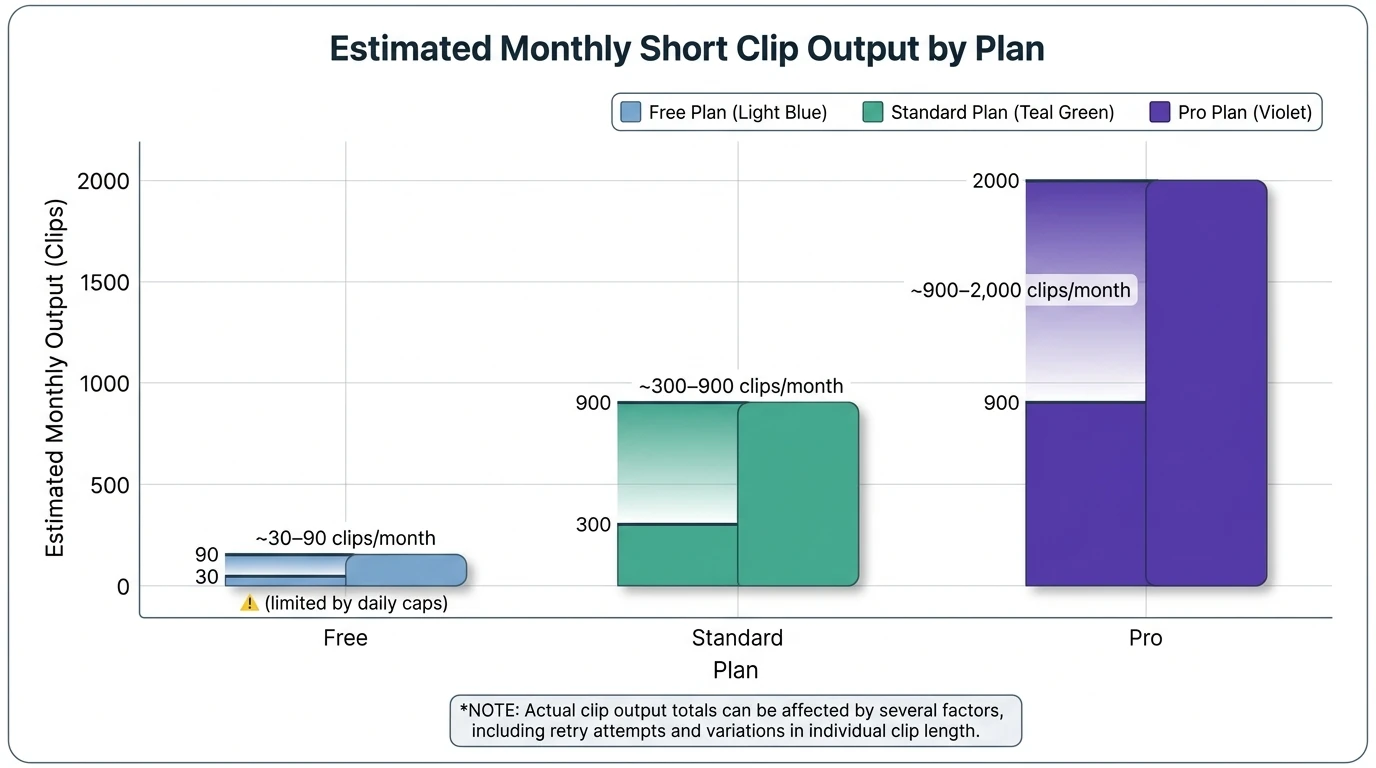
Yes and no. Udio AI typically offers a free tier with daily/monthly credit limits so you can test generation without paying. But if you need private projects, higher limits, faster iteration, or commercial usage clarity, you'll likely hit the ceiling quickly.
Below is a simplified plan snapshot based on Udio's published pricing and common 2025-2026 plan structures (always confirm the latest terms and plan details before purchasing):
| Plan | Typical monthly price | Typical credits & limits | Privacy | Downloads/quality | Commercial use (typical) | | -------- | -------------------------------- | -------------------------------------------------------------- | ----------------- | ---------------------- | ----------------------------- | | Free | $0 | Limited daily/monthly credits; caps on full-length generations | Often public-only | Limited | Usually restricted | | Standard | ~$10/month (often less annually) | Higher monthly credits; fewer/no daily caps | Private available | Higher quality exports | Sometimes limited/conditional | | Pro | ~$30/month (often less annually) | Highest monthly credits; best concurrency | Private available | Bulk/best exports | Typically included |
How credits feel in real use: generation is cheap until you start iterating. The hidden cost is retries - new prompts, small changes, and "one more version" loops. In professional workflows, budget credits for exploration (wide) and polish (deep).
Best Uses for Udio AI (where it earns its keep)
Udio AI is strongest when speed and variety matter, and when the music is part of a larger product (video, game, ad, podcast), not the product itself.
1) Content creator music that won't break your schedule
For YouTube, shorts, streams, and podcasts, Udio AI can generate:
- Intro/outro variations
- Background beds that match topic mood
- Stingers and transitions (generate multiple options fast)
Pro tip from experience: generate 6-10 candidates, then pick 1-2 and standardize loudness in your editor so your channel sounds consistent.
2) Producer demo generation and songwriting unblockers
If you write, produce, or compose, Udio AI is great for:
- Fast "demo vocals" to test toplines
- Arrangement ideas (verse/pre/chorus contrast)
- Genre-swaps to find a better frame for a hook
Treat outputs like sketches. The value is momentum, not perfection.
3) Marketing and ad concepting
Udio AI helps teams pitch faster:
- Multiple brand "sound directions" in an afternoon
- A/B test music moods against the same cut
- Quick localized versions (language/lyric changes where supported)
4) Game dev and film temp tracks (with a big caveat)
For temp scoring or prototyping, Udio AI is a huge accelerator. For final distribution, it's still viable - but you should be careful about rights, deliverables, and Content ID (more below).
Udio AI vs Suno (which is better?)
"Which is better, Suno or Udio?" depends on what you're optimizing for:
- Udio AI often edges on vocal naturalness and a "raw, dynamic" feel that producers like to shape.
- Suno is often praised for ease of use and broad style coverage, with a polished consistency.
If you're choosing for a team, run a simple bake-off:
- Write one prompt and one lyric set.
- Generate 5 versions in each tool.
- Score results on vocals, structure, mix quality, and "fit for purpose."
- Pick the winner per use case (not per brand).
For a detailed third-party comparison, see: Suno vs Udio comparison (2026)
Legal + Trust: licensing, lawsuits, and what creators should do
Is Udio AI being sued?
Major labels sued leading AI music startups in 2024 over alleged copyright infringement related to training data, and Udio has been part of that broader legal spotlight. As of the latest public reporting in 2025-2026, the landscape remains fluid (settlements, ongoing cases, and shifting terms). This doesn't automatically mean you can't use Udio AI - but it does mean you should stay current on terms and platform policies.
Practical publishing risks (what I tell teams)
- Terms change: features like downloads, stems, or attribution requirements can shift. Always re-check before a client delivery.
- Content ID false positives happen: even if you generated it, pattern matching can flag similar audio. Keep generation timestamps and receipts.
- Copyright ownership may be unclear: you may have a license to use the output, but enforceable ownership can be murky in some jurisdictions.
For broader legal context on AI music risks, start here: AI music copyright legal risks
Campaign note (music without permission): Political campaigns using music without proper rights can face legal exposure (copyright, trademark, publicity). If you're doing campaign media, keep licensing airtight - even if the track is AI-generated.
A pro workflow: how to get better results from Udio AI in 15 minutes
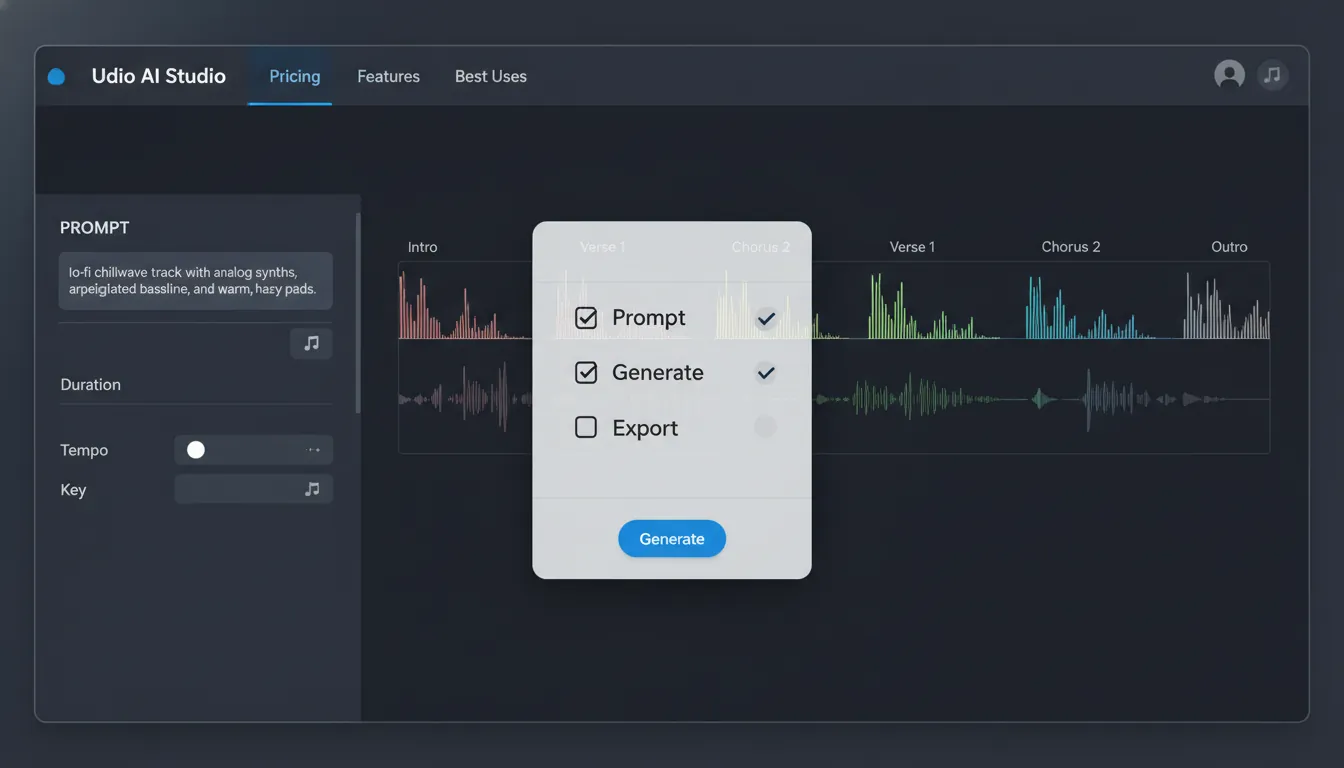
- Start with constraints: genre + BPM range + key mood + vocalist type + era.
- Generate wide: 6-10 generations to explore.
- Pick one winner and "narrow iterate": small changes only (drums drier, brighter vocal, simpler bass).
- Extend in sections: build intro/verse/chorus intentionally.
- Export and finish elsewhere: light EQ, loudness target, and edits for picture.
If you need studio-ready stems, MIDI, vocal & lyrics generation, and one-click music videos in the same pipeline, that's where platforms like MuseGen can be a better fit for production teams that deliver assets - not just songs:
When Udio AI is not the best choice
Udio AI may be the wrong tool if you need:
- Guaranteed exclusivity for a signature brand theme (human composition still wins)
- Clear, traditional copyright ownership for enforcement
- Deep stem-level control and DAW-friendly iteration as the primary workflow (unless your plan/output supports it reliably)
In those cases, use Udio AI for concepting, then rebuild with a producer - or use a platform designed for exports, stems, and post-production handoff.
FAQ (People Also Ask)
1) Is Udio completely free?
Udio AI usually offers a free tier with limited daily/monthly credits. It's enough to test the tool, but you can quickly hit caps if you generate many versions or need higher-quality exports.
2) Which is better, Suno or Udio?
Neither is universally better. Udio AI is often favored for vocal realism and producer-friendly texture, while Suno is often preferred for speed and simplicity. Test both with the same prompts.
3) What is the best AI for creating a song?
The "best" depends on your goal: social content, demos, ad concepts, or final release. Choose the tool that matches your required exports (WAV/stems/MIDI), usage rights, and workflow speed.
4) Is Udio being sued?
AI music companies have faced major-label lawsuits since 2024. The legal and policy landscape is evolving, so verify the current terms and your distribution platform rules before commercial release.
5) Can I use Udio AI songs commercially?
Commercial use depends on the current plan terms and your region. Even with allowed commercial use, keep records (generation timestamps, plan receipts) in case of Content ID or licensing disputes.
6) Can Udio AI make instrumental-only tracks?
Yes - instrumental generations are a common use case. Add "instrumental only" and specify instruments, groove, and arrangement to avoid accidental vocal hooks.
Conclusion: Udio AI in one sentence (and what to do next)
Udio AI is a fast, high-fidelity way to turn prompts into convincing music drafts - best for creators who value speed, variety, and iteration, and who are willing to manage credits and rights carefully. If you treat it like a production partner (clear constraints, structured iteration, solid documentation), it can save hours per project. If you treat it like a magic button, you'll waste credits chasing a moving target.