 MuseGen
Visualizer Music Myths Busted: What Really Matters
MuseGen Team
5/5/2026
You've finished the track, it's bouncing in your headphones, and then the awkward question shows up: what do I post with it? A visualizer music video can feel like the "good enough" option - until it either boosts your release or quietly flops. I've shipped visualizers for artists and brands where the difference wasn't fancy effects; it was how well the visuals served the song and the platform.
What "visualizer music" actually means (and why the term got messy)
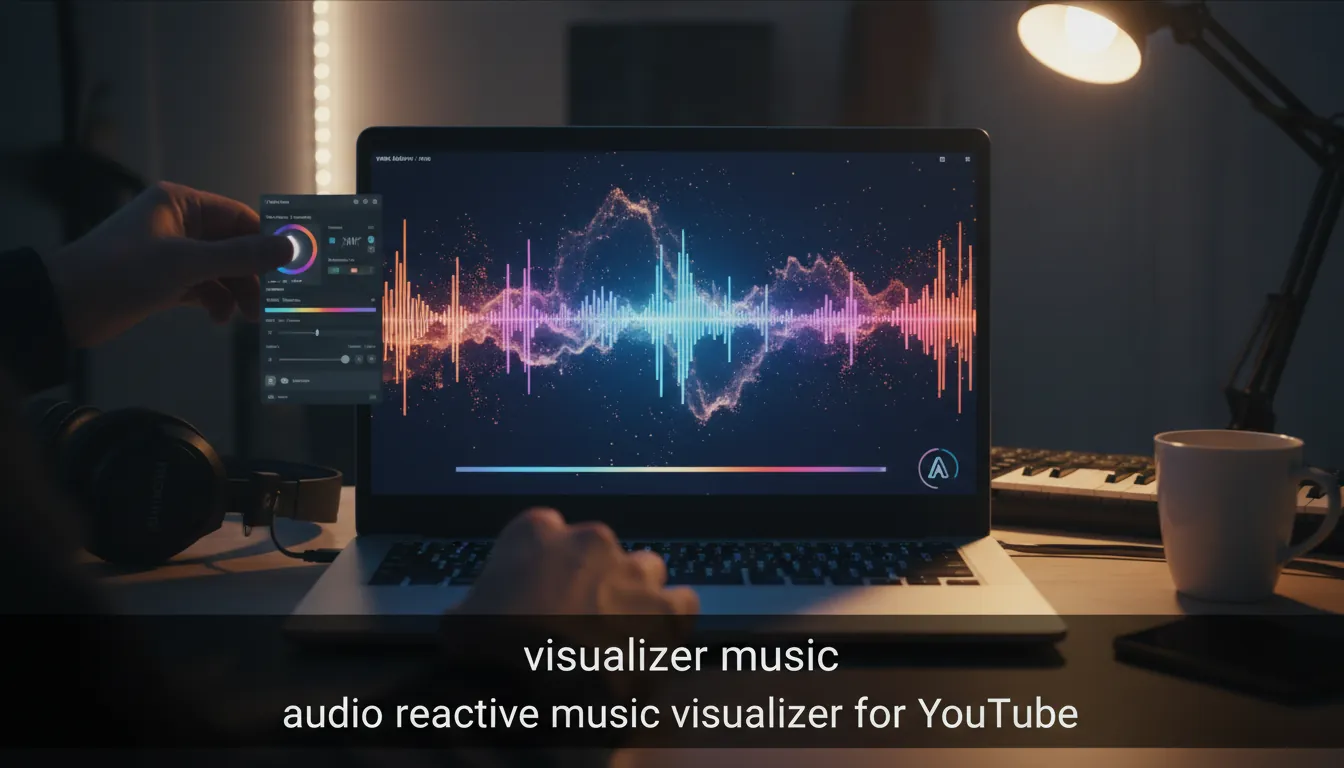
At its core, visualizer music is animated imagery driven by audio - often in real time - using inputs like loudness, amplitude, and frequency spectrum (think oscilloscope or spectrum analyzer, from simple to complex composited effects). That's the classic definition of music visualization as computer-generated visuals synced to a track, popularized in media players and electronic visualizer tools (Wikipedia: Music visualization).
But modern usage widened: many minimal, non-narrative music videos - sometimes just moving typography or animated cover art - are also called "visualizers." That shift happened because audiences on YouTube, Spotify Canvas, Reels, and TikTok want motion paired with audio, even when a full narrative video isn't available.
Practical takeaway: today, "visualizer music" can mean:
- Audio-reactive CGI (spectrum, particles, 3D shapes responding to stems)
- Animated artwork loops (cover art with subtle motion)
- Lyric/typography motion (timed kinetic type)
- Minimal performance/footage edits without a story (still marketed as a "visualizer")
Myth #1: "Any visualizer will boost views - YouTube just likes 'video'"
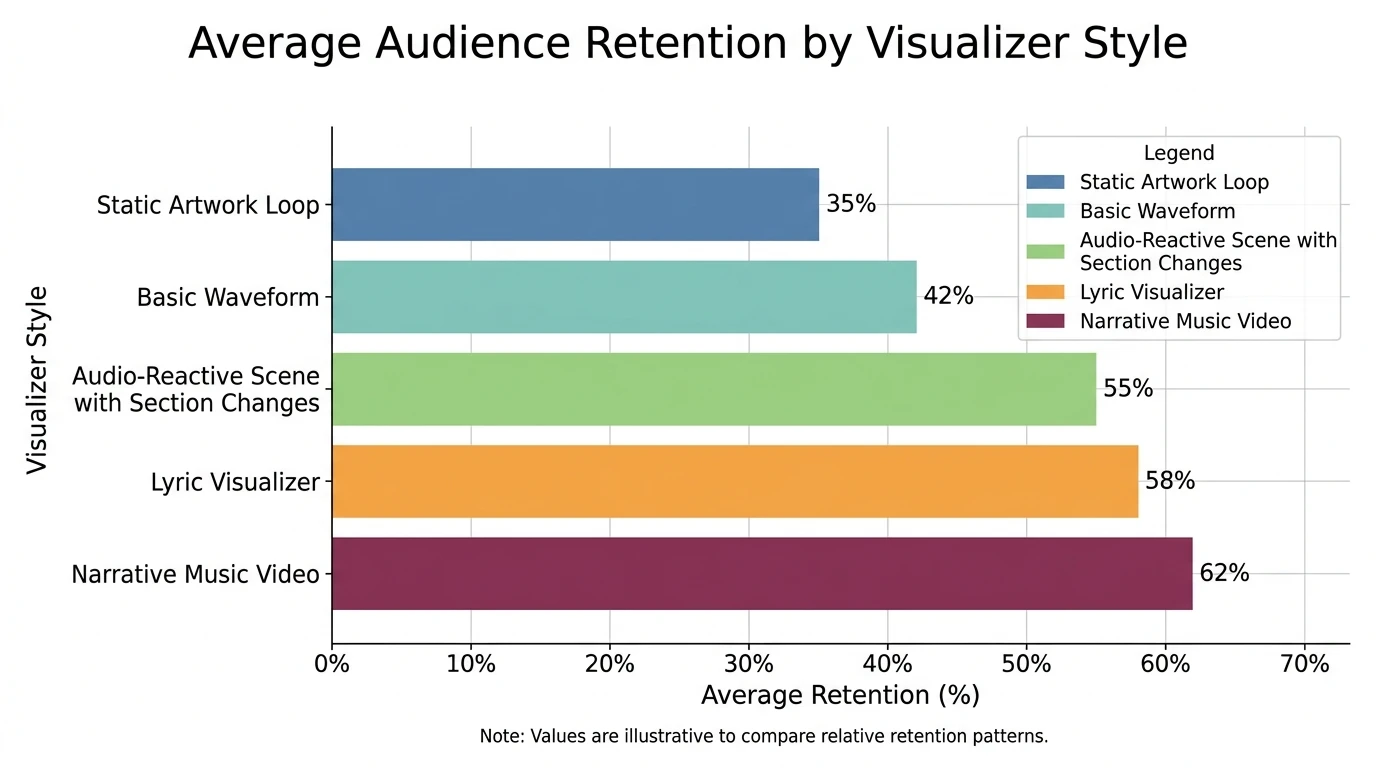
A visualizer can help, but it's not a cheat code. What actually moves distribution is viewer behavior: watch time, retention, and satisfaction signals. Music industry analytics guidance consistently emphasizes retention and watch time over raw views, and recommends using "Key moments for audience retention" to find drop-off points (iMusician on YouTube analytics). If your visualizer is static, low-contrast, or out of sync, people bounce - and the algorithm learns.
What I've seen work in practice:
- A strong first 3-5 seconds (motion + title + vibe) to prevent early drop-off
- Visual "events" at sections (pre-chorus, drop, bridge) so the eye gets paid
- Clean readability on mobile (most discovery happens there)
Myth #2: "A music visualizer is just a waveform"
Waveforms are common because they're easy, but they're not the point. Effective visualizer music aims for visual correlation with the track's spectral and dynamic features - mapping frequency, amplitude, and rhythm to motion that feels intentional (Wikipedia: Music visualization).
If you want it to feel premium, don't just mirror the master output. Consider:
- Frequency band mapping: bass -> scale/zoom, mids -> rotation, highs -> particles
- Beat emphasis: kick triggers impact frames; snare triggers flashes or cuts
- Section-aware design: different visual "scenes" per song section
After Effects Tutorial: Audio Spectrum Visualizer [Trap Nation]
Myth #3: "The best visualizers are the most complex"
Complex visuals can backfire when they overpower the track or create visual fatigue. Research on music-induced imagery suggests listeners naturally experience story-like visual imagery during music listening, and that imagery links to emotional intensity and engagement (PMC study on music listening & visual imagery). In other words, your audience already "sees" something in their mind - your job is to support that, not fight it.
Rule I use:
- If the track is emotionally dense (vocals, lyrics, tension), keep visuals simpler.
- If the track is rhythm-forward (EDM, beat tapes), increase motion and reactivity.
Myth #4: "Artists do visualizers because they can't afford real music videos"
Budget is part of it, but visualizers are also a strategic format. They:
- Match release cadence (you can ship more content per track)
- Provide brand consistency (colors, logo, world-building)
- Fit platform needs (YouTube uploads, Spotify Canvas, Shorts cutdowns)
Some creators also prefer visualizers because they let sound drive composition - visual movement tied to sonic identity can create coherence without narrative. That's why visualizers show up in multimedia art and live AV work, not just marketing.
What really matters in visualizer music (a practical checklist)
1) Sync that feels musical, not just "reactive"
Audio analysis can update faster than humans can track, so systems often need smoothing and intentional mapping. The best results come from deciding what the computer controls (micro-reactivity) and what the artist controls (macro composition and pacing).
Quick wins:
- Add attack/release smoothing so motion breathes
- Trigger "big moments" on downbeats, not random transients
- Use section markers to change palettes or camera moves
2) Mobile-first legibility
Most viewers see your visualizer on a phone. Prioritize:
- Large central focal point
- High contrast (avoid muddy midtones)
- Safe margins for text (UI overlays, captions)
3) Brand system > one-off effects
If you're releasing consistently, build a repeatable template:
- 2-3 brand colors
- 1-2 typefaces
- 1 recurring motif (shape language, particles, "world")
4) Export specs and audio quality (non-negotiable)
A crisp 1080p or 4K render won't save a low-quality audio upload. Always start with high-quality WAV and encode carefully for the platform. Visual polish should never outrun sonic polish.
Visualizer vs. lyric video vs. full music video (when to use what)
| Format | Best for | Production effort | Viewer value | Common pitfalls | | ------------------------------- | ----------------------------------------------- | ----------------- | ---------------------------- | --------------------------------- | | Audio-reactive visualizer music | Beat-driven tracks, EDM, instrumentals, teasers | Medium | "Feels alive" with the music | Overly random motion, messy color | | Animated cover art loop | Fast releases, albums, lo-fi channels | Low | Clean, consistent identity | Too static -> low retention | | Lyric video | Vocal songs, storytelling, singalongs | Medium | Clarity + repeat plays | Hard-to-read typography on mobile | | Full music video | Flagship singles, PR moments | High | Narrative + shareability | Long intros, weak pacing |
A simple workflow: how to do a visualizer for a song (repeatable steps)
If you want a clean process that doesn't drag on for days, use this:
- Pick a preset/template that matches genre and mood (start simple).
- Upload high-quality audio (WAV preferred; high-bitrate MP3 minimum).
- Map motion to the right drivers (kick/snare/bass, or full mix if needed).
- Customize the look (palette, logo, typography, scene).
- Add section changes (color shift at chorus, intensity at drop).
- Export for your platform (YouTube 16:9, Shorts 9:16 cutdown, Canvas loop).
If you're using an AI-based pipeline, stem-driven modulation (kick/snare/keys controlling different visual layers) can create "tight" sync without constant manual keyframing - several modern tools now support this approach.
Engagement reality check: what to measure (and what to ignore)
Don't judge a visualizer by views alone. Look at:
- Average view duration / retention curve (where do people leave?)
- Watch time (the metric YouTube tends to reward most)
- Click-through rate (title + thumbnail + artist trust)
- Comments & saves (signals of real connection)
Two visualizer music setups that consistently perform
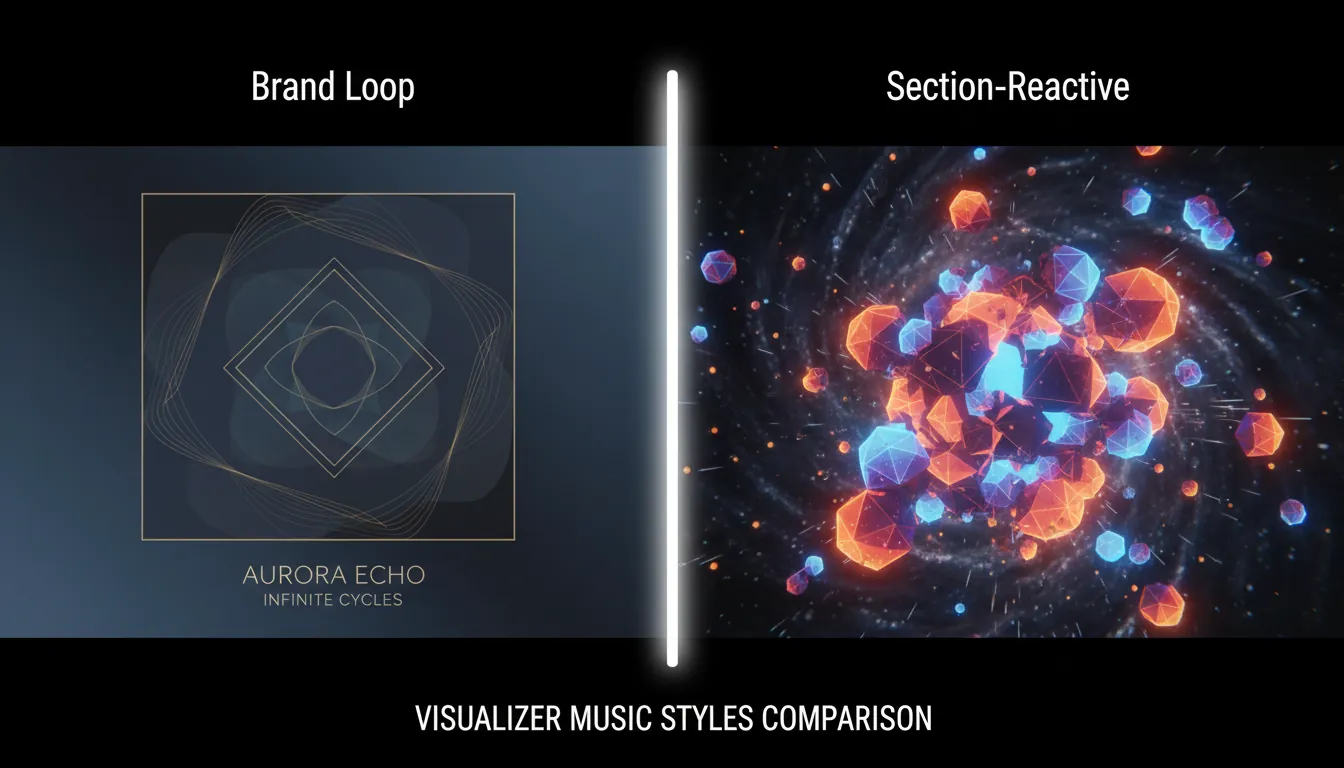
Setup A: "Brand loop" (fast, consistent, scalable)
- Animated cover art + subtle parallax
- Slow particles + light camera drift
- Minimal text (track title + artist)
Best for: frequent releases, catalogs, playlists, background listening.
Setup B: "Section-reactive" (higher retention, still affordable)
- 2-4 scene states (intro/verse/chorus/bridge)
- Beat-driven accents (kicks trigger scale, snares trigger flashes)
- Palette changes at hooks
Best for: singles, YouTube premieres, ad creatives.
Where MuseGen fits: from track to visualizer-ready release
When I test visualizer pipelines, the bottleneck is rarely "making something move." It's getting release-ready audio assets (clean master, stems for reactivity, and fast iteration). MuseGen is built for that: you can generate tracks quickly from text, lyrics, audio, or images, then export WAV stems and MIDI for deeper control - exactly what you want if you're driving visuals from kick/snare/bass instead of a single master track.
If you're building content at scale, MuseGen's "One-Click MV Generator" concept also matches how visualizer music is used today: rapid, consistent motion content that supports release cadence without waiting weeks for a full shoot.
For deeper background on how audio features drive visuals, see the foundational overview at music visualization. For measuring whether your visualizer is actually working on YouTube, use retention guidance like YouTube analytics for musicians. And for a broader view of how YouTube recommendations treat music formats (including album visualizers), this breakdown is useful: YouTube recommendations for music & artists.
FAQ: Visualizer music questions people ask
1) What is a visualizer for music?
A visualizer for music is a video or animation that changes in sync with a song - often reacting to loudness and frequency content (bass, mids, highs) to create motion that "tracks" the audio.
2) How to do a visualizer for a song?
Choose a preset/template, upload a high-quality audio file, map audio drivers (kick/snare/bass), customize brand elements (colors, logo, type), and export for the target platform (YouTube 16:9, Shorts 9:16).
3) What are the best music visualizers?
The "best" depends on your goal. For retention, section-aware visualizers (scene changes at chorus/drop) often outperform static loops. For speed and consistency, animated cover art templates are hard to beat.
4) Why are music videos now called visualizers?
Because many releases use motion content without a traditional narrative. Platforms still require "video," and artists ship minimal, repeatable formats - so "visualizer" became the umbrella label.
5) Why do artists do visualizers?
To release more consistently, keep branding tight, and provide a coherent visual identity tied to the audio - especially when a full production music video isn't practical.
6) Can I use a music visualizer on my phone?
Yes. Many apps and web tools let you generate or preview visualizers on mobile. For best results, still export in the correct resolution/format for the platform you'll post on.
7) What is the 3 minute rule in music - and does it affect visualizers?
It's a loose pop guideline tied to radio and listener attention, not a hard rule. For visualizer music, the bigger factor is retention: keep the opening tight and make sure visuals evolve across sections.
Conclusion: the visualizer doesn't need to be louder than the song
A great visualizer music release is humble: it makes the track feel bigger, clearer, and more shareable - without stealing the spotlight. When you focus on musical sync, section pacing, mobile readability, and measurable retention, you stop guessing and start building a repeatable release engine.