FNF Maker FAQ: Answers to Mods, Charts, and Exporting

MuseGen Team
5/15/2026
You've got a song idea, a character sketch, and a week concept in your head - but the second you open an FNF maker, questions hit fast: Which engine should I use? How do I chart without it feeling unfair? Why won't my JSON load? How do I export for Psych Engine? This guide answers the most common "mods, charts, exporting" questions I see beginners and intermediate creators ask, with practical steps you can follow today. I'll also share a few workflow lessons I learned the hard way after shipping charts that "looked right" but played terribly.
What does "FNF maker" mean (and what should you use)?
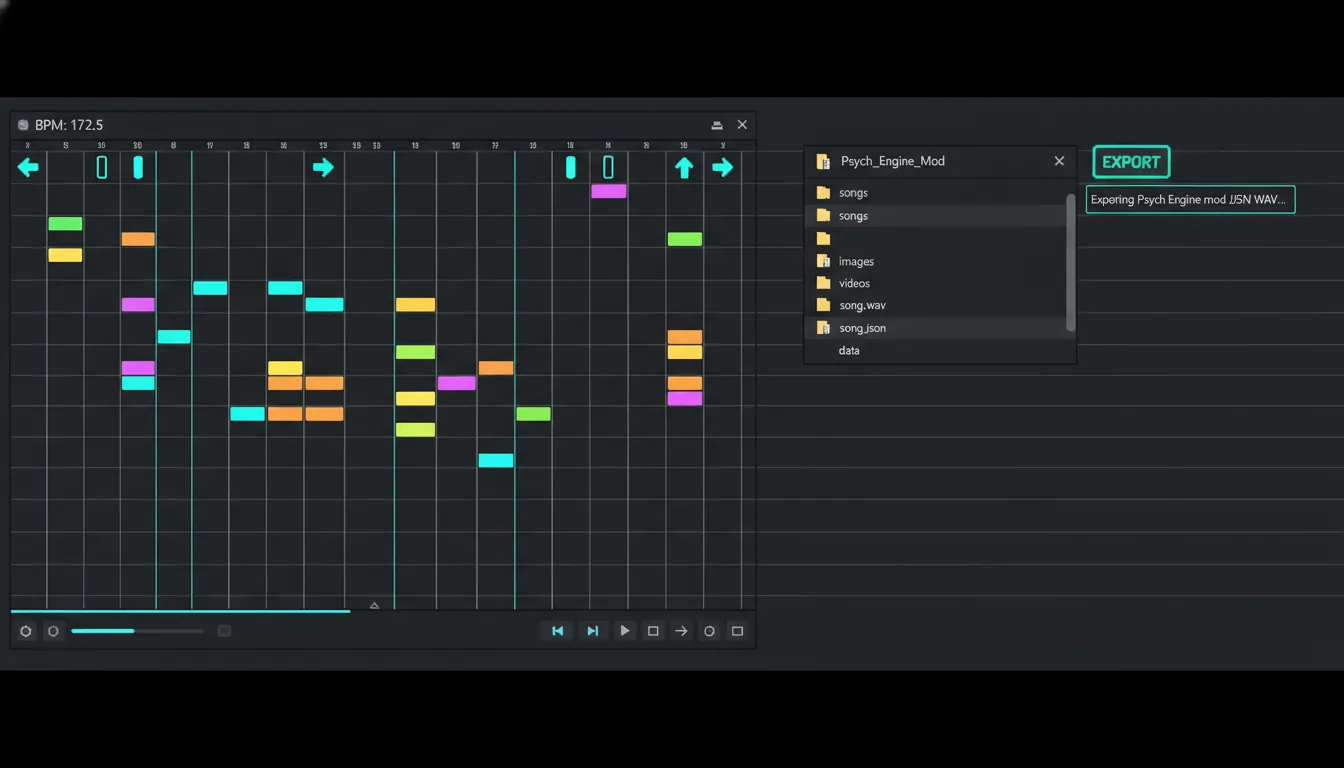
In the community, FNF maker is an umbrella term for tools and engines used to create Friday Night Funkin' content - songs, charts, characters, weeks, and full mods. Some people mean "a chart editor," others mean "a full mod engine," and some mean "AI song maker" tools that generate FNF-style music.
Most creators end up using a mix:
- Engine + chart editor (for gameplay): Psych Engine, Codename Engine, Kade Engine, or the official mod system.
- DAW/audio tools (for music): FL Studio, Ableton, REAPER, etc.
- Art/animation tools (for sprites): Aseprite, Krita, Photoshop, Spine/Adobe Animate, etc.
- Utility tools (for conversion): MIDI-to-chart workflows, JSON validation.
For official mod-system direction and best practices, the most reliable starting points are the FunkinCrew modding docs and the community-curated awesome funkin resources list.
Quick comparison: Which FNF maker path fits your goal?
Picking the "right" FNF maker depends on whether you care most about fast charting, compatibility, or deep scripting. Here's the practical breakdown I use when advising new teams.
| Goal | Best fit | Why it works | Tradeoffs |
|---|---|---|---|
| Make a playable song fast | Psych Engine | Huge community, lots of tutorials, smooth charting loop | Portability issues between versions can happen |
| Export charts across engines | Codename Engine | Strong editor options and export formats (Psych/Legacy) | You still need to test in target engine |
| Deep customization / softcoding | Codename Engine + HScript | Powerful scripting and modern workflow | Steeper learning curve |
| Learn fundamentals from "base" | Official mod system | Closest to canonical direction | Documentation can feel technical |
| Publish and get feedback | GameBanana | Biggest mod audience and discoverability | You must follow packaging/safety best practices |
External platforms worth knowing:
- GameBanana for releases and tutorials
- Official/community learning guide pages like FNF mod guide for a broad overview
FAQ: Mods - "Do I need to code to use an FNF maker?"
Not always. Many FNF maker workflows let you ship a simple mod without deep programming, especially if you:
- Reuse an engine template
- Stick to basic charting + asset swaps
- Avoid custom mechanics and heavy scripting
But if you want any of these, coding (or at least scripting) becomes hard to avoid:
- Custom note types / events
- New gameplay rules (health drain, camera logic, mechanics)
- Advanced UI, menus, cutscenes, dialogue systems
From my own projects: the "no-code" dream usually breaks at timing polish and edge cases (camera, animations, event triggers). Even basic mods benefit from learning JSON structure and debugging.
FAQ: Charts - "How do I make charts that feel good (not just accurate)?"
A great chart is gameplay design, not a transcription. One of the best community reminders is that flow matters more than matching every tiny sound, because players experience patterns, not waveforms.
Here's the charting checklist I use in any FNF maker chart editor:
1) Nail timing fundamentals first (BPM, offset, step grid)
Before placing notes, confirm:
- BPM is correct (or mapped correctly if it changes)
- Song offset is correct (hit windows feel "centered")
- Downbeats align with the grid
If downbeats drift, your chart will feel "wrong" even if patterns look musical.
2) Chart for hands, then for ears
Good patterns:
- Repeat with variation
- Respect stamina (especially at high BPM)
- Use symmetry intentionally (or break it intentionally)
Bad patterns:
- Random jacks that spike difficulty without warning
- Dense clusters on weak beats that read like noise
- Visual clutter from unnecessary micro-notes
3) Difficulty scaling: change ideas, not just density
Instead of "Easy = delete half the notes," try:
- Remove complex transitions first
- Simplify syncopation
- Reduce hand switches (less cross-lane travel)
- Keep the song's core hook pattern intact
How to use the Chart Editor (and make good charts with it) | The Full FNF Modding Course P5
FAQ: Exporting - "What format should I export from my FNF maker?"
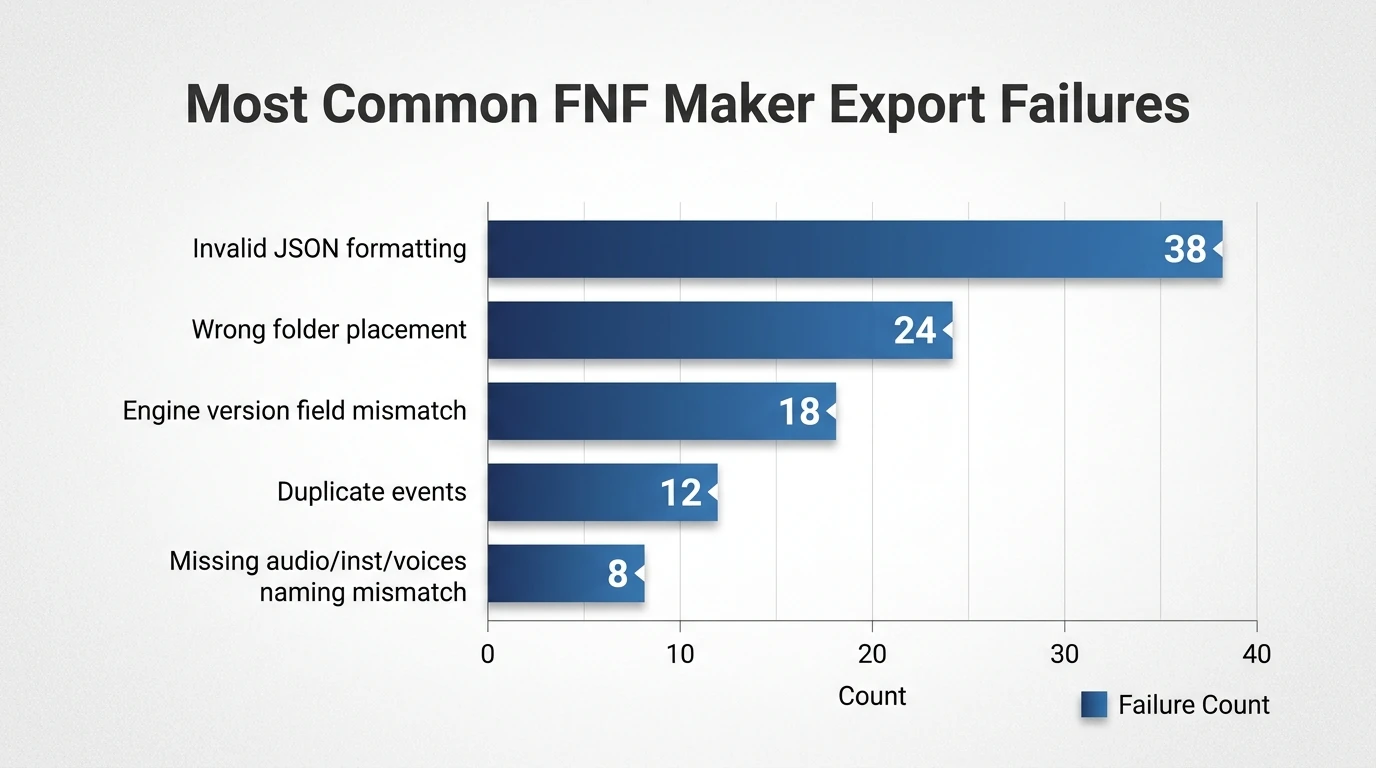
Export is where many mods break. Different engines expect different JSON fields, metadata, and event handling. If you're using Codename Engine, its editor includes export options designed for compatibility, including "Export for Psych Engine" and "Export for FNF Legacy," plus separate saving for events/meta (useful to avoid duplicate events when reusing shared events across difficulties). See: Codename Engine chart editor features.
Practical export rules:
- Pick a target engine first (Psych, Codename, Legacy/base).
- Export specifically for that engine when your editor supports it.
- Test in a clean build (no leftover cached assets).
- Validate JSON (a missing comma can kill the whole load).
FAQ: "Why is my song not loading in-game?"
This is one of the top FNF maker pain points, and it's usually boring - but fixable. Common causes include wrong folder placement and naming.
High-probability fixes:
- Put song files where the engine expects them (many engines load mods from a mods folder, not base assets).
- Check file names match exactly (case sensitivity can matter).
- Confirm you exported the correct difficulty JSON(s).
- If the error mentions missing paths like
assets/data/..., you likely have a bad directory or the engine can't find a referenced file.
A solid troubleshooting index for engine-specific issues is the Codename Engine troubleshooting page. For compile/library issues (if you're building from source), community fixes often point to missing or broken haxelib installs (example patterns documented in GitHub issue threads like FNF JS Engine common issues).
FAQ: "My chart loads, but notes are desynced - what should I check?"
If a chart "loads" but feels off, check these in order:
- Audio export settings
- Ensure constant sample rate (44.1kHz or 48kHz) and consistent encoding.
- Offset
- Many editors let you set instrumental/voice offsets. Small changes (10-30ms) can matter.
- BPM and timing map
- If BPM is wrong, every measure becomes more wrong over time.
- In-editor preview vs in-game
- Some engines apply different timing windows or playback behavior.
In my own testing, the fastest way to diagnose is to chart a simple "metronome section" (kick on quarter notes) and see if it drifts by the end of 60-90 seconds.
FAQ: "How do I avoid duplicate events when exporting?"
Events are powerful but easy to mess up when you reuse them across difficulties. If your editor supports saving events separately, treat events like "shared logic," and charts like "difficulty-specific notes."
Practical approach:
- Save note data per difficulty
- Save events in a shared file (if supported)
- Avoid exporting events twice (once with each difficulty), or you'll see double triggers
This exact pattern is called out in Codename Engine's editor features where saving events separately requires saving without events to prevent duplication. Reference: chart editor features and saving modes.
FAQ: "Is there an AI 'FNF maker' for music, and how does it fit a mod pipeline?"
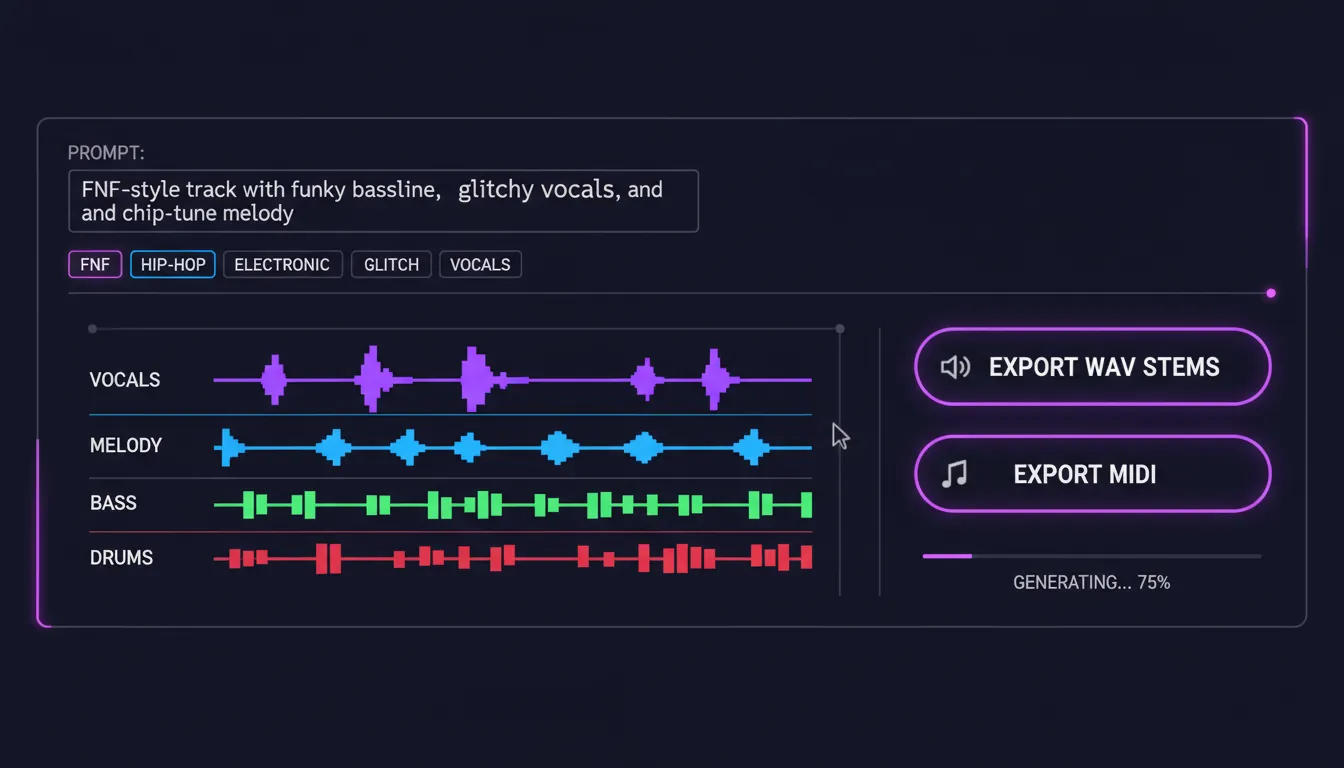
Yes - some tools marketed as an FNF maker focus on generating FNF-style tracks quickly. In a professional pipeline, the key is deliverables: you want clean audio exports, consistent BPM, and (ideally) stems so you can mix properly and chart accurately.
In MuseGen, the workflow is usually:
- Generate a track from text/lyrics/image
- Export high-quality WAV stems (and MIDI when useful)
- Do a quick mix/master pass
- Bring the final instrumental into your chart editor and lock BPM/offset
This is especially helpful if you're shipping multiple songs and don't want production bottlenecks. I've used AI-generated drafts as "tempo-locked prototypes" to start charting earlier - then swapped in the final mix later without rebuilding the chart.
Best-practice workflow: From idea -> playable mod (clean and shippable)
If you want a repeatable FNF maker workflow that doesn't collapse at export time:
- Plan
- Song length, BPM, difficulty targets, gimmicks (if any)
- Produce audio
- Lock BPM early; export instrumental/voices cleanly
- Chart
- Start with Normal; derive Easy/Hard by design choices
- Implement assets
- Characters, icons, stage, dialogue (as needed)
- Export + validate
- Engine-specific export; JSON validation; clean directory check
- Test
- Test on different machines; get 2-3 external playtesters
- Release
- Package clearly; include credits; respond to feedback
Release and community feedback matter more than perfection. The mod scene thrives on iteration, and platforms like GameBanana make it easy to patch and improve.
Conclusion: Your FNF maker is only as good as your testing loop
Every FNF maker promises speed, but the real quality comes from: correct timing, readable patterns, and reliable export. When I started, I lost days to tiny mistakes - wrong folder placement, mismatched chart formats, and "perfectly accurate" patterns that felt awful to play. Once you treat charting like level design and exporting like engineering, your mods become easier to ship and easier for others to enjoy.
FAQ (Quick Search Questions)
1) What is an FNF maker and which one should I use?
An FNF maker is any engine, editor, or workflow tool used to create Friday Night Funkin' songs, charts, characters, weeks, or mods. Psych Engine is often fastest for beginners; Codename Engine is strong when you need deeper editor/export options.
2) How do I make a good FNF chart that feels fair?
Start with correct BPM, offset, and grid alignment. Then chart readable patterns for hands, not just every sound in the song. Difficulty should scale by simplifying ideas, transitions, and syncopation.
3) Why won't my FNF chart JSON load after exporting?
Common causes are wrong folder placement, mismatched file names, incorrect target-engine format, invalid JSON syntax, or missing referenced assets.
4) How do I export charts for Psych Engine vs Legacy formats?
Use your editor's target-specific export option when available. Codename Engine, for example, includes export modes for Psych Engine and FNF Legacy formats.
5) What causes desync in FNF charts and how do I fix offsets?
Desync usually comes from wrong audio export settings, incorrect offset, bad BPM, or timing-map drift. Test with a simple beat-aligned section and adjust in small 10-30ms steps.
6) How do I prevent duplicate events across difficulties?
Save events separately when your editor supports it, and avoid exporting shared events into every difficulty chart. Treat events as shared logic and notes as difficulty-specific data.
7) Can I use AI to make FNF songs and still chart accurately?
Yes, as long as you lock BPM, export clean audio, and test offset carefully. Stems and MIDI can make charting and mixing much easier.