How to Make AI Game Music for Any Level: Prompts and Looping

MuseGen Team
7/29/2026
Music is half the feeling of a game level, yet for most small teams it's the piece that gets left until the end — commissioning a composer is slow and expensive, and stock tracks rarely fit the exact mood of your world. AI music generation offers a different path: describe the level you're building and get a finished, royalty-free track shaped to it, whether that's a peaceful hub, a boss fight, or a horror dungeon. This guide is a practical, developer-focused walkthrough of the two skills that actually make it work: writing prompts that match a level's mood and making the result loop cleanly in your engine.
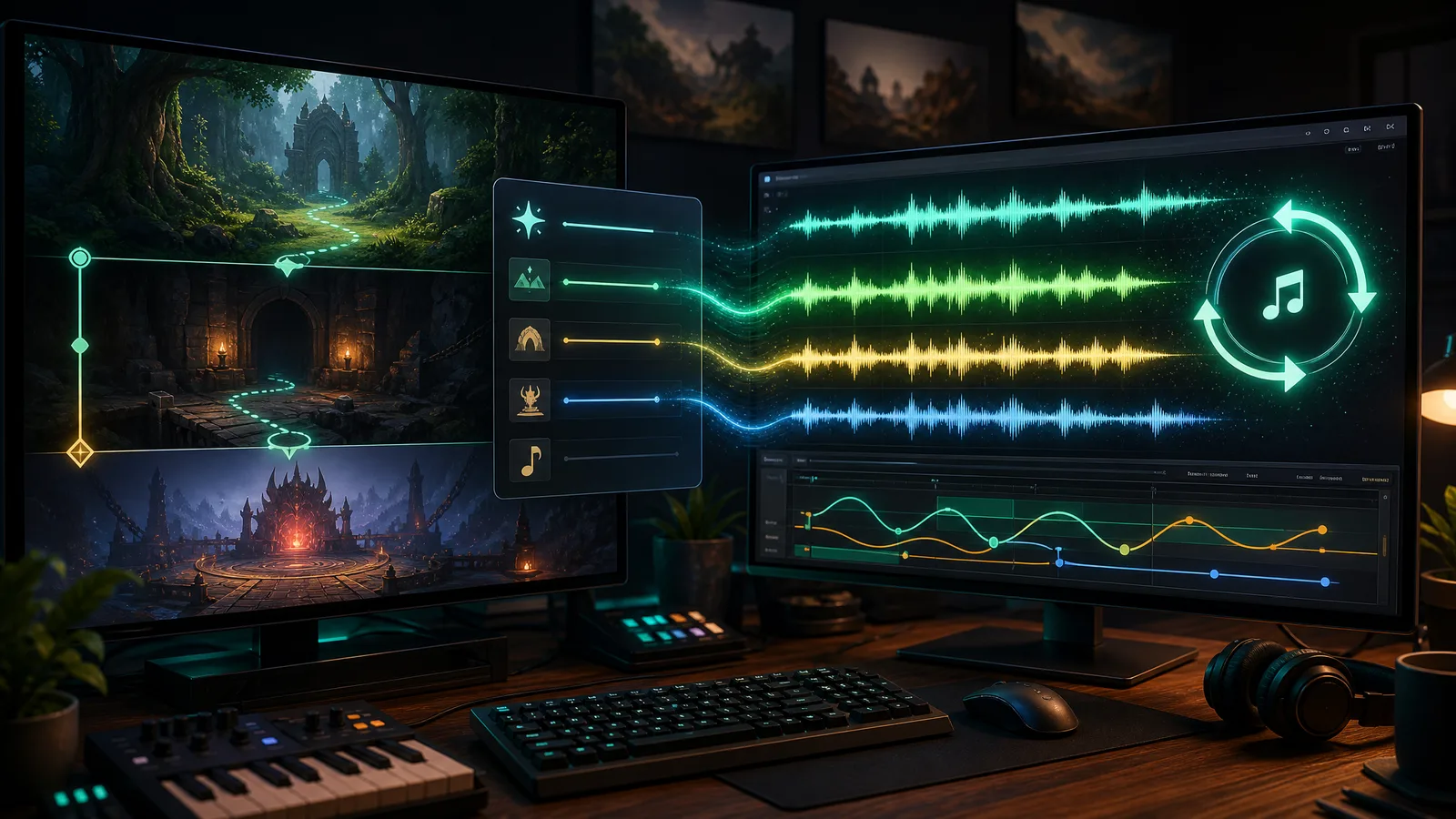
Why Game Music Is Hard for Small Teams
If you've shipped anything, you know the pattern. Art and code eat the schedule, and audio becomes the thing you scramble for in the final weeks. The traditional routes each come with a real cost:
- Hiring a composer gives you bespoke music but takes time, budget, and back-and-forth revisions — a luxury most indie and solo teams can't repeat for every level.
- Stock and library music is faster, but you're picking the closest match from a fixed catalog, the same tracks show up in dozens of other games, and the mood is never quite yours.
- Writing it yourself means learning a DAW and music theory on top of everything else you're already doing.
The result is that a game's world often sounds generic — or stays silent far too long in development. AI music generation attacks exactly this bottleneck: it gives a non-musician the ability to produce unique, mood-matched tracks on demand, so audio can move in step with the rest of the build instead of trailing it.
What AI Music Is (and Isn't) Good For in Games
Being honest about the tool makes you better at using it. Here's where AI generation shines for game audio right now:
- Ambient and background loops. Exploration themes, town music, menu beds, puzzle-room atmospheres — the steady, mood-setting layers of a game are exactly where AI generation is strongest.
- Rapid mood exploration. Not sure whether your forest level wants "mysterious" or "wondrous"? Generate both in minutes and hear them against your build instead of imagining them.
- Placeholder-to-final in one step. The temp track you drop in to test pacing can be the shippable track — no separate "real music" pass later.
- Consistent volume. A game with 15 levels needs 15+ pieces of music. Generating them yourself keeps the whole soundtrack moving at one pace.
And where you should keep your expectations realistic:
- Tightly synced stingers and hit-markers — music that has to land on a specific frame of a cutscene — still benefit from hand editing in a DAW.
- Sound effects are a separate discipline; a music generator makes music, not footsteps, UI clicks, or explosions.
- Fully adaptive, layer-by-layer interactive scores are the frontier. You can approximate them today with clever looping and section swaps, which we'll cover below.
The Core Workflow: From Level Brief to Loop
Here's the process most developers land on — the same four steps work for any level, from a quiet menu to a boss fight. Once you've done it a couple of times, each track takes only minutes.
Step 1 — Turn the level into a music brief
Before you touch a generator, describe the level in the language music actually responds to. Four dimensions cover most of it:
- Mood / emotion — tense, peaceful, triumphant, eerie, melancholic.
- Genre / style — orchestral, chiptune, synthwave, lo-fi, dark ambient, epic hybrid.
- Tempo / energy — a slow drift for a hub town, a driving pulse for a chase.
- Instrumentation — solo piano, deep strings, 8-bit square waves, tribal percussion.
A good rule: if you can name the feeling and one or two instruments, you can write a usable prompt.
Step 2 — Write a prompt that a generator understands
Stack those dimensions into a single, concrete line. A reliable formula to lean on:
function + mood + genre + tempo/energy + instruments + arrangement limits
Vague prompts give vague music; specific prompts give usable tracks. Compare:
Weak prompt: "cool music for my level"
Strong prompt: "mysterious ambient exploration theme, slow tempo ~70 BPM, deep sustained strings, soft distant choir, sparse marimba, seamless loop, no drums"
Notice what the good prompt does: it names the function ("exploration theme"), the mood, a concrete tempo, specific instruments, and a technical requirement ("seamless loop", "no drums"). That last part matters more in games than anywhere else — you're building something that has to repeat for minutes without fatiguing the player.
One honest caveat: treat "seamless loop" as creative direction, not a technical guarantee. The words nudge the generation toward something loop-friendly, but a prompt can't promise a sample-accurate join — you'll still inspect and, if needed, edit the result before shipping. More on that below.
Step 3 — Generate variations and audition in context
Generate a few takes rather than betting on the first — and change one variable at a time (the lead instrument, the percussion level) so you can tell which tweak actually improved things. Then do the one thing that separates good game audio from bad: listen to it in the actual level, not in isolation. Music that sounds great on headphones can feel too busy under gameplay, or too thin in a big open space. Drop each candidate into your engine, play the level, and judge it against four questions:
- Attention — does the track support the scene, or compete with the gameplay?
- Repetition — how soon do you notice the main motif looping back?
- Transitions — does entering or leaving the level create an awkward musical cut?
- Mix — can dialogue and important gameplay cues still cut through?
Longer isn't automatically better: a focused two-minute cue with a clean loop beats a four-minute track with an obvious intro and ending.
Step 4 — Export and drop it into your engine
Export a high-quality source — WAV is the safest editing and import format — then let the engine apply its own deployment compression. Avoid shipping raw MP3 for looped music: MP3 can add a small encoder delay at the file's edges, which sabotages a sample-accurate loop. OGG or your engine's native compressed format is usually the better choice for the final build. Import into Unity, Unreal, Godot, or whatever you're building in, set the loop, and you have a shipping level track. The whole cycle, brief to engine, is usually a matter of minutes per level.
Prompt Recipes for Any Level Type
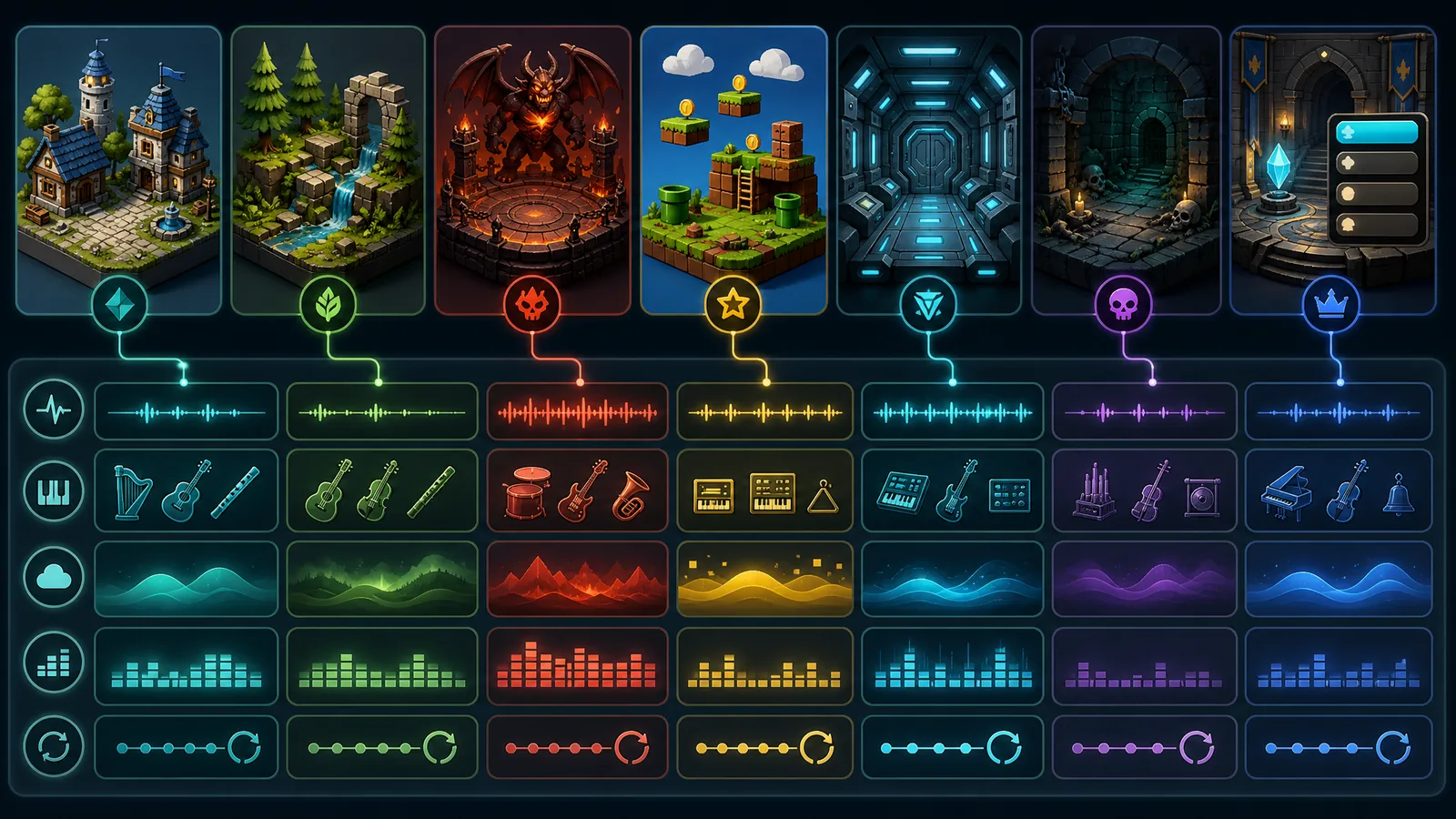
To make step 2 concrete, here are ready-to-adapt prompts covering the level types most games need — hub, exploration, boss, retro, sci-fi, horror, and menu. Change the instruments and tempo to fit your art direction, and keep the loop keywords.
| Level / scene | Prompt starting point |
|---|---|
| Peaceful hub / town | warm, cozy town theme, gentle acoustic guitar and soft piano, mid-slow tempo, light and welcoming, seamless loop |
| Forest / exploration | mysterious exploration ambience, sustained strings and airy pads, sparse woodwinds, ~70 BPM, no percussion, loopable |
| Boss battle | intense epic orchestral battle music, fast driving percussion, powerful brass and choir, ~150 BPM, dramatic and relentless, loop |
| Retro platformer | upbeat chiptune platformer track, catchy 8-bit square-wave melody, bouncy bass, ~140 BPM, cheerful, seamless loop |
| Sci-fi / cyberpunk | dark synthwave level theme, pulsing analog bass, neon arpeggios, moody pads, ~110 BPM, tense and futuristic, loopable |
| Horror / dungeon | unsettling dark ambient dungeon drone, dissonant low strings, distant metallic hits, very slow, tense, no melody, loop |
| Menu / title screen | atmospheric main menu theme, cinematic and inviting, soft piano motif over warm pads, slow, loopable intro bed |
Making Music Loop Cleanly in Your Engine
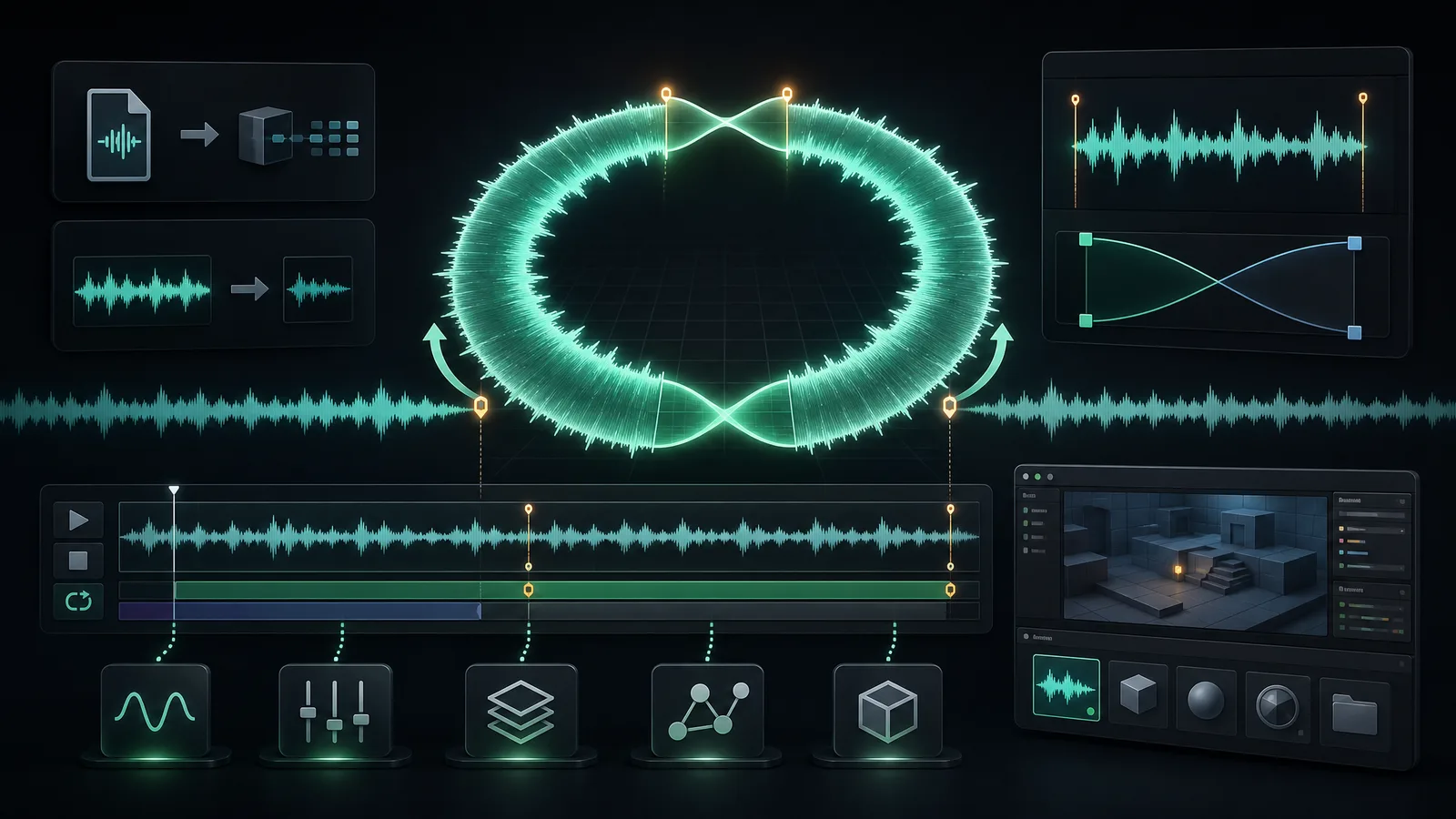
Game music has one requirement stock playlists don't: it has to repeat forever without the player noticing the seam. A few practical tactics:
- Ask for a loop in the prompt. Words like "seamless loop" and "loopable" nudge the generation toward something that ends where it began.
- Use your engine's loop tools. Unity, Unreal, FMOD, and Wwise all support loop points and crossfades — a short crossfade hides most imperfect seams.
- Generate longer tracks to reduce repetition. A longer piece simply takes more time to feel repetitive. Because generation is fast, you can also make two or three variations of a level's theme and rotate them.
Each engine handles looping a little differently. Here's where to set it — and the gotcha to watch for in each:
| Engine / tool | Source format | How to loop | Watch out for |
|---|---|---|---|
| Unity | WAV | Enable AudioSource.loop for a whole-clip loop | Custom loop points or crossfades usually need editing, code, or middleware. |
| Unreal Engine | WAV | Set looping in a Sound Wave, Sound Cue, or MetaSound | Test compression and transition behavior in the packaged build, not just the editor. |
| Godot | WAV or OGG | Use the audio import loop settings | Re-verify the loop after reimporting and on your target platform. |
| FMOD / Wwise | WAV | Set a timeline loop region and transitions | Best suited to state changes, custom loop regions, and adaptive playback. |
If a generated ending doesn't meet the opening cleanly, trim both to musical bar boundaries in an editor like Audacity, add a short equal-power crossfade where it helps, and listen through the join on repeat. Don't rely on the prompt alone to produce a technically seamless file.
Approximating Adaptive Music Today
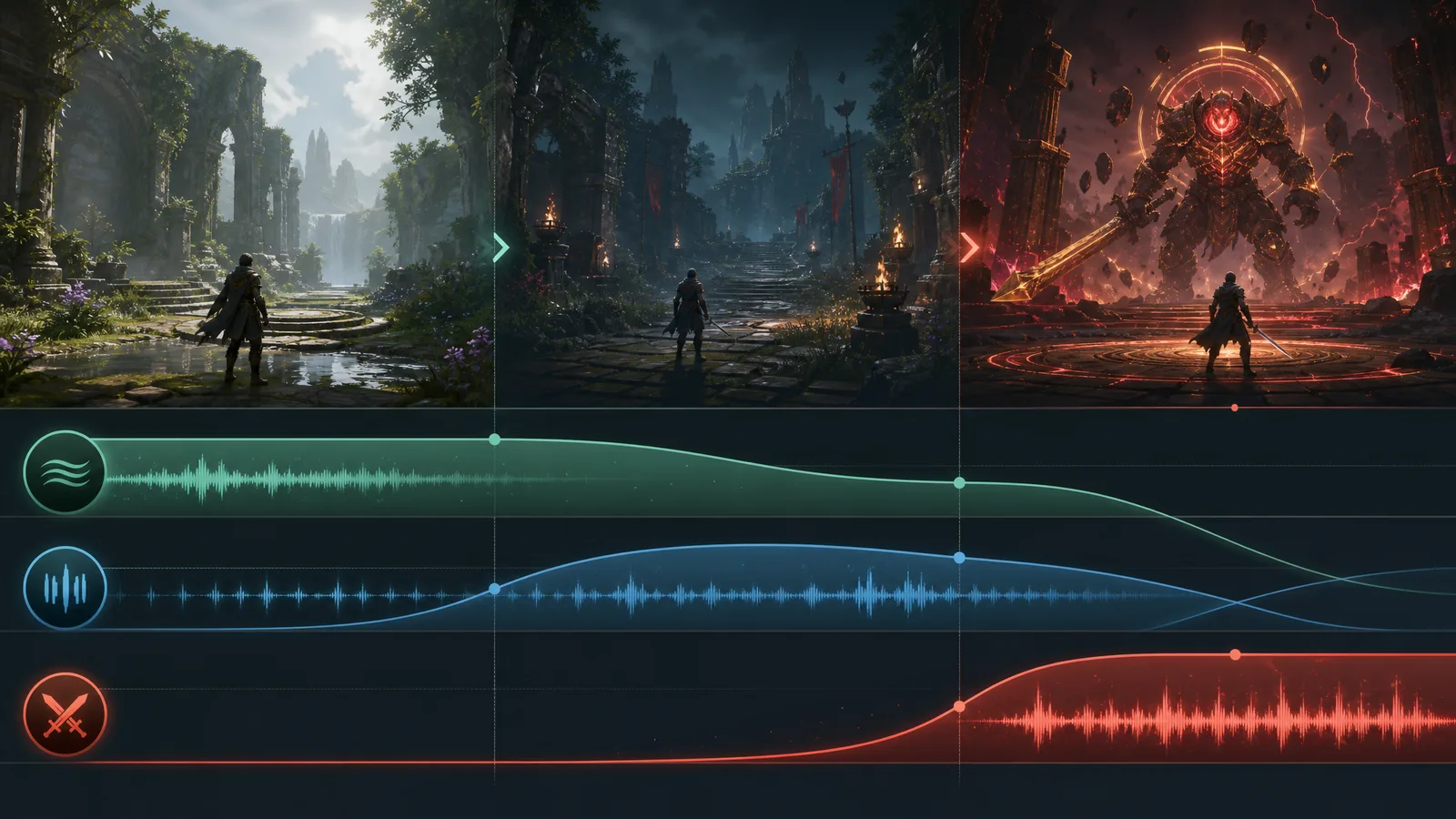
The dream of interactive game audio is music that reacts — calm exploration that swells into combat and settles again. True layer-by-layer adaptive scoring depends on having each instrument on its own track (stems). Here's the honest state of it and what you can do right now:
- Generate mood variations of the same theme. Make a "calm" version and a "combat" version of a level's music with related instrumentation, and crossfade between them in your engine based on game state. This gets you a surprisingly convincing dynamic feel without true stems.
- Layer separately generated beds. Generate a base ambient loop and a separate percussion/tension loop, then fade the second in during action. Because you control each in-engine, you get simple vertical layering.
- Use section swaps. Trigger a different generated track at checkpoints or biome transitions rather than trying to morph one track continuously.
One catch with vertical layering: independently generated tracks can drift or clash, because nothing guarantees they share a clock. Before you stack them, align their tempo, key, length, and downbeats in an audio editor — otherwise the layers phase against each other the moment they play together.
A note on stems and MIDI: for the deepest interactive scoring, developers want separated stems (vocals, drums, and instruments on their own tracks) and MIDI export. In MuseGen these are coming soon — they're on the roadmap but not available yet. Today you export finished MP3 and WAV tracks, which is why the crossfade-and-layer techniques above are the practical route to adaptive music for now.
Licensing: Can You Actually Ship It?
This is the question that stops developers cold, and it's the right one to ask. Music in a commercial game has to be cleanly licensed, or you're exposed the moment you sell a copy or monetize a stream.
The advantage of generating your own music is that the output is exclusive and royalty-free — a track made for your game, not borrowed from a shared catalog. With MuseGen, tracks are royalty-free and the paid plans list commercial use, so you can publish and monetize a game that ships with them. As always, read the current terms for your plan before release so you know exactly what your rights are — but the whole point of generating your own music is to avoid the licensing minefield that comes with lifting tracks from elsewhere.
Rule of thumb: never ship music you can't point to a clear license for. Generating your own gives you that clarity — you made it, it's exclusive to your game, and your rights come from the tool's terms rather than a tangle of third-party clearances.
Fitting AI Music Into Your Production Pipeline
A few habits keep an AI-generated soundtrack coherent instead of scattered:
- Define a sonic palette first. Decide your game's overall musical identity — say, "warm orchestral with folk instruments" — and keep prompts within it so 15 tracks feel like one score, not 15 unrelated songs.
- Name and version your files.
lvl03_forest_explore_v2.wavbeatstrack_final_final.wavwhen you're wiring up dozens of cues. - Keep a prompt log. Save the exact prompt that produced each track. When you need a matching piece for a sequel area, you can reuse and tweak the recipe.
- Generate placeholders early. Because it's fast, score levels while you're still grey-boxing. Music changes how a space feels, and hearing it early shapes better level design.
- Mix for the game, not the headphones. Leave headroom; background music should sit under sound effects and dialogue, not fight them.
Scoring Your First Level with MuseGen
Putting it all together, here's the shortest path from an empty level to a working track:
- Describe the level. Open the MuseGen generator and write your brief — for example, "mysterious forest exploration theme, sustained strings and soft choir, ~70 BPM, no drums, seamless loop."
- Generate and audition in your engine. Create a few variations, import the best one into Unity, Unreal, or Godot, and play the level to hear it in context.
- Export and loop. Download a royalty-free WAV or MP3, set the loop point in your engine, and the level is scored. Repeat per level, keeping to your sonic palette.
Score any level, from menu to boss fight. Describe the mood, generate a unique royalty-free track, and loop it straight into your game. → Try MuseGen
Frequently Asked Questions
Can I use AI-generated music in a commercial game?
Yes. Tracks made with MuseGen are royalty-free, and the paid plans list commercial use, so you can ship and monetize a game that uses them. Always check the current terms for your specific plan before release, but generating your own music is precisely how you avoid the licensing risks of using third-party tracks.
How do I make AI music loop cleanly for a level?
Ask for a "seamless loop" in your prompt, generate a longer track to reduce obvious repetition, and if needed trim it to a clean musical bar in a free editor. Then use your engine's loop points and a short crossfade — Unity, Unreal, FMOD, and Wwise all support this — to hide any remaining seam.
Can AI create adaptive or interactive game music?
Partly, today. True layer-by-layer adaptive scoring wants separated stems, and in MuseGen stem export is coming soon rather than available now. In the meantime you can approximate adaptive music by generating "calm" and "combat" variations of a theme and crossfading between them in-engine, or by layering separately generated beds based on game state.
What format should I export for a game engine?
Export WAV as your working source — it's lossless, so it survives trimming, crossfading, and the engine's own compression without stacking artifacts. Use MP3 when download size matters more, but avoid it for looped music: MP3 encoder padding can add silence at the edges of the file and break a sample-accurate loop.
Do I need any music skills to use it?
No. If you can describe a level's mood and name an instrument or two, you can write a working prompt. The skill you build over time is prompt-writing and auditioning in context — not music theory or DAW expertise.
Can MuseGen make sound effects too?
MuseGen generates music, not sound effects. For footsteps, UI clicks, and explosions you'll still want a dedicated SFX source. Think of AI music as the fastest way to score the musical layers of your game — level themes, menus, and ambience.