Can AI Music Tools Really Replace Epidemic Sound? An Honest Look

MuseGen Team
7/30/2026
If you make videos, you already know the feeling: you spend longer hunting for the right track than you did on the edit itself — and when you finally settle, it's a song a thousand other creators are using too. AI music tools promise a different path: describe what you want and get a unique track built for it. So the honest question is, can they actually replace a library like Epidemic Sound? Here's a straight answer, without the hype.
Two Different Tools for the Same Job
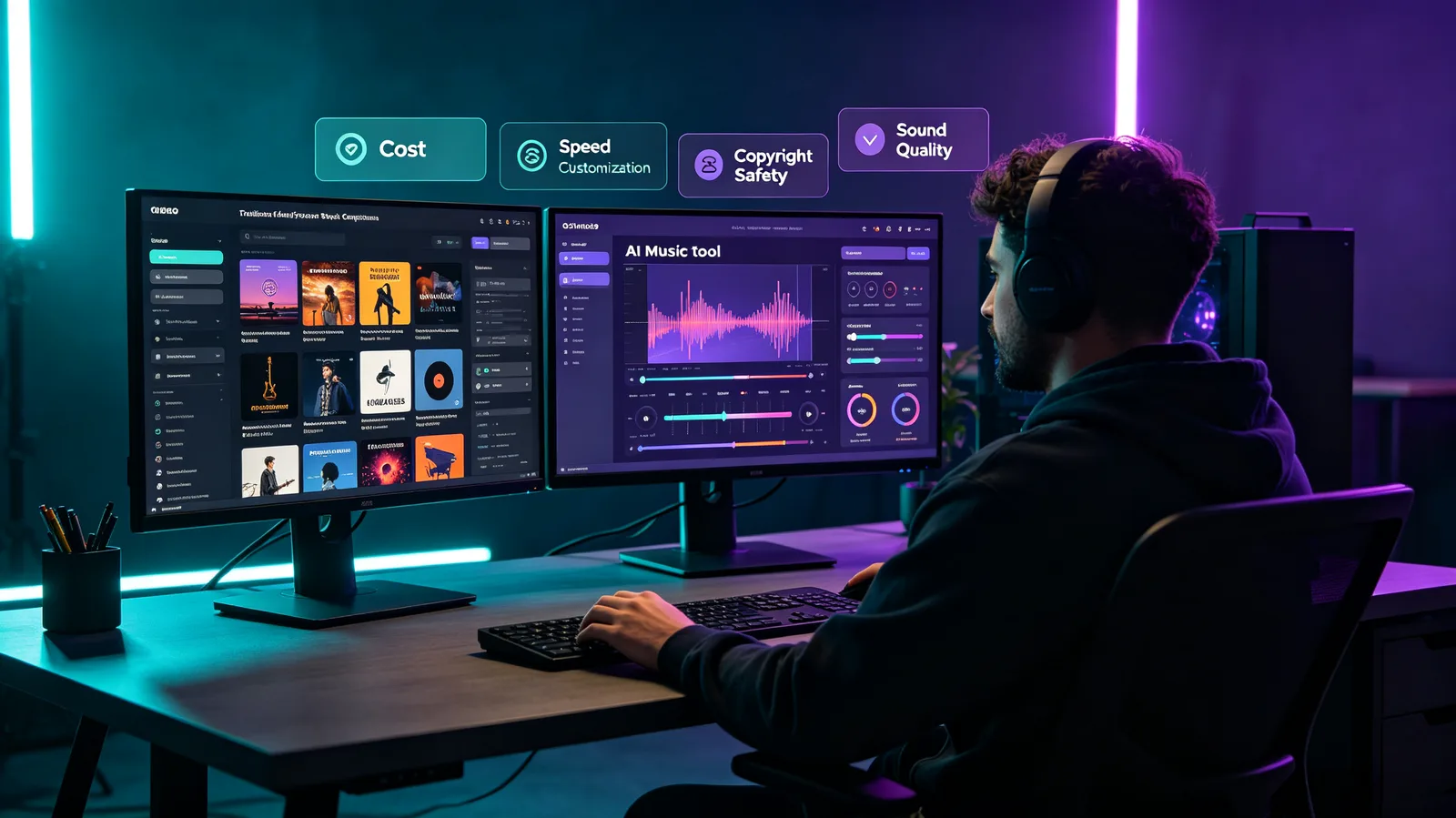
Before comparing them, it helps to see that Epidemic Sound and an AI music tool aren't really the same kind of product. They solve the "I need music for this" problem in two fundamentally different ways.
The library model — Epidemic Sound
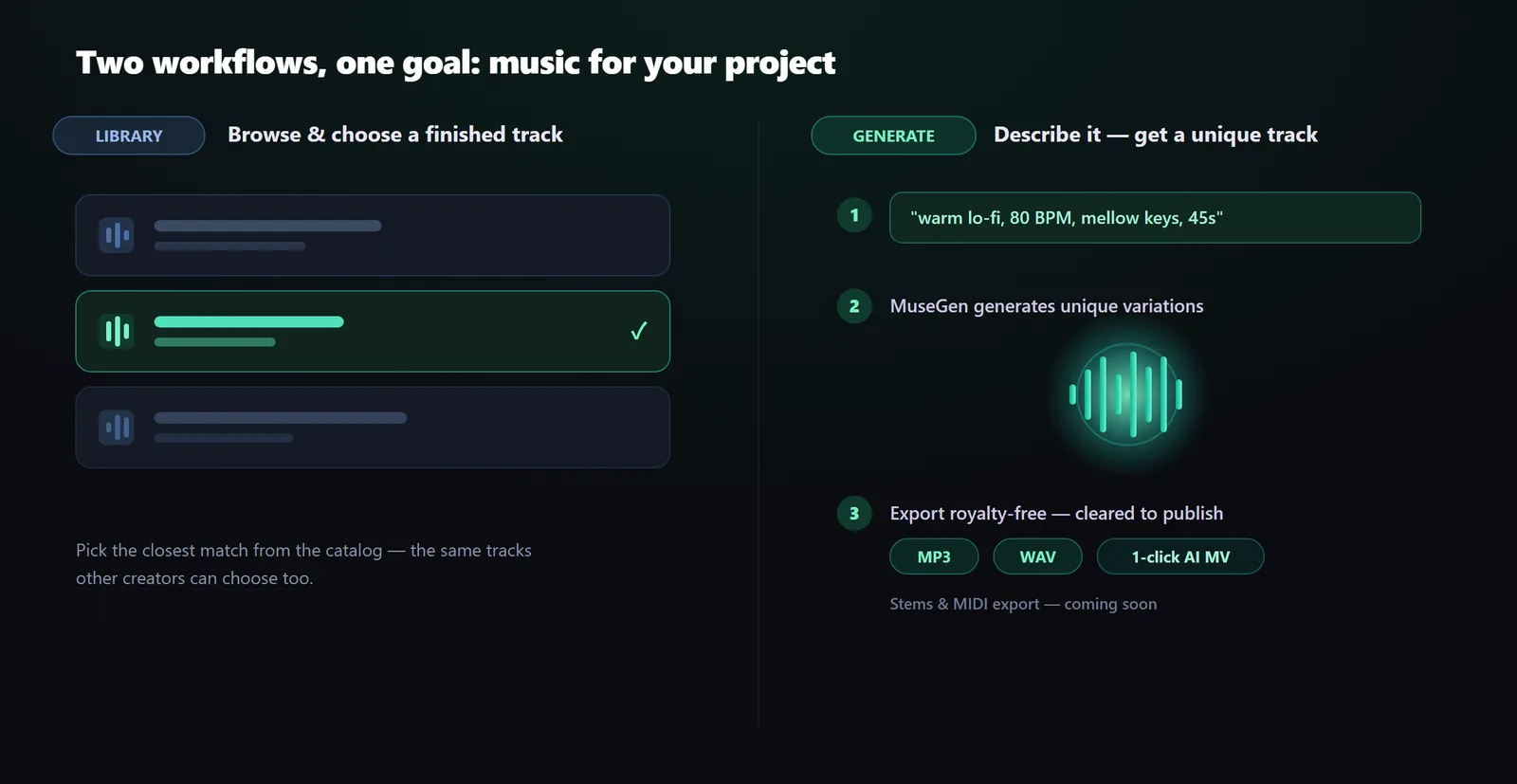
A large, curated catalog of finished tracks — each written, performed, and produced by real musicians — plus a deep bank of sound effects. You browse and choose an existing song that fits your project.
The generation model — AI tools like MuseGen
No shelf of pre-made songs. Instead you describe the track you need — mood, genre, tempo, instruments — and the tool generates a made-to-your-brief piece, on demand.
One hands you a great track someone already made. The other makes a new one for you. That single difference shapes everything else in this comparison — so let's give each side a fair look.
What Epidemic Sound Does Well
A fair comparison starts by respecting the incumbent. Epidemic Sound earned its place with real strengths:
- A huge, human-crafted catalog. Tens of thousands of tracks written and performed by musicians, spanning nearly every genre and mood you could search for.
- A deep sound-effects library. Beyond music, there's an enormous bank of SFX — whooshes, impacts, ambiences — that a music generator simply doesn't offer.
- Consistent, professional production. Because tracks are made and vetted by people, quality and mixing are dependable across the board.
- Fast, familiar browsing. Powerful search and filters let you audition finished songs and drop one into your edit in minutes.
- Clear, all-in-one licensing. Everything is royalty-free to use in your content under one straightforward license — no per-track clearance hunts.
If your workflow is "search, preview, pick," a curated library is genuinely hard to beat.
Where AI Tools Like MuseGen Win
Generation flips the workflow — and that unlocks things a fixed catalog can't do:
- It's unique and exclusive. The track is generated for you, so it isn't the same song showing up in a thousand other videos.
- It's made to your exact brief. Ask for "warm lo-fi, 80 BPM, mellow keys, 45 seconds" and you get a track shaped to that — not the closest match you could find.
- Iteration is effortless. Don't love the first take? Generate variations until the chorus, mood, or energy lands exactly where your edit needs it.
- It's fast, from a single line of text. You go from an idea to a finished, mixed track in minutes, right in your browser — no downloads.
- The output is royalty-free and yours to use. Export your own track and publish or monetize it under the tool's terms — without hunting down separate licenses.
When the goal is a track that fits your project perfectly and isn't shared with anyone else, generation is the tool that gets you there.
Where AI Can't Fully Replace a Library — Yet
There are real jobs where a curated library still has the edge:
- Sound effects. AI music tools generate music. For a deep, searchable SFX bank, a dedicated library is still the place to go.
- Browsing finished work. Sometimes you don't have a brief — you want to scroll, audition, and let a ready-made track spark the edit. Curation is its own kind of value.
- Very specific, pre-produced styles. If you need an exact, established sound, finding it in a catalog can be quicker than describing it well enough to generate.
- Batch consistency. Scoring many cues that must feel like one cohesive package is something a curated collection handles predictably.
One MuseGen detail worth knowing: separated stem export (vocals, drums, and instruments on their own tracks) and MIDI export are coming soon — not available yet. So if your workflow depends on pulling a track apart in a DAW today, keep that on your radar. Everything else in this guide you can do right now.
Side by Side: Library vs AI Generation
| What matters | Epidemic Sound (library) | AI tools like MuseGen (generation) |
|---|---|---|
| Core model | Choose a finished, human-made track | Generate a custom track to your brief |
| Originality | Shared — others use the same tracks | Exclusive — made just for you |
| Sound effects | Deep, dedicated SFX library | Music generation, not an SFX bank |
| How you get a track | Browse, search, preview | Describe it in plain language |
| Fit to your edit | Closest match in the catalog | Tailored to mood, genre, tempo, length |
| Licensing to use | Royalty-free under one license | Royalty-free, made-for-you output cleared for commercial use |
| Best for | Browsing, SFX, established styles | Exclusive, tailored, one-of-a-kind tracks |
So — Can It Replace Epidemic Sound?
The honest answer is: it depends on what you're trying to do. They're strong at different things, so match the tool to the task.
Reach for AI (MuseGen) when
- You want music that's unique and exclusive to you.
- You need a track shaped to a specific edit or brand.
- You like iterating fast until it's exactly right.
- You want something no other creator has.
Stick with a library when
- You lean on a deep, searchable sound-effects bank.
- You prefer browsing finished, pre-produced tracks.
- You want many ready-made genres to audition instantly.
- You need a batch of cues with a single, curated feel.
For a lot of creators, the real answer isn't "either/or" — it's both: reach for AI when you want a one-of-a-kind, made-to-fit track, and keep a library around for sound effects and quick browsing. AI doesn't have to fully replace the library to change how you work; for made-for-you music, it already offers something a fixed catalog never can.
How to Try the AI Route with MuseGen
Want to hear the difference for your own project? It takes about three steps:
- Describe your track. Open the MuseGen generator and write what you need — for example, "uplifting indie-folk, acoustic guitar and claps, 100 BPM, 60 seconds for a travel vlog."
- Generate and pick the best take. Create a few variations, play them against your footage, and keep the one that fits your edit.
- Export and use it. Download a royalty-free MP3 or WAV, or spin up a one-click AI music video — a track that isn't shared with other creators and that you're cleared to publish.
On the roadmap: separated stem export and MIDI export are coming soon, for creators who'll want DAW-level control down the line.
Make a track that's actually yours. Describe it, generate it, and export a unique royalty-free song right in your browser. → Try MuseGen
Frequently Asked Questions
Is AI-generated music really royalty-free to use?
With MuseGen, the tracks you generate are royalty-free — you can use them in your content and monetize that content without hunting down separate licenses. Always check the terms of any tool you use, but the whole point of a generator like this is to give you exclusive music you're clear to use.
Can I use AI music commercially, like on a monetized YouTube channel?
Yes. Because the track is made just for you and royalty-free, you can use it in commercial and monetized content — videos, ads, podcasts, streams. You get an exclusive track cleared for commercial use rather than borrowing a shared catalog track. Check the tool's current terms for the exact scope of your rights.
Can MuseGen export separate stems or MIDI?
Not yet — stem export and MIDI export are coming soon. Today you can export your finished track as a royalty-free MP3 or WAV and create a one-click AI music video. Stems and MIDI are on the roadmap for producers who want to remix in a DAW.
Will AI replace stock music libraries entirely?
Probably not entirely — at least not soon. Libraries still lead on sound effects, browsable curation, and specific pre-produced styles. What AI changes is made-for-you music: it lets you make a one-of-a-kind track built for your project, which a fixed catalog can't do. Many creators will use both.
Is AI music good enough quality for real videos?
For most creator and brand video work, yes — modern AI tools produce fully mixed, finished tracks. The best approach is to generate a few variations and pick the strongest one, just as you'd audition several library tracks before choosing.
Do I still need Epidemic Sound if I use AI music?
It depends on your workflow. If you rely heavily on sound effects or love browsing a curated catalog, a library still earns its keep. If you mainly want unique background music tailored to each project, an AI tool like MuseGen may cover most of what you reach for.
Sources
Descriptions of Epidemic Sound's catalog and sound-effects library are based on the company's own site and independent reviews: Epidemic Sound — official site and Wyzowl — Epidemic Sound review. Epidemic Sound is a curated royalty-free music library; MuseGen is an AI music generation tool. Product features can change over time — check each tool's site for the latest.