What Are Stems in Music? How to Group, Export and Deliver Them

MuseGen Team
9/1/2026
Two people ask you for stems in the same week. The mastering engineer wants four stereo files that add back up to the mix you approved. The remixer wants an acapella you never made, from a song you finished two years ago. Same word, two different objects — and the gap between them is responsible for more wasted exports than any other request in music production.
In short
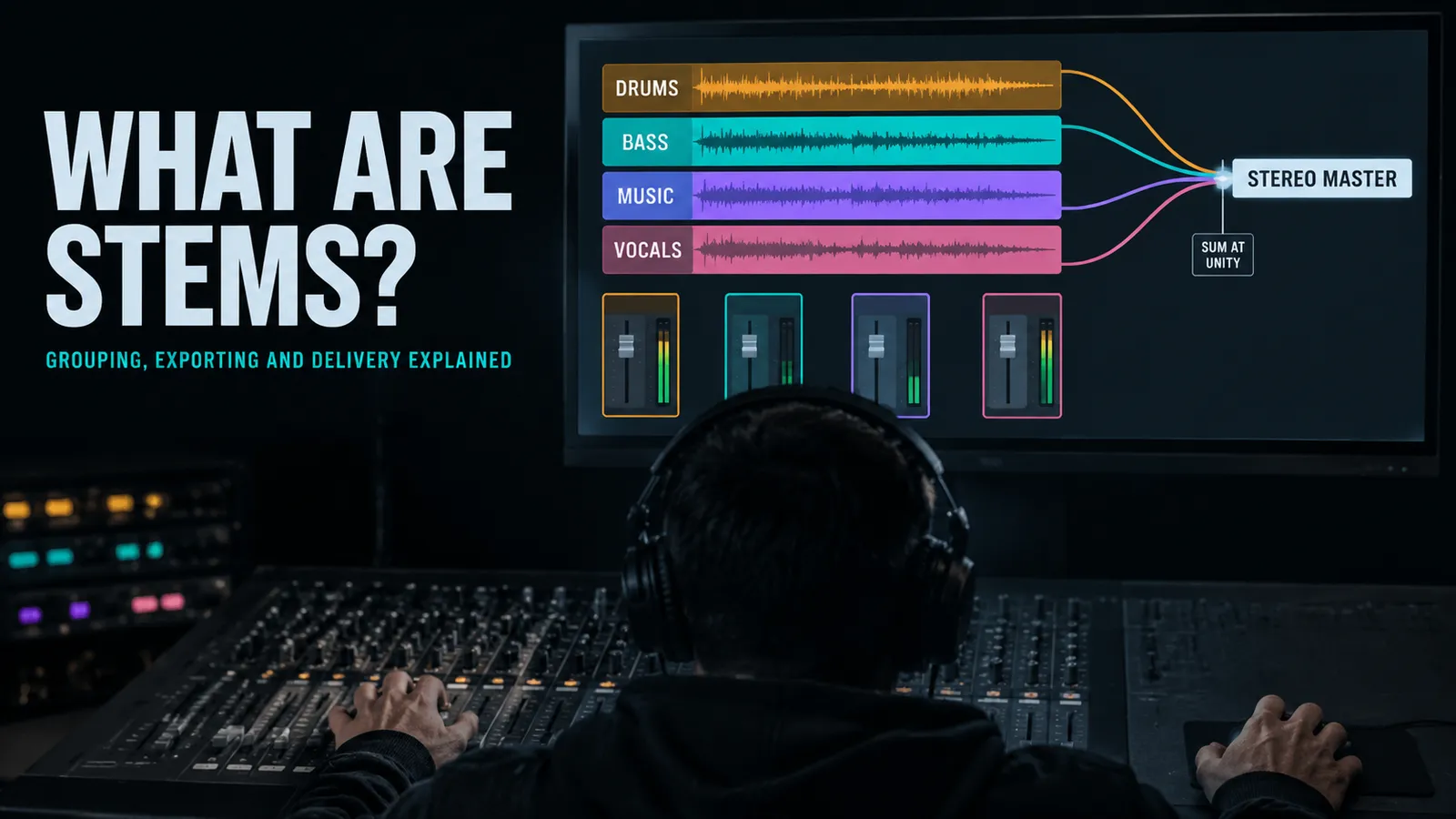
A stem is a group of related tracks mixed together and printed as one audio file, meant to be handled downstream as a single unit. Your drum stem is every drum and percussion track already balanced against each other, bounced to one file.
Stems sit in the middle of three layers. The multitrack session holds every individual recording. The stereo master holds the whole song in one file. Stems are the useful compromise in between: few enough to hand over, separate enough to still change something.
The defining property is that they add back up. Import a stem set into an empty session with every fader at zero and it should sound like the mix. That is the whole idea — and there is exactly one common situation where it quietly stops being true.
Quick facts
- What a stem is: A submix printed to a file — a group of tracks, mixed and bounced together, treated downstream as one thing.
- Typical count: Two to six for most songs; eight is the usual ceiling that mastering engineers accept.
- Standard four: Drums · Bass · Music · Vocals.
- Format: 24-bit WAV, project sample rate, stereo files, no dither, no normalising.
- The alignment rule: Every file starts at the same point and runs the full song length, silence included.
- Two different meanings: Delivery stems come forward out of your session. Separated stems are estimated backwards out of a finished mix.
What a stem actually is
The standard definition is unusually precise for an audio term: a stem is a discrete or grouped collection of audio sources mixed together, usually by one person, to be dealt with downstream as one unit. Every part of that sentence is doing work. Grouped, so it is more than one source. Mixed together, so balancing decisions are already baked in. Downstream as one unit, so it exists for the benefit of whoever handles it next, not for you.
A stem can be mono, stereo or multichannel for surround work, and you will hear the same thing called a submix, a subgroup or a bus depending on who is talking. Those words are close enough to be used interchangeably in conversation, but there is one distinction worth keeping straight: a submix is being routed through a bus live during playback, while a stem is a printed version of that routed audio. Bouncing the submix is what turns it into a stem.
Definition and terminology follow the reference entry on stems in audio; the submix-versus-printed-stem distinction comes from Sage Audio's guide to preparing a mix for stem mastering.
Which brings up the thing most explanations skip. A stem is defined by what the person downstream needs to be able to move, not by instrument family. "Drums, bass, music, vocals" is a convention, not a rule. If the argument on this particular song is whether the 808 is too loud, then the 808 gets its own stem even though it is technically part of the drums. If nobody will ever touch the percussion independently, it does not need one. Group for the decision, not for the taxonomy.
The two things people mean by "stems" in 2026
Here is the confusion that costs people real time, and it is newer than most of the advice written about stems. The word now points at two objects that arrive from opposite directions.
Delivery stems come forward out of your session. You decided the groups, your processing is printed in, and the files are exact — they contain the actual audio that made the record. Separated stems come backwards out of a finished stereo file. A model listens to the mixdown and estimates what the four parts must have been. Nobody who made the song was involved.
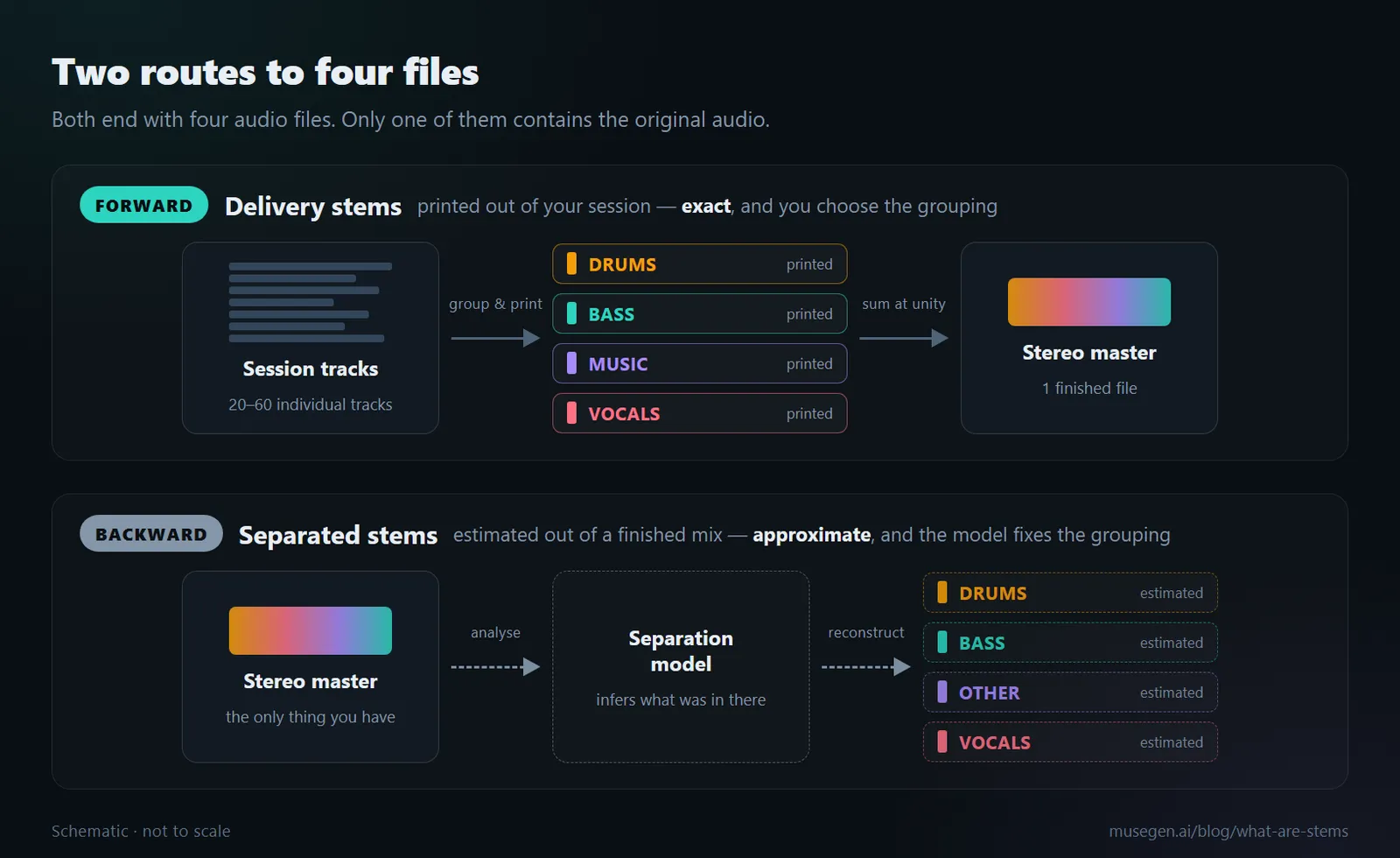
Both routes end in four files. Only one of them contains the original audio.
| Delivery stems | Separated stems | |
|---|---|---|
| Direction | Forward, out of the session | Backward, out of the finished mix |
| Contents | The actual recorded audio | A model's estimate of it |
| Who chooses the grouping | You do | The model does, and it is fixed |
| Do they sum back? | Yes, by design | Approximately, and not reliably |
| Needs the project file | Yes | No — any audio file will do |
| Good for | Mastering, licensing, archiving | Remixing, DJ sets, practice, study |
Even the reference literature admits the boundary has blurred: the entry on stem mixing and mastering notes outright that the distinction between a stem and a separation is rather unclear, and that where you draw it depends on how many separate channels exist and how far along the reduction to stereo they are.
The practical consequence: "send me the stems" is an ambiguous request, and answering the wrong one wastes a day. Ask which. If they have your project, they mean delivery stems. If they only have the released track, they are asking you to run separation — or they assume you already did.
Stems, multitracks and the master
The other confusion is vertical rather than horizontal. Three things get handed around, and they represent three different amounts of committed decision-making.
| Layer | What it is | Typical count | Who asks for it |
|---|---|---|---|
| Multitracks | Every individual recorded or programmed track, unbalanced | 20–60+ | A mix engineer, who needs to build the balance |
| Stems | Those tracks grouped and printed, with your balance baked in | 2–8 | A mastering engineer, sync agent, DJ or remixer |
| Master | The whole song, one stereo file, finished | 1 | Listeners, distributors, streaming platforms |
The difference that matters is how much of your judgement survives the handover. Send multitracks and you are asking someone to make the balance decisions again. Send stems and you are asking them to keep your decisions and adjust around the edges. Send the master and you are asking for polish on something already settled.
This is why sending fifty files named Audio 1 through Audio 50 to a mastering engineer goes wrong. It is not a labelling problem. You have handed over the multitrack layer while asking for a service that operates on the stem layer, and the honest answer is that you have requested a mix, at mix prices, by accident. If a full mastering pass is what you actually want, one stereo file is usually the correct delivery.
If you would rather hear this distinction argued out loud than read it, this walkthrough is about exactly that question:
What a standard stem set looks like
Four is the workhorse. It covers most songs, it maps onto the four things anyone realistically wants to nudge, and it fits comfortably inside every engineer's limit.
- Drums. The whole kit and any percussion, already balanced against itself, with the drum bus processing printed in.
- Bass. Bass guitar, synth bass and sub, kept separate because low end is the single most common thing a mastering engineer is asked to adjust.
- Music. Everything harmonic and melodic that is not bass or voice — guitars, keys, synths, strings, horns — summed to one file.
- Vocals. Lead and backing vocals with their own effects printed in, so the balance between the voice and the track can still be moved.
From there you expand only when there is a reason. A fifth stem for effects returns, if the reverbs and delays need to be adjustable against the dry sources. A split between lead and backing vocals, if the balance between them is genuinely unresolved. Mastering engineers commonly work up to about eight, and past that you are drifting back into asking for a mix. Two stems — instrumental and vocal — is a perfectly respectable delivery if that is all the flexibility the song needs.
Where the word comes from
Stems are a film convention that music borrowed. In film sound, dialogue, music and effects are prepared as three separate stems and brought to the final mix that way — "D-M-E". The payoff is enormous: the dialogue stem can be swapped for a foreign-language version without touching anything else, the effects stem can be re-balanced for different playback formats, and the music can be changed to shift the emotional read of a scene. When the music and effects stems are sent to another facility for foreign dubbing, those two together are called the M&E. The dialogue stem also gets used alone when cutting a trailer.
That is the logic underneath the whole practice: a stem is a seam you deliberately leave in the mix so that one thing can be changed later without rebuilding everything. Music stems are the same idea with different contents.
Why anyone asks for stems
Stem mastering. Instead of working on one stereo file, the mastering engineer treats several, which allows moves that stereo mastering physically cannot make — lifting the vocal a hair against the band, tightening the low end without touching the cymbals, leaving the snare completely alone. It costs more and takes longer, and it is worth it when there is a specific balance issue you could not solve in the mix. Not every engineer offers it, and some decline on the grounds that it drifts too close to mixing.
Sync and licensing. Music supervisors routinely need an instrumental, a version without the lead vocal, or a stripped arrangement that sits under dialogue. If you already have stems, all of those are five-minute jobs. If you do not, they are re-opening a project that may not even load any more.
Remixing and DJ work. A remixer given clean stems can rebuild the song around your actual vocal. DJs use stems for live re-edits and transitions, which is why stem playback is now built into mainstream DJ software. Anything you plan to beat-match benefits from having a reliable tempo reading attached before the files go anywhere.
Live performance. Backing tracks for a touring act are stems: the band plays some parts and the playback rig covers the rest, and having them separate means the front-of-house engineer can rebalance the playback against the room every night.
Archiving. The quietly underrated one. Five years from now the project may not open cleanly — plugins get discontinued, formats change, operating systems move on. Stems are plain audio files, and plain audio files keep working. Printing a stem set when a song is finished, whether or not anyone asked, is cheap insurance against your own back catalogue becoming unreadable.
How to export stems that actually work
Almost every stem set that gets rejected fails on one of five things, and none of them are subtle once you know to look.
- Sign off the mix first. Stems are a delivery format, not a work-in-progress format. If the balance is still moving you will export the whole set twice, and the second set will not match the notes you already sent with the first.
- Set the export range to the whole project. Every stem starts at the same point, normally bar one, and runs the full length of the song including reverb and delay tails. A part that only plays in the last chorus still gets a full-length file with silence in front of it, so the whole set drops into a new session and lines up without a single nudge.
- Keep the group processing, remove the loudness processing. The compression, EQ and reverb living on the drum bus or the vocal group are part of what that stem is, so they stay. The limiter, maximiser or clipper on the stereo output exists to make the song loud, and that is the next person's job. Watch for two traps: a bounce option that routes every stem through the master anyway, and shared reverb or delay returns that belong to no single group.
- Export 24-bit WAV at the project sample rate. Do not resample, do not apply dither, and do not let the DAW normalise each file. Normalising changes every stem by a different amount, which quietly destroys the balance you spent a week on. Dither belongs at the very end of the chain, on the final master, and that is not this.
- Name the files and include a reference mix. Artist-Song-Drums.wav beats Audio 1 in every possible way. Put the set in one clearly named folder, zip it, and include the stereo mixdown you approved so the engineer can check the stems against what you actually signed off.
Two details that catch people out. Render every stem as a stereo file even where the source is mono — a kick-only stem should still be a stereo file with identical sides, so the whole set is uniform on import. And check your solo-safed effect returns before you print: if the snare reverb is solo-safe, it will happily print itself into the vocal stem as well as the drum stem, and now something appears twice in the sum.
Where the buttons live differs by DAW — some export all tracks in one pass, some need a wildcard in the filename, some hide a second render pass for tails — but the rules above are the same in every DAW. And processing that belongs to a group, such as a vocal chain, stays on the stem; that is the point of printing it.
The rule everyone repeats, and when it stops being true
The rule: all stems, faders at unity, added together, equal the mix. It is the reason stems are trustworthy at all. If they do not sum back, the mastering engineer is not working on your song any more — they are working on a slightly different one.
And it holds perfectly, as long as nothing on the stereo output reacts to what passes through it.
Put a compressor there and it breaks immediately. A bus compressor is programme-dependent: it listens to the whole mix and applies its gain reduction to everything. A kick transient ducks the strings. The chorus vocals pull the whole track down half a decibel. That interaction is the glue people put bus compression on for.
Now render one stem at a time through it. The compressor no longer sees the whole mix — it sees only the drums, or only the vocals, and it responds to that instead. Every stem gets a different, wrong amount of gain reduction, and the four files no longer add up to what you approved.
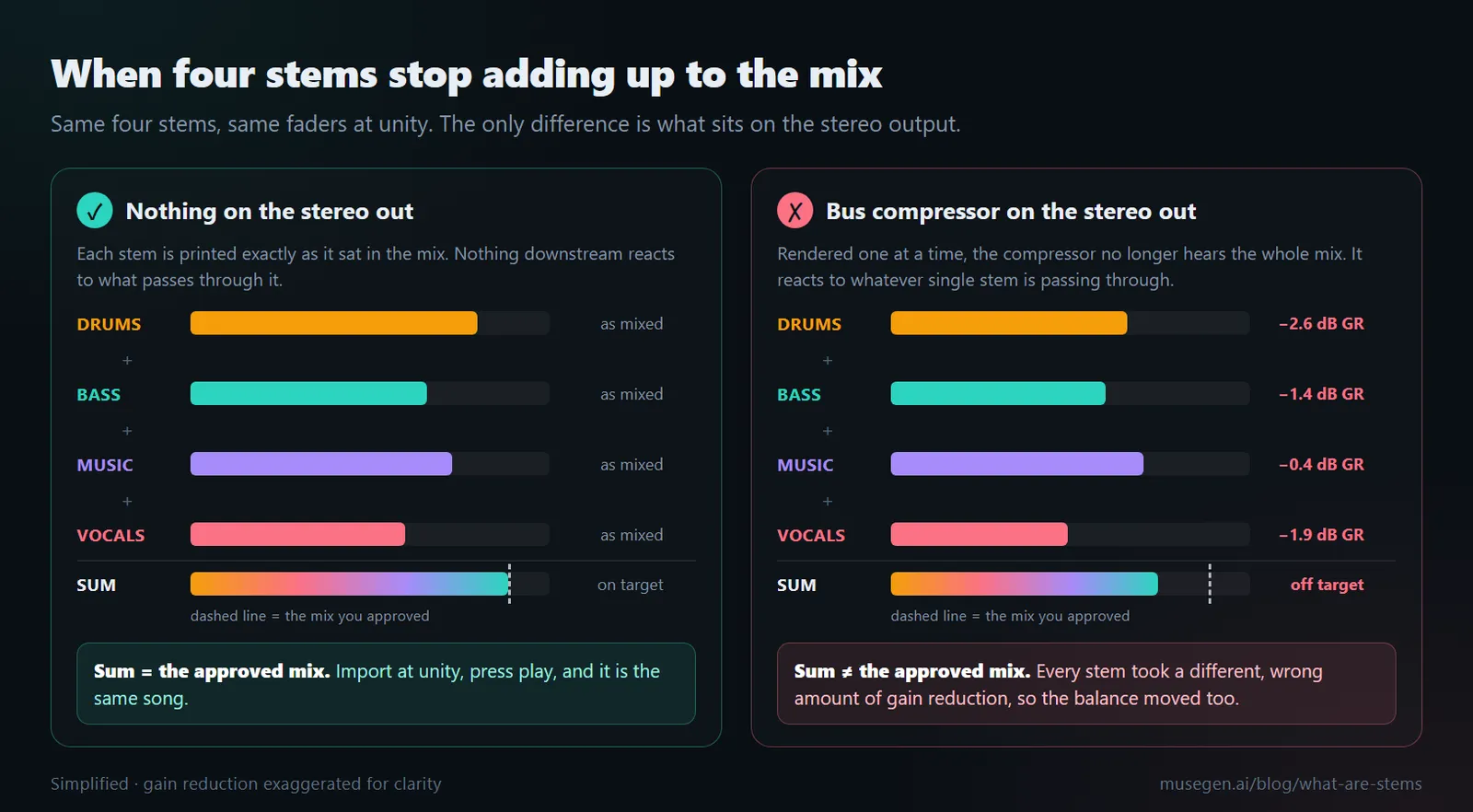
Same four stems, same faders. The only difference is what sits on the stereo output.
The mix-bus behaviour and the sidechain workaround follow Sage Audio's guide to preparing a mix for stem mastering; delivery conventions cross-checked against iZotope's overview of stem mastering.
Three ways out, and what each one costs
Leave the stereo output clean. Simplest, and the default advice for a reason. The cost is real though: if you mixed through that compressor, the mix you approved and the mix that comes back from the stems are not the same mix, and the glue you were relying on is gone.
Key it from the full mix. The proper fix. Feed the complete stereo mix into the sidechain input of the compressor while each individual stem renders through it, so the compressor moves exactly as it did originally. Do that and the sum of the stems equals the original mix. It requires a plugin with external sidechain input, and it stops being exact once you have serial chains or non-linear processing like saturation, where there is no single control signal to key from.
Move the processing onto the stems. Put the treatment on each stem bus and leave the stereo output empty, so unity summing is how the mix was built in the first place. Workable, and some engineers have built entire careers on it — but note what it is not. Copying your existing master chain onto all four stems makes things worse, not better, because now you have four independent compressors each reacting to its own material. That is four different wrong answers instead of one.
Whatever you chose, run the test: new empty session, import every stem, touch no faders, press play. If it does not sound like the mix you approved, something is wrong — a missing return, an effect printed twice, one file starting a beat late, automation that did not render. Find it before you send, not after. This one check catches most stem delivery failures.
It is also worth being honest that perfect reconstruction is not always achievable. With heavy programme-dependent processing on the mix bus, close is the realistic target rather than identical. Knowing which of the three routes you took — and telling the person receiving the files — matters more than pretending the sum is exact.
What AI separation actually gives you
When there is no session to export from, separation models estimate the parts from the finished audio. Demucs, one of the widely used open-source models, produces four stereo WAV files at 44.1 kHz — drums, bass, other and vocals — with a six-source variant that adds guitar and piano, and a two-stem mode that just splits vocals from everything else.
These are estimates, and the honest framing matters: separation does not recover your original tracks, it reconstructs a plausible version of them. Anything the model gets wrong shows up as bleed between files or as artefacts in quiet passages. There is a detail in Demucs's own documentation that makes the point precisely — the tool rescales each output to avoid clipping, and its authors note that this can break the relative volume between stems. The files are useful; they are not a faithful decomposition.
Output format, the six-source model and the rescaling caveat come from the Demucs project documentation.
What separated files are genuinely good for: remixing and mashups, DJ performance, isolating a part to learn it, checking an arrangement by ear, and building sample material. What they are not good for is stem mastering. Feeding estimated files with bleed and artefacts into a process designed to magnify small differences is a poor trade, and a stereo master is usually the better delivery in that situation.
Choosing between separation tools, and cleaning up the bleed afterwards, is a whole workflow of its own — covered step by step in our guide to making AI song mashups, which compares the current options and the repair techniques. The same estimate-from-finished-audio logic drives other analysis tools too; converting audio to MIDI is the same kind of inference aimed at notes instead of parts.
Where MuseGen fits
MuseGen is an all-in-one system that writes lyrics, turns them into complete songs, and generates music videos — the part of the process where you are still finding out whether an idea is worth building. Stems are a question you answer after there is a song worth delivering.
Generated songs come out as a stereo mix. Stem and multitrack export is coming soon. So if a project needs separate parts today, those come from a session you record yourself — and everything in this guide applies to the files you print at the end of it.
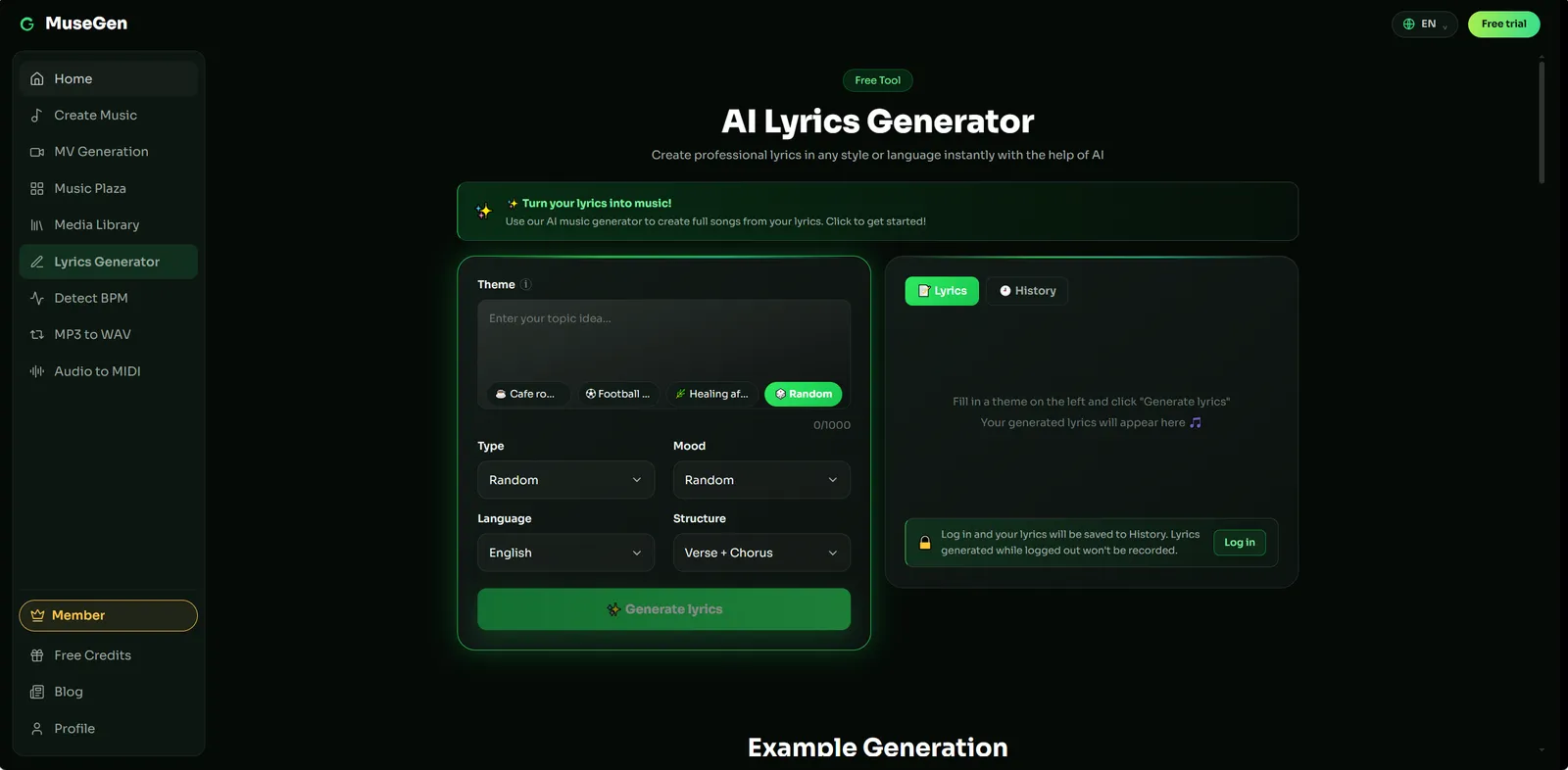
Step 1 — draft the lyric with a real song structure.
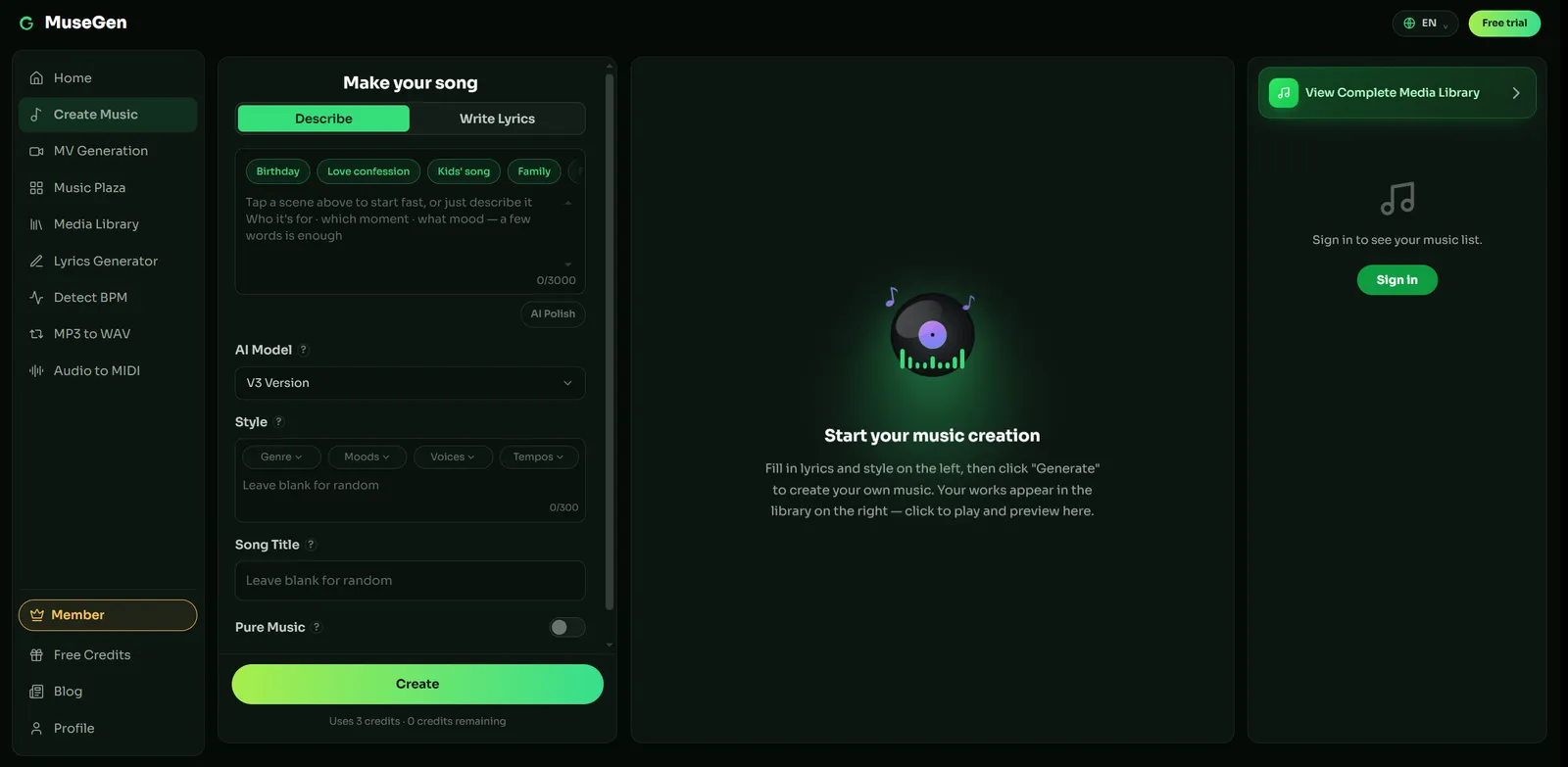
Step 2 — hear the whole idea as a finished arrangement.
What you get today:
- Lyrics — available
- Full song — available, as a stereo mix
- Music video — available
- Stem export — coming soon
- MIDI export — coming soon
Exports come as royalty-free WAV or MP3 — check MuseGen's current terms before commercial use rather than assuming. If you need a lossless file to work with, convert MP3 to WAV before anything else touches it, and remember that detail already discarded by lossy encoding does not come back.
The practical division of labour: write the lyric, turn it into a song to find out whether the idea holds up, and generate a music video to publish alongside it. Then, when you record it properly in a session of your own, everything in this guide applies to the files you print at the end.
Hear the song before you worry about stems. Draft the lyric, generate the track, and find out whether the idea is worth taking into a full session. → Make a song with MuseGen
FAQ
What are stems in music?
A stem is a group of related tracks mixed together and printed as a single audio file, intended to be handled downstream as one unit. A drum stem contains every drum and percussion track already balanced against each other. Stems sit between the multitrack session, which holds every individual recording, and the stereo master, which holds the whole song in one file.
What is the difference between stems and multitracks?
Multitracks are the individual raw tracks from the session, often forty or sixty of them, with no balancing decisions applied. Stems are those tracks grouped and mixed down into a handful of files, with your balance and your bus processing printed in. A mix engineer wants multitracks because they need to rebuild the balance. A mastering engineer wants stems because they want to keep it and adjust it slightly.
How many stems should I send for mastering?
Two to six is normal and eight is the usual ceiling, though the exact number is worth confirming with whoever asked. Four covers most songs: drums, bass, music, vocals. Add a fifth for effects returns or split lead and backing vocals if the balance between them is genuinely unresolved. Sending twenty is not stem delivery, it is asking for a mix.
What format should stems be exported in?
24-bit WAV at the same sample rate as the project, with no upsampling, no dither and no normalisation. Render every stem as a stereo file even when the source is mono, and give every file the same start point and the same length. Leave a little headroom on the summed mix rather than pushing each stem individually.
Should I remove mix bus compression before exporting stems?
Remove anything on the stereo output that exists purely for loudness — limiters, maximisers, clippers. Musical bus compression is a judgement call, because it may be part of the sound you mixed through. What matters is knowing the consequence: a bus compressor keyed by the whole mix behaves differently when it is fed one stem at a time, so with it in place the stems no longer add back up to the mix exactly.
Do stems always add back up to the original mix?
That is the intent, and it holds as long as nothing on the stereo output responds to the signal passing through it. Programme-dependent processing breaks it: a compressor triggered by the full mix reacts differently to a single stem. The fix is either to leave that processing off the stereo output, or to key it from the full mix through an external sidechain while each stem is rendered. Always test by importing the set at unity into an empty session.
Are AI-separated stems the same as real stems?
No. Separated files are a model's estimate of what was in a finished stereo mix, reconstructed after the fact. Delivery stems are printed from the session that made the song, so they contain the actual audio. Separation is genuinely useful for remixing, DJ work and study, but it carries bleed and artefacts, and it is not a substitute for stems exported from the original project.
Keep reading
- How to Make AI Song Mashups: A Producer's Step-by-Step Guide
- What Is Mastering in Music?
- What Is a DAW in Music? Digital Audio Workstations Explained
- What Is a Vocal Chain in Music? Plugin Order and Settings Explained
Sources
- Wikipedia — "Stem (audio)" for the definition, mono/stereo/multichannel delivery, and the film D-M-E and M&E convention.
- Wikipedia — "Stem mixing and mastering" for stem mixing as a method, and the unclear boundary between a stem and a separation.
- Sage Audio — "Preparing a Mix for Stem Mastering" for submix versus printed stem, the eight-stem ceiling, mix-bus compressor behaviour and the sidechain fix, and the unity-gain playback check.
- iZotope — "Stem mastering: how and when to use stems" for stems as stereo group bounces delivered without master-bus effects, and consolidation and labelling for delivery.
- Demucs — project documentation for four-source and six-source output, two-stem mode, and the automatic rescaling caveat.