What Do Equalizers Do? EQ Explained, from Your Phone to the Mix

MuseGen Team
9/3/2026
The same three letters turn up in a phone music app, on a car stereo and on a mixing engineer's screen. One tool, one piece of arithmetic, three different jobs. And there is a single thing none of them can do, which turns out to be the fastest way to understand all of them.
In short
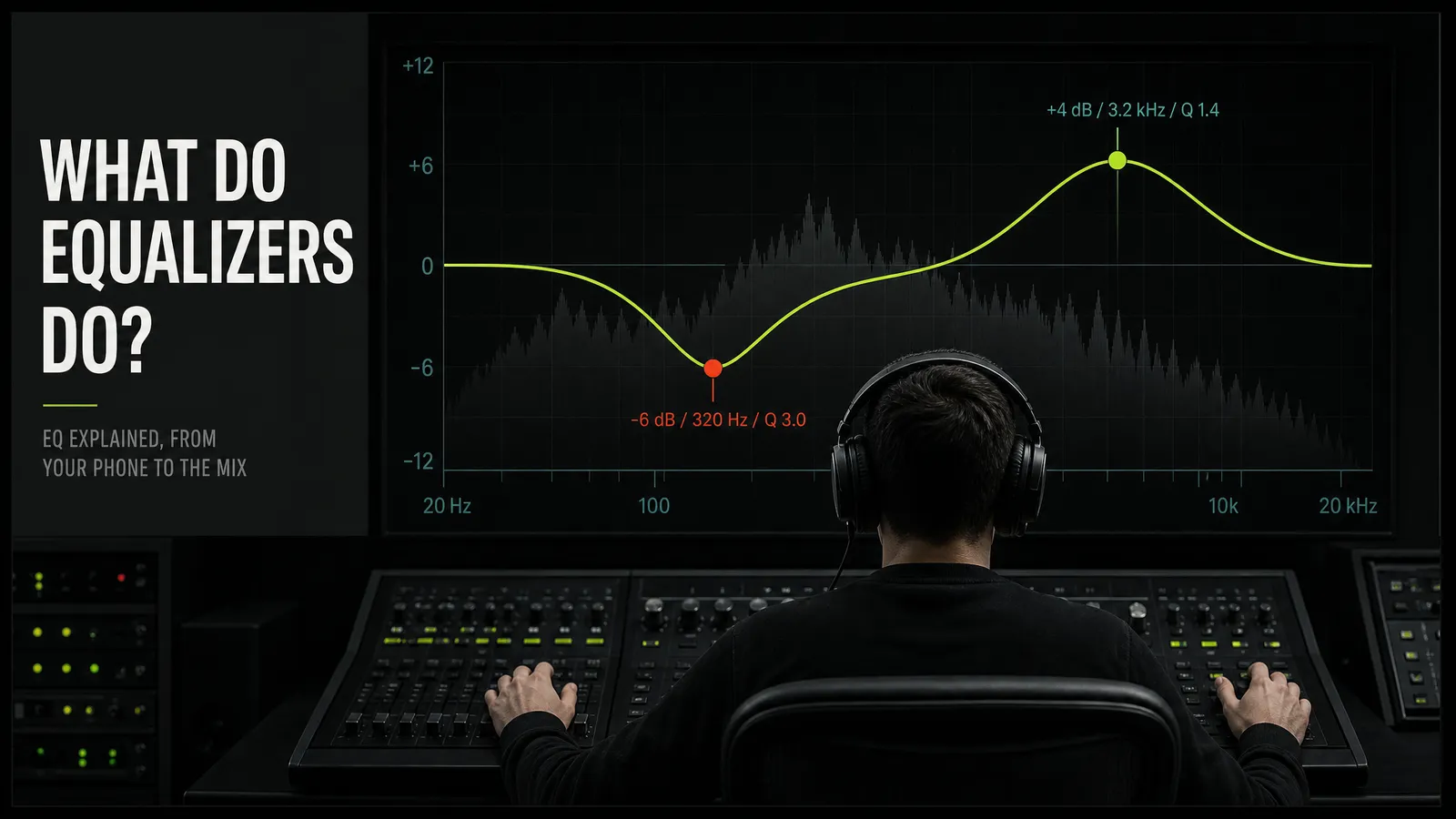
An equalizer changes the balance between the frequency components of a signal — turning some parts of the frequency range up and others down. That is the whole mechanism, from a five-slider phone app to a mastering engineer's plug-in.
Everything else is a question of control: a basic equalizer lets you decide how much, a full one how much, exactly where, and across how wide a region.
The limit is the part worth internalising early: an equalizer redistributes energy that already exists in the recording. It can uncover something buried. It cannot supply something that was never captured.
Quick facts
- What it does: Adjusts the balance between frequency components in a signal — some bands louder, some quieter.
- The three controls: Frequency (where), gain (how much, in dB), Q (how wide).
- The range it works across: Human hearing runs roughly 20 Hz to 20 kHz, and it narrows at the top with age.
- What it cannot do: Add frequencies the recording never contained. There is nothing there to turn up.
- The two you'll meet most: Graphic (fixed bands, one slider each) and parametric (all three controls on every band).
- The hard part: Not the moves — judging them. A boost is also a volume increase, and louder almost always sounds better.
What an equalizer actually is
Sound arriving at your ear is a single pressure wave made of many frequencies stacked at the same instant. A kick drum and a hi-hat share the same air; what separates them is which part of the range each occupies. Equalization is the process of adjusting the balance between those frequency components — deciding that the region around 80 Hz should be a little louder, or that a ring at 430 Hz should be several decibels quieter.
The word is a leftover from telephone engineering, where the job really was to equalise: long cable runs lost high frequencies and a corrective filter put them back. Music kept the name long after flatness stopped being the goal.
Almost every equalizer you meet exposes some subset of three controls. Frequency — where on the spectrum the move is centred, given in hertz. Gain — how much is added or removed there, in decibels, positive for a boost and negative for a cut. Q — how wide a region is affected either side of that centre.
Q is the one that confuses people, and it has a clean definition: Q is the centre frequency divided by the bandwidth. Move the same 6 dB cut from a Q of 0.7 to a Q of 8 and you go from scooping out most of an octave to removing a sliver only one ringing note notices. Push it further and the band disappears rather than dips, which is what a notch filter is.
One warning before you trust any tutorial's numbers: interfaces are not consistent about which way this control runs, and some label it bandwidth rather than Q, which moves the opposite direction. Watch the curve on the display in front of you rather than importing a value from somewhere else.
On the definition, the parameter set and the relationship between Q and bandwidth, the standard reference is the encyclopedia entry for equalization in audio.
The one thing an equalizer cannot do
Here is the constraint that explains most of this article: an equalizer reshapes the balance of frequencies that already exist in the source. It does not add sound that was not there.
That sounds obvious written down, and an enormous amount of everyday audio advice quietly violates it. Three consequences follow, and each one saves time.
A bass boost cannot invent low end. If a recording was made on a small microphone that rolled off below 100 Hz, there is no sub-bass in the file. Turning that region up raises the noise floor, the room rumble and the handling thumps, because those are the only things living there. The control still moves, which is why people keep reaching for it — but what comes back is not the missing weight.
There is a hard ceiling on rescuing a bad recording. Equalization is powerful in one direction: anything unwanted that is present can be turned down, and much of what makes amateur recordings sound amateur is excess rather than absence — boxiness, harshness, rumble, a resonant room note. Detail that was never captured, or that a lossy encoder threw away, is a different category. Nothing is sitting at those frequencies waiting to be raised.
It is the real reason subtraction is the safer habit. Cutting takes away energy that is in the way. Boosting amplifies whatever occupies that band — the part you wanted, plus the noise, plus the bleed from the next instrument. When the band contains mostly what you want, a boost is fine. The trouble is that you cannot tell from looking at the curve.
The frequency map
You do not have to memorise the spectrum, but a rough sense of what lives where is what turns "this sounds wrong" into a place to put the cursor. The boundaries below are conventional rather than official — sources draw them differently, and nothing bad happens if yours are fifty hertz off.
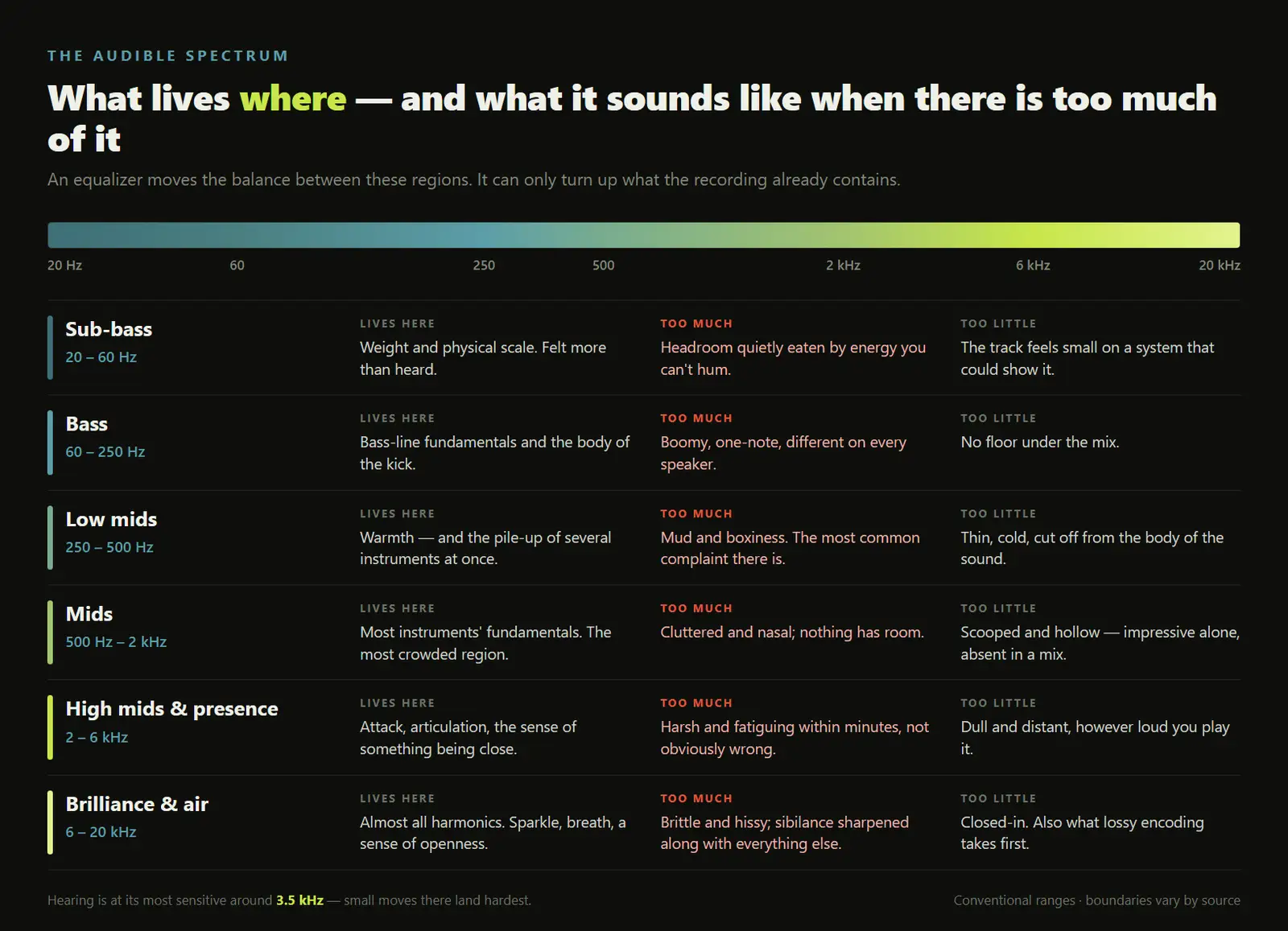
- Sub-bass, roughly 20 to 60 Hz. The bottom of hearing, felt more than heard. Weight and physical scale live here, and so does energy that costs headroom without ever becoming a note you can hum. Most small speakers cannot reproduce it at all, which means it can be causing problems you are not hearing.
- Bass, roughly 60 to 250 Hz. The fundamentals of bass lines and the body of kick drums. Too much reads as boomy and one-note; too little and the track has no floor under it.
- Low mids, roughly 250 to 500 Hz. Warmth when it is right, mud and boxiness when it is not. This is where several instruments stacking up quietly ruins a mix, which is why gentle cuts here so often read as clarity. Take too much out and you get the opposite complaint: thin, cold, disconnected from the body of the sound.
- Mids, roughly 500 Hz to 2 kHz. Where most instruments keep their fundamentals, and the most crowded part of almost every mix. Too little sounds scooped and hollow; too much sounds cluttered and nasal. Everything competes here, so making space for one element means taking it from another.
- High mids and presence, roughly 2 to 6 kHz. Attack, articulation and the sense that something is close to you. Human hearing is at its most sensitive through here — the ear canal resonates around 3.5 kHz — so small moves land hard, and too much becomes fatiguing within a couple of minutes rather than sounding obviously wrong.
- Brilliance and air, roughly 6 to 20 kHz. Almost entirely harmonics rather than fundamentals. It carries sparkle, breath and the impression of an open recording. It is also the first thing lossy encoding discards and the first thing hearing loses with age, so treat any strong opinion about this region — including your own — with some suspicion.
Two practical notes on reading a map like this. Instruments do not occupy one band; a snare has fundamental energy in the low mids and its crack up at 5 kHz, and moving either changes the drum. And the descriptions are symptoms, not prescriptions — "boxy" tells you roughly where to start sweeping, not how many decibels to remove.
The types you'll actually meet
The differences between equalizers are mostly about how many of the three controls you get, and how the interface hands them to you.
| Type | What you control | Where you meet it |
|---|---|---|
| Parametric | Frequency, gain and Q on every band, usually several bands at once | The standard in mixing and mastering; increasingly in car systems too |
| Graphic | Gain only. The frequencies are fixed by the designer, one slider each | Live sound, hardware racks, most consumer player apps |
| Shelving | A boost or cut that continues past its corner frequency instead of returning | The bass and treble knobs on a hi-fi are exactly this |
| High-pass / low-pass | A slope that removes one end of the range and passes the rest | Every mixer and DAW; the high-pass is the most used filter in music |
| Dynamic | The same controls, but the move only engages when that band gets loud | Modern mixing plug-ins, for problems that come and go |
A parametric equalizer with the bandwidth control removed — frequency and gain adjustable, width fixed by the designer — is sometimes sold as semi-parametric or quasi-parametric. It is a genuine middle ground rather than a marketing term.
Graphic bands are usually spaced logarithmically, in octaves or third-octaves, so a slider low down covers a narrow span in hertz and one at the top a very wide one. That matches hearing: we perceive pitch ratios rather than hertz differences, and 100 to 200 Hz is as musically large a step as 5 to 10 kHz.
Three different jobs, one word
This is where most confusion about equalizers comes from. The word covers three activities that share a mechanism and nothing else — not the goal, not who decides, not what a good result looks like.
| What it's for | Who decides | Done well, it… | |
|---|---|---|---|
| Playback EQ — phone, headphones app, car, TV | Seasoning — making this listen suit you | You, by ear | …makes one playback more enjoyable and changes nothing else |
| Room correction — measurement systems | Compensating for a room or a speaker | A measurement microphone | …stops the room lying to you about the recording |
| Mix and master EQ — in the production itself | Shaping the content that everyone will hear | The engineer, against the whole mix | …travels — it holds up on every system, not just this one |
Playback EQ is preference, and there is nothing wrong with that. The genre presets in a music app — Pop, Rock, Jazz, Vocal — are stored curves and nothing more mysterious. The scooped-mids "V shape" so many of them use is also the factory tuning of much consumer audio, which is why boosting bass and treble feels like turning on quality: it is a trained taste.
Two things are commonly misread. A bass booster is usually not an equalizer — on Android it is a separate audio effect from the multi-band EQ, amplifying one low region rather than giving you bands. And loudness compensation is the one preset with real physics behind it: it lifts the extremes when you turn down and backs off as you turn up, tracking something true about your ears rather than imposing a fixed curve.
Room correction is measurement-driven rather than taste-driven. A microphone measures what arrives at the listening position and the system applies the inverse. It is useful and frequently over-credited: many implementations address frequency response while leaving impulse response, phase alignment and room resonance untouched, and filtering alone cannot turn a bad room into a good one. Flat is not even the target — good systems let you choose a target curve, because a room measured perfectly flat sounds wrong.
Mix and master EQ is the only one of the three that changes what everybody hears, and it is judged by a harder standard: not "does this sound better here" but "does this hold up on a phone speaker, in a car and on headphones." The moves shrink further down the chain — during mastering they are often fractions of a decibel across wide bands, because a large correction there means the problem belongs further back.
Cut or boost?
The received wisdom is cut, don't boost, and like most received wisdom it is a good default and a bad rule.
The case for cutting is mechanical rather than aesthetic. A cut removes energy, so it costs no headroom and cannot amplify anything you did not want. It also tends to fix the actual complaint: a vocal that sounds dull is often not missing top end but buried under low mids, and taking those away is more convincing than adding brightness that was not there. Boosts are not a sin, but a narrow, aggressive one amplifies noise and bleed alongside the part you were aiming at.
The other reason to cut lives in the arrangement rather than the equalizer. When two elements share a region they mask each other, and raising one only makes the argument louder. Dipping the other is the move — which is why fitting a vocal into a busy instrumental usually means a gentle scoop in the instrumental somewhere around 2 to 5 kHz rather than a lift on the voice.
Two adjacent questions come up constantly, and both deserve more than a paragraph. Where EQ belongs relative to a compressor is not one answer but two, and the reasoning is worked through in the guide to building a vocal chain. And equalizing a finished stereo mix is a constraint rather than a technique: every move lands on everything at once, so brightening the cymbals brightens the vocal too. Treating elements separately requires them delivered separately, which is what stems are for.
The part nobody mentions: phase
An equalizer does not only change level. A conventional one — the kind in every mixer, stock plug-in and consumer app — also shifts the timing relationship between frequencies as a side effect of filtering. This is a minimum-phase design, and the shift is not a defect: it is inseparable from how the filter works.
Most of the time it is inaudible on a single source, and part of what people call an equalizer sounding musical is that phase behaviour. It becomes audible in specific situations: filtering one of two microphones on the same source, stacking heavy filtering low down, or summing to mono afterwards.
Linear-phase equalizers exist to avoid it, and they do — at a price that is genuinely a trade rather than an upgrade.
| Minimum phase (normal) | Linear phase | |
|---|---|---|
| Phase relationships | Shifted, frequency-dependent | Preserved |
| Artefact | Any ringing follows the transient | Pre-ringing — a ripple of energy before the hit |
| Latency | Effectively none | Substantial, and it grows with low-frequency resolution |
| CPU | Low | High enough to limit how many you run |
| Use it for | Almost everything, including anything you monitor live | Broad tonal moves on a bus or a master, once settings are settled |
Pre-ringing is the counter-intuitive part. Because the filter is symmetric in time, energy appears slightly ahead of a transient — a faint smear before a kick drum lands, worst with steep filters low down. The latency is real even though your session compensates for it, which is why linear phase is unusable for live monitoring. Many plug-ins expose the compromise as a resolution setting: more accuracy low down, more latency, more pre-ringing.
Linear phase is not the better equalizer, it is the other one. The working default is minimum-phase everywhere, with linear phase reserved for broad moves on a bus or master where phase coherence between many summed sources is worth the latency. Choosing it by default costs responsiveness and buys a problem you did not have.
On the pre-ringing and latency trade-off, and how resolution settings expose it: FabFilter's reference on linear phase equalization and Sonarworks on when each design applies.
Why you can't trust your own ears
Everything above is mechanism, and mechanism is the easy half. The hard half is that the instrument you evaluate the result with — your hearing — is unreliable in two well-documented ways, and both push in the same direction.
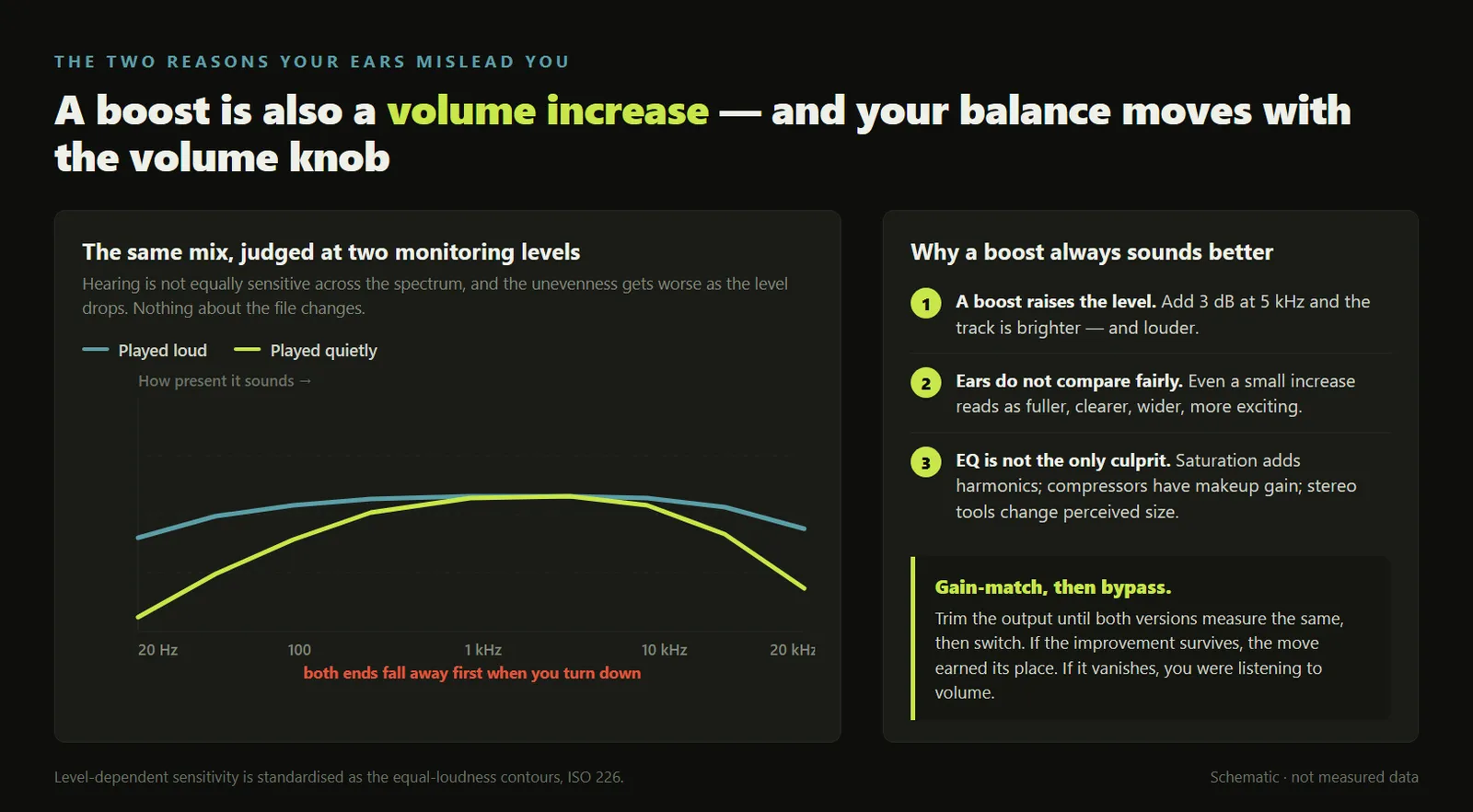
First: your frequency balance changes with the volume knob. Human sensitivity is not uniform across the spectrum, and the shape of that unevenness depends on how loud the sound is — at low levels the extremes fall away noticeably, and the response flattens as the level rises. The standardised measurements of this, the equal-loudness contours published as ISO 226, are why a mix that sounded bass-light in the evening sounds bass-heavy in the morning. Nothing changed but the monitoring level.
Second, and worse: a boost is also a volume increase. Add three decibels at 5 kHz and the track is brighter and slightly louder. Hearing does not compare two signals impartially at different levels — even a small increase reads as fuller, clearer, wider, more exciting. So you bypass the plug-in, hear the difference, and conclude a tonal decision improved the track when what improved was the output level.
This is not unique to equalizers — saturation adds harmonics, compressors have makeup gain, stereo processors change perceived size. Equalizers just make it easiest, because a boost is one gesture.
Two further traps sit next to this one. Comparing against a commercial reference track without matching levels is stacked against you from the start, since released music has usually been mastered louder than whatever you are working on. And ears adapt within minutes, so a bright mix stops sounding bright long before it stops being bright — which is why the decision you make after an hour is usually worse than the one you would make after a break.
The fix is a habit, not a plug-in: trim the output so the processed and unprocessed versions measure the same before you compare them. Then the test has a clean answer — if the improvement survives level matching, the move earned its place; if it evaporates, you were listening to volume.
Gain-match, then bypass, then check at a second volume. Those three steps catch nearly every EQ decision that was really a loudness decision, and they cost less time than the move itself. No frequency chart, this article's included, is a substitute for them — a chart tells you where to look, and only a level-matched comparison tells you whether you were right.
How to actually use an equalizer
A working order, whether you are fixing a muddy guitar or deciding what to do with the sliders in a music app.
- Decide which of the three jobs you are doing. Seasoning a playback, correcting a room, or shaping the content itself. The right answer differs for each, and most bad EQ advice is simply advice for one job being applied to another.
- Judge in context, never soloed. Play the full mix while you work. Equalization is about the relationship between elements, and a sound that is beautiful alone routinely disappears the moment everything else comes back in.
- Find the problem before you look for an improvement. Take a narrow band, boost it hard, and sweep until something rings, honks or stings. That frequency is your target. Then flip the gain negative, because you were sweeping to locate a problem, not to create one.
- Cut first, boost second. Removing what is in the way costs no headroom and adds no noise. If it still is not enough after cutting, boost broadly and gently rather than narrowly and hard.
- Gain-match before every bypass comparison. Trim the output so the processed and unprocessed versions measure the same, then switch between them. Without that step you are comparing loudness rather than tone, and loudness wins every time.
- Check at a different level, on different speakers, on a different day. Your frequency balance shifts with monitoring volume and your ears adapt within minutes. A decision that survives a quiet listen, a loud one and a night's gap is a decision worth keeping.
None of this requires buying anything. The stock equalizer in any DAW has every control described here, and the discipline in steps five and six is worth more than any plug-in.
Where MuseGen fits
Start with the boundary, because it is a clear one: there is no EQ interface in MuseGen. Nothing in this article happens inside it — no bands, no curve, no frequency decisions. What it hands you is a finished stereo mix, and every move described above takes place after that, in a DAW.
What it does sits upstream of that: you describe a song and get lyrics, a finished track and a music video back. That is useful before mixing exists as a question — when you are still finding out whether an arrangement is worth the evening it would take to mix it.
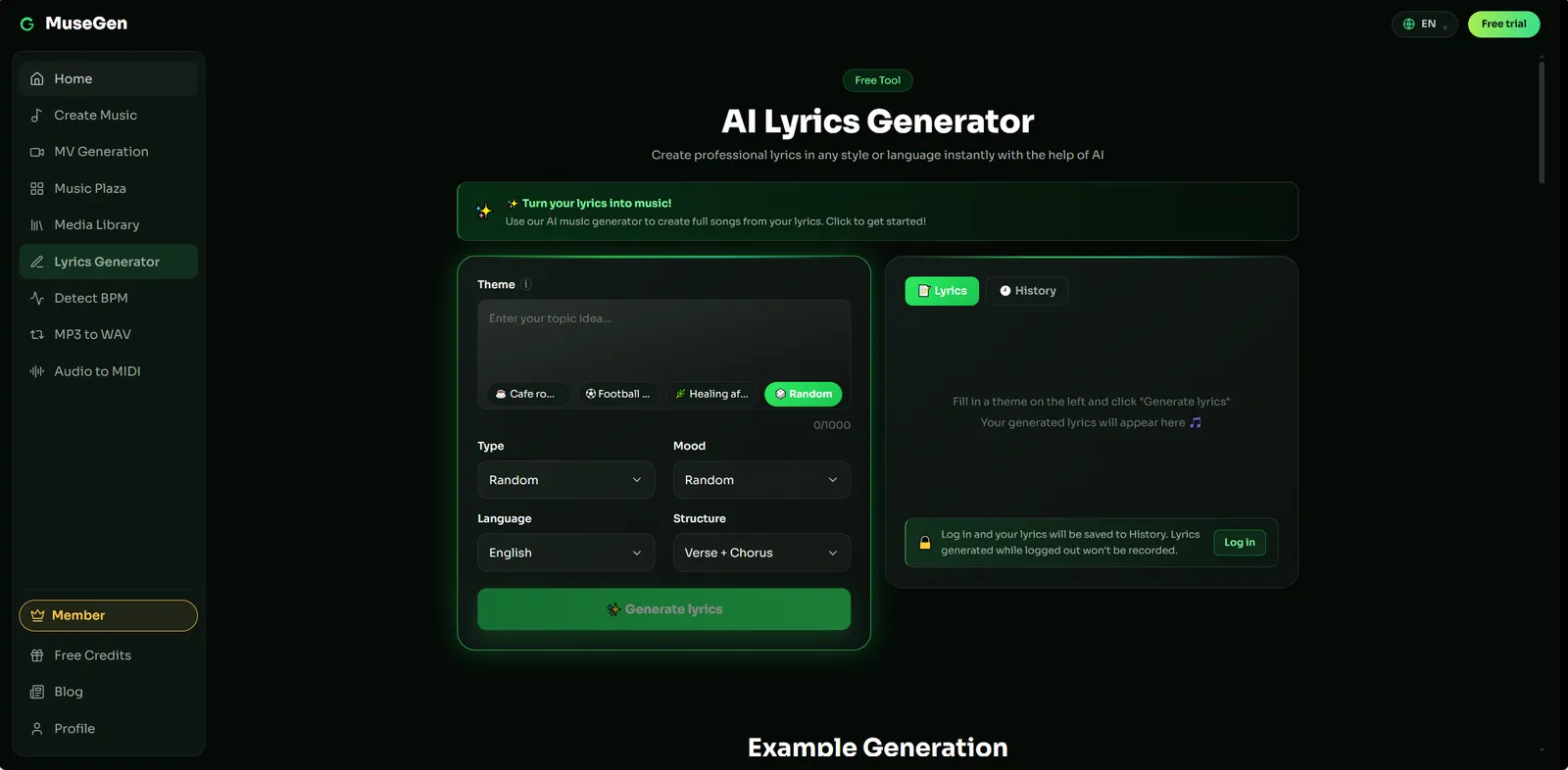
Lyrics first, when the song needs words before it needs a mix.
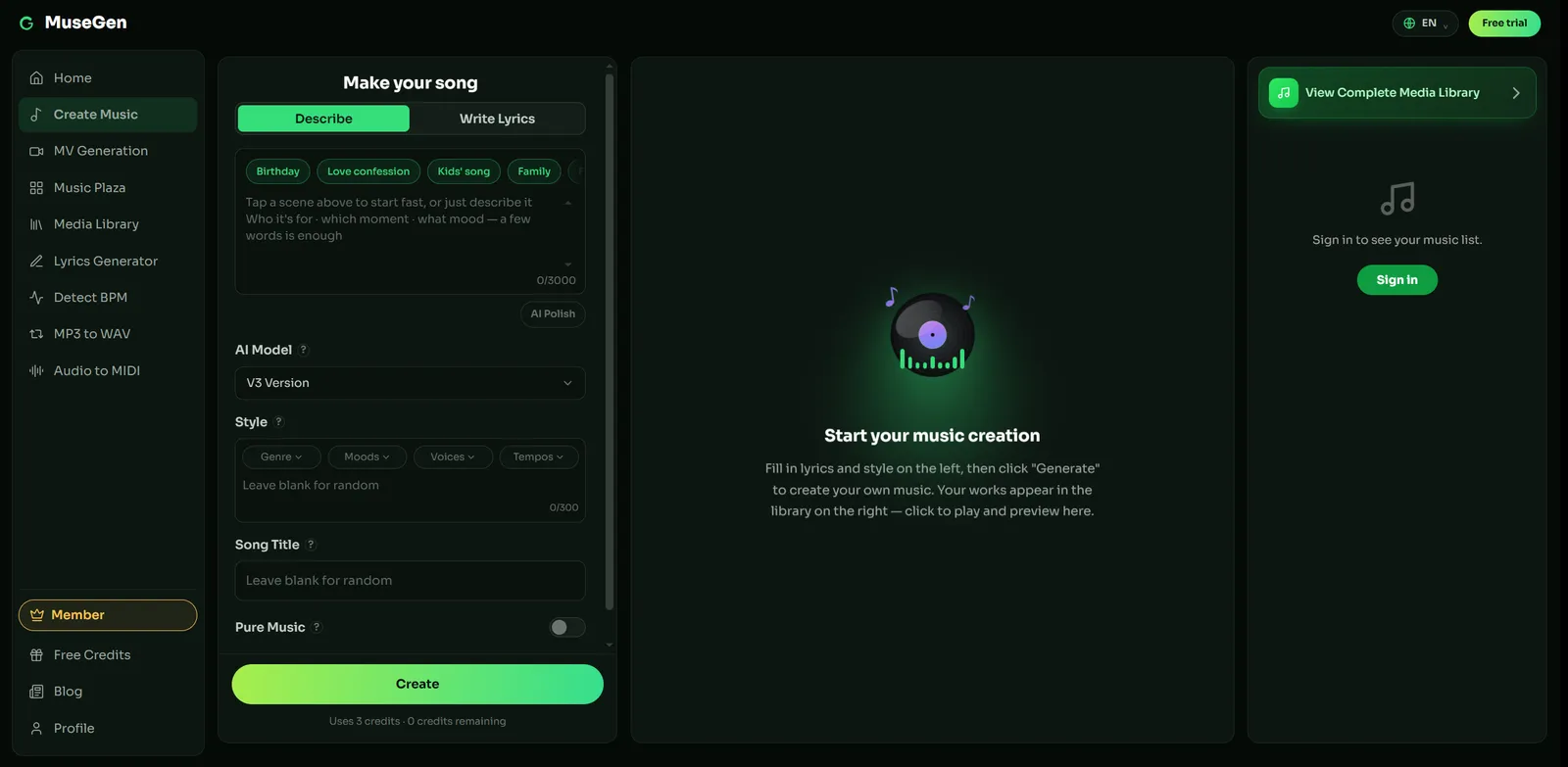
The idea as a finished stereo mix — the file every EQ move in this guide starts from.
A brief that names the instrumentation, since that's what you'll be equalizing later: "mid-tempo indie soul, upright bass and brushed kit, Rhodes and a single clean guitar, close female lead, warm and uncrowded, room for the voice, 2 minutes."
What comes back today: lyrics — available; full song — available, as a stereo mix; music video — available.
A sparse arrangement is far easier to equalize than a dense one, so asking for fewer elements up front does more for the eventual mix than any curve does later. Exports come as royalty-free WAV or MP3 — check MuseGen's current terms before commercial use. If you get an MP3, convert it to WAV before processing: equalizing a lossy file amplifies whatever the encoder left behind.
The practical division of labour: turn an idea into a song to find out whether the arrangement is worth mixing, write a lyric when the track needs one, and generate a music video for whatever you decide to release. Because what comes back is a stereo mix, EQ on it is whole-track shaping rather than per-instrument work — stem and multitrack export is coming soon.
Hear the arrangement before you mix it. Describe the instrumentation, get a finished track back, and find out whether the idea is worth a mixing session. → Make a song with MuseGen
FAQ
What does an equalizer actually do?
It changes the balance between the frequency components of a signal, making some parts of the frequency range louder and others quieter. That is the entire mechanism, whether the control is a row of sliders in a phone app or a curve on a mixing engineer's screen. What it does not do is create content: it redistributes energy already in the recording, so it can uncover something buried but never supply something that was not captured.
What do frequency, gain and Q mean on an EQ?
Frequency sets where the move happens, gain sets how much is added or removed in decibels, and Q sets how wide the affected region is. Q is the centre frequency divided by the bandwidth, so a higher Q means a narrower band. Interfaces are not consistent about which direction their control runs, so check the display in front of you rather than assuming.
Should I cut or boost?
Reach for a cut first. Removing an offending band costs no headroom, adds no noise, and often achieves what a boost elsewhere was being used to fake. Boosts are not forbidden, and broad gentle lifts are a normal part of shaping tone, but a boost also raises the level, which makes it flatter itself in a bypass comparison unless you gain-match first.
What is the best EQ setting for music?
There is not one, and any chart that offers a universal curve is describing a preference rather than a setting. Equalization is corrective by nature: the right move depends on what is already in the recording, what else is playing at the same time, and what you are listening on. A curve that rescues a muddy mix will hollow out a clean one, which is why the useful skill is diagnosis rather than a memorised preset.
Does a bass booster damage sound quality?
Not inherently, but it has limits. A bass booster is usually a single-band low-frequency lift rather than a full equalizer, and on many phones a separate audio effect from the multi-band EQ. Because it amplifies what is already there, pushing it hard can drive small speakers past what they handle cleanly and eat headroom the rest of the music needed, heard as distortion or as everything else sounding quieter.
What is the difference between graphic and parametric EQ?
A graphic EQ gives you a row of fixed frequency bands with one slider each: fast to read and adjust, but you can only change how much, never where or how wide. A parametric EQ gives you frequency, gain and bandwidth on every band, so you can place a narrow cut exactly on a ringing note. Graphic layouts are common in live sound and consumer players; parametric ones are the standard in mixing.
Can EQ fix a bad recording?
It can improve one, up to a hard limit. Equalization is very effective at reducing something unwanted, because that content exists and can be turned down. It cannot restore detail the microphone never captured or a lossy encoder discarded, since nothing is sitting at those frequencies to raise. Turning the control up there amplifies noise and whatever else shares the band.
Keep reading
- What Is a Vocal Chain in Music? Plugin Order and Settings Explained
- What Is Audio Mastering? A Plain-English Guide to the Final Step
- What Are Stems in Music? How to Group, Export and Deliver Them
- What Is a DAW in Music? Digital Audio Workstations Explained
Sources
- Equalization (audio) — Wikipedia, for the definition, the parametric / graphic / shelving / pass-filter taxonomy, and Q as centre frequency divided by bandwidth.
- ISO 226 — Normal equal-loudness-level contours — ISO, for the standardised measurement behind the section on monitoring level.
- Linear phase EQ — FabFilter, for pre-ringing, latency, and the resolution settings that trade one against the other.
- Should you be using linear phase EQ? — Sonarworks, for where each design belongs in practice.
- Understanding the different frequency ranges — Mastering The Mix, for the band boundaries and the listening descriptions used in the frequency map.
- Fundamentals of Audio Equalization (EQ) | Shaping Your Sound — YouTube, the walkthrough of frequency, gain and Q embedded above.