FLAC to MP3 Converter
Convert FLAC to MP3 at up to 320 kbps right in your browser. Save space without uploading your music.
Portable MP3s from your FLAC library
How to Convert FLAC to MP3
Make an MP3 copy of a FLAC file in three quick steps.
Add your FLAC file
Drag in a FLAC track, such as a CD rip or a hi-res download, or click to browse.
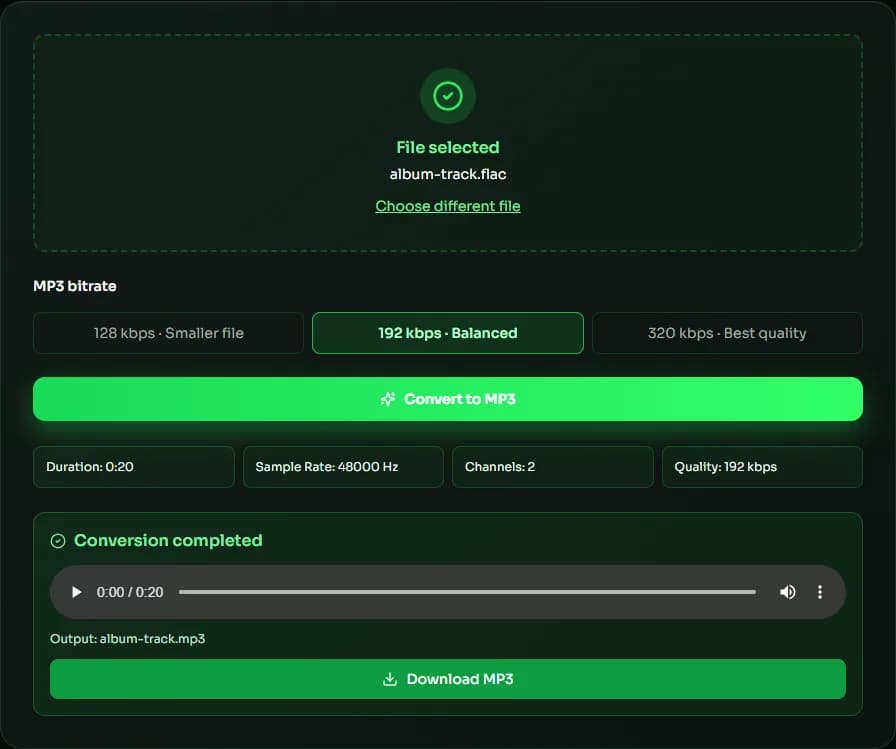
Choose bitrate & convert
Select 128, 192 or 320 kbps and click convert to encode the MP3 locally.
Preview & download
Play the MP3 and download it for your device.
Why convert FLAC to MP3 with MuseGen?
Keep your lossless masters and create lightweight MP3 copies for everyday listening.
Save storage
A 320 kbps MP3 is often less than half the size of a 16-bit FLAC, and far smaller than hi-res FLAC.
Hi-res handled for you
96 and 192 kHz FLAC is converted to 48 kHz, and 88.2 and 176.4 kHz to 44.1 kHz, the highest rates MP3 supports.
Up to 320 kbps
Choose the highest MP3 bitrate for near-transparent everyday listening.
Private & local
Your music library is never uploaded.
Plays everywhere
MP3 works on devices and apps that can't play FLAC.
Free to use
No account, watermark or software required.
Explore music creation tools
Try more free tools for music analysis and songwriting.
FLAC to MP3: Making Portable Copies of a Lossless Library
FLAC is the format to archive; MP3 is the format to carry around. Converting FLAC to MP3 makes small, universally playable copies of your music while the FLAC originals stay untouched. Because FLAC is lossless, it is the best possible source for an MP3 — you start from full-quality audio rather than from another lossy file.
Choosing the bitrate
For music, 320 kbps is the usual choice when you convert FLAC to MP3: it is the highest MP3 bitrate and keeps the most detail from the lossless source. 192 kbps cuts the size by about 40% again and is fine for casual listening; 128 kbps suits spoken word.
Hi-res FLAC and sample rates
MP3 tops out at 48 kHz, so hi-res FLAC is resampled before encoding: 96 and 192 kHz files become 48 kHz, and 88.2 and 176.4 kHz files become 44.1 kHz. Bit depth goes away too, because MP3 doesn't store samples at a fixed bit depth. That is expected — the point of a FLAC to MP3 conversion is portability, not archival quality.
Keep the FLAC, share the MP3
Treat the MP3 as a convenient copy for phones, cars, older players and sharing. Keep the FLAC as your master: if you need a different bitrate later, convert FLAC to MP3 again from the original instead of re-encoding an MP3.
Adding tags after converting
The FLAC to MP3 conversion writes the audio only, so titles, artists, album names and cover art are not copied into the MP3. Most music players and tagging apps can add them back in a few clicks, or can look up the details automatically from an online database.
| Format | Details | File size |
|---|---|---|
| FLAC | 16-bit, 44.1 kHz | ≈ 21–30 MB |
| FLAC | 24-bit, 96 kHz | ≈ 60–90 MB |
| MP3 | 320 kbps | ≈ 9.6 MB |
| MP3 | 192 kbps | ≈ 5.8 MB |
FLAC to MP3 FAQ
Sources & further reading
The concepts, formats and algorithms behind this tool, with their original references.
- FLAC – Xiph.Org — the FLAC lossless codec and its reference tools
- mp3 – Fraunhofer IIS — the origins of MP3 audio coding
- LAME MP3 Encoder — the LAME MP3 encoder that this tool's MP3 encoding is based on
- Web audio codec guide – MDN Web Docs — lossy vs. lossless audio codecs
Last updated:
