OGG to WAV Converter
Convert OGG Vorbis and Opus audio to WAV in your browser. No uploads, no software.
Make OGG audio edit-ready
How to Convert OGG to WAV
Turn an OGG file into WAV in three quick steps.
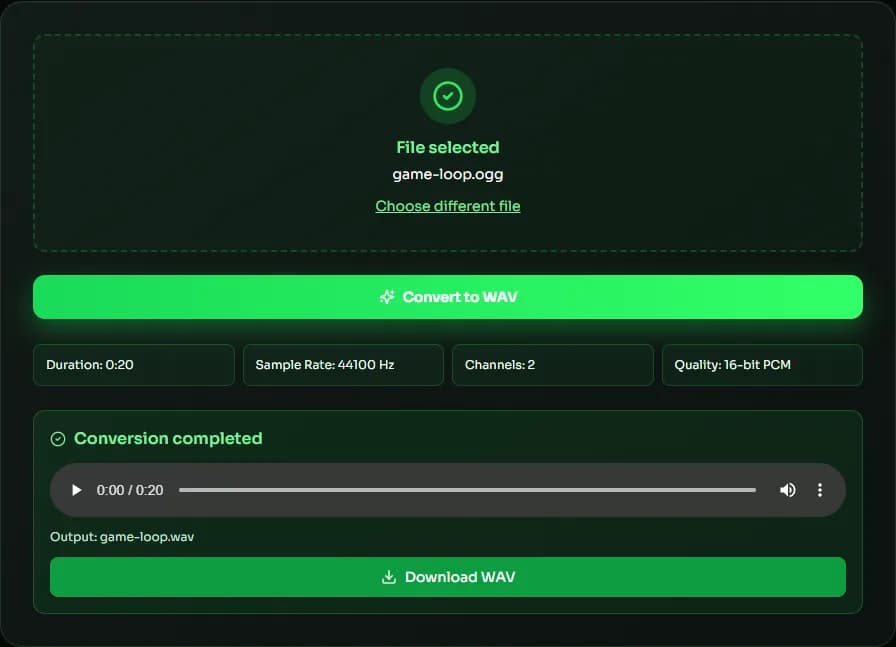
Add your OGG file
Drag in an .ogg or .oga file, such as a game sound, a voice message or a recording, or click to browse.
Convert to WAV
Click convert. Your browser decodes the Vorbis or Opus audio and writes a 16-bit PCM WAV.
Preview & download
Play the result and download the WAV file.
Why convert OGG to WAV with MuseGen?
OGG is great for streaming and games, but editors and devices often prefer WAV.
Vorbis and Opus
Handles both common codecs found inside .ogg files.
Opens everywhere
WAV works in DAWs, video editors and hardware that don't read OGG.
Stays on your device
Voice messages and private recordings are converted locally, never uploaded.
Fast in-browser decoding
Uses your browser's built-in audio decoder for quick results.
Ready for editing
Uncompressed PCM is easy to cut, loop and process without decoding overhead.
Free to use
No account needed, and no limit on how many files you convert.
Explore music creation tools
Try more free tools for music analysis and songwriting.
OGG to WAV: Vorbis, Opus and Where OGG Files Come From
OGG is a container format from Xiph.Org, and the audio inside is usually Vorbis or Opus. You'll find OGG files in games, open-source apps, saved voice messages and some audio downloads. Converting OGG to WAV turns either codec into uncompressed PCM, so editors and devices without OGG support can use it.
Vorbis vs Opus
Vorbis is the older codec and is common in games and music downloads; it supports any common sample rate, and the WAV keeps that rate. Opus is newer and very efficient at low bitrates, which is why many voice and messaging apps use it. Opus always decodes at 48 kHz, so an Opus OGG to WAV conversion produces a 48 kHz WAV.
Opening OGG files from games and voice messages
Game engines often ship sound effects and music as .ogg because the files are small and royalty-free to use. Voice messages saved as .ogg are usually Opus. Converting OGG to WAV lets you edit these clips in any audio editor, use them in video projects, or load them into hardware that only reads WAV.
Browser support
Current versions of Chrome, Edge and Firefox decode both Vorbis and Opus. Safari's OGG support depends on the macOS or iOS version, so if a file won't convert there, try another browser. Either way nothing is uploaded — the OGG to WAV conversion runs on your device.
Using OGG audio in video projects
Many video editors don't import OGG files at all, and those that do may struggle to keep them in sync. Converting OGG to WAV first avoids both problems. Video projects usually run at 48 kHz, so an Opus OGG, which always decodes at 48 kHz, drops straight into a timeline without any resampling.
| Feature | Vorbis | Opus |
|---|---|---|
| Typical use | Games, music downloads | Voice messages, VoIP, streaming |
| Typical bitrate | 96–256 kbps | 16–128 kbps |
| Decoded sample rate | Original (e.g. 44.1 kHz) | Always 48 kHz |
| Specification | Xiph.Org Vorbis I | IETF RFC 6716 |
OGG to WAV FAQ
Sources & further reading
The concepts, formats and algorithms behind this tool, with their original references.
- RFC 3533: The Ogg Encapsulation Format – IETF — the Ogg container format
- Vorbis I specification – Xiph.Org — the Vorbis audio codec
- RFC 6716: Definition of the Opus Audio Codec – IETF — the Opus audio codec
- WAVE Audio File Format – Library of Congress — the WAV (WAVE) file format
Last updated:
