FNF Chart Editor
Chart Friday Night Funkin' songs online: place notes on an 8-lane grid synced to your music, then export Psych Engine compatible JSON. Free, in your browser.
Chart your FNF song in the browser
Click to add or remove a note · drag down to make a sustain · Space to play/pause · keys 1–8 place notes at the playhead · ↑/↓ to step · Ctrl+Z / Ctrl+Y to undo/redo · click BF/OPP to switch the section's camera focus.
Song settings
How to Chart an FNF Song
Go from song file to playable chart in three steps.
Load your song
Load the song's audio (usually the instrumental). The editor shows its waveform and suggests a BPM, which you can adjust.
Place notes
Click the grid to add or remove notes, drag down to make sustains, or press keys 1–8 during playback to chart in real time.
Export the chart
Pick a difficulty and export the JSON, then put it in your mod's song data folder.
Why chart with MuseGen's FNF Chart Editor?
A lightweight charting workflow that runs anywhere, no engine install required.
Psych Engine compatible
Exports the classic chart JSON used by Psych Engine and many other FNF engines, and imports existing Psych charts.
Synced to your music
A waveform, hitsounds and a metronome help you line notes up with the beat.
No install
Chart in the browser on any computer without downloading an engine or a build.
Fast editing
Snap from 4ths to 64ths, zoom the grid, undo and redo, and chart live with number keys.
Auto-saved drafts
Your chart is saved in this browser automatically, so a refresh won't lose your work.
Private & free
Your audio stays on your device, and the editor is free with no sign-up.
Explore more tools for FNF modders
Find your song's tempo or create an original track for your mod.
How the FNF Chart Editor Works: Lanes, Sections and Psych Engine JSON
Friday Night Funkin' charts are simple JSON files, but writing them by hand is slow. This FNF chart editor gives you the same building blocks as an in-engine charter — an eight-lane note grid, sections, sustains and a waveform — in a browser tab, so you can chart a song anywhere and drop the file into your mod. Here is how the chart format works and how to make a chart that feels good to play.
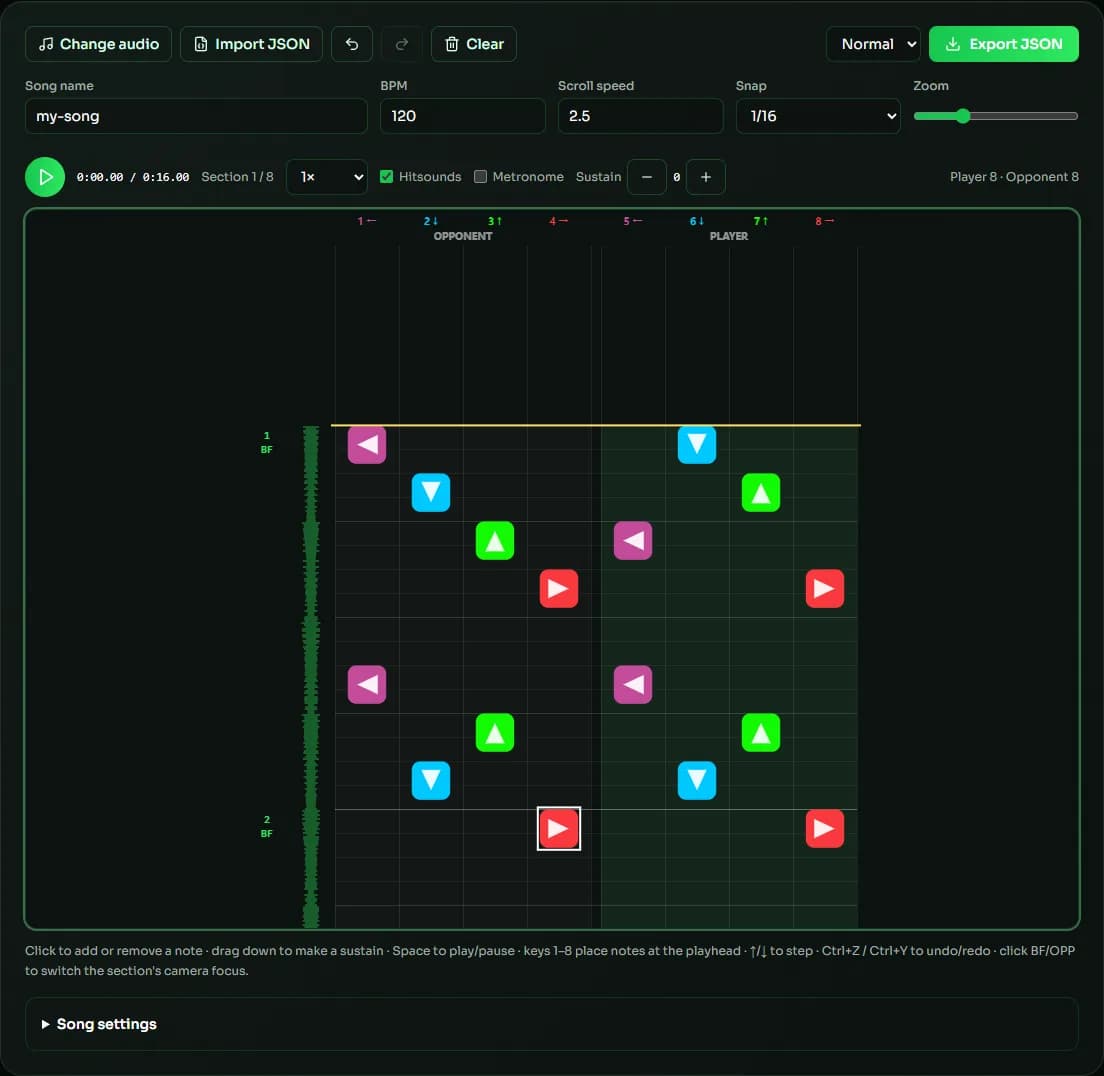
Lanes and note colors
The grid has eight lanes: the first four belong to the opponent and the last four to the player (Boyfriend). Within each group the lanes are left, down, up and right, drawn in the familiar purple, blue, green and red. Keys 1–8 match the lanes, so in the FNF chart editor you can tap notes in time with the music while it plays and tidy them up afterwards.
Sections and camera focus
A chart is divided into sections of 16 steps (four beats). Each section has a camera focus — BF or OPP — that tells the game whose turn it is to sing. Classic Psych Engine charts also number notes relative to that focus, which is why the same arrow can be saved as 0–3 in one section and 4–7 in another. The FNF chart editor handles this for you on export and import, so you simply place notes on the lane you see.
BPM, snap and timing
Every grid line is derived from the BPM, so set it before you start: load the song, accept the suggested BPM or type the exact value from the song's project file. Use 1/16 snap for most notes, switch to 1/12 or 1/24 for triplets, and use 1/32 for fast runs. The metronome and hitsounds make timing mistakes easy to hear.
Exporting for Psych Engine
Export JSON creates a classic chart file named after the song and difficulty, for example my-song-hard.json. Put it in mods/data/my-song/, put Inst.ogg and Voices.ogg in mods/songs/my-song/, and add the song to a week. Psych Engine 1.0 converts the classic format automatically when it loads the chart, so one export from the FNF chart editor works in both older and newer versions.
| Snap | Notes per beat | Typical use |
|---|---|---|
| 1/4 | 1 | Quarter notes and simple beats |
| 1/8 | 2 | Eighth notes, common in early weeks |
| 1/12 | 3 | Triplet rhythms |
| 1/16 | 4 | The standard charting grid |
| 1/24 | 6 | Fast triplets and swing |
| 1/32 | 8 | Rapid trills and runs |
FNF Chart Editor FAQ
Sources & further reading
The concepts, formats and algorithms behind this tool, with their original references.
- FunkinCrew/Funkin – GitHub — the official open-source Friday Night Funkin' game
- ShadowMario/FNF-PsychEngine – GitHub — Psych Engine, the most widely used FNF modding engine
- Rhythm game – Wikipedia — rhythm game design and note charts
- Tempo – Wikipedia — tempo and BPM, the basis of every chart grid
Last updated:
