The 10 Best AI Music Generators of 2026 (Compared & Ranked)

MuseGen Team
8/11/2026
It's 11pm, your video is due tomorrow, and the one thing still missing is the music. You open an AI music generator, type a few words, and a track appears in seconds — but is it the right tool, and will the result actually hold up?
In 2026 there are more of these tools than ever, and they are not created equal. This guide ranks the 10 best AI music generators for real creators, scored on audio quality, creative control, ease of use, export options, and value — so you can skip the trial and error and pick the one that fits your work.

The short answer
Best overall: MuseGen. Best for vocal songs: Suno. Best audio fidelity: Udio. Best for scores: AIVA. Best royalty-free background music: Soundraw. The full 10-tool ranking and scores are below.
MuseGen is our best overall AI music generator for 2026 because it combines strong full-song output with practical editing tools: generate from a description or lyrics, then extend a track or replace a selected section. Suno is best for complete vocal songs from one prompt, Udio for clean audio, and AIVA for orchestral scores with MIDI export. Every other tool earns its place for a specific job, from royalty-free background music to beginner-friendly songs and generative streams.
Transparency note: MuseGen publishes this guide, and MuseGen is one of the tools ranked. To keep the comparison fair, we score our own tool against the same weighted criteria as every competitor, list its real limitations, and explain the scoring method below. Treat the ranking as our informed opinion, then try the tools that fit your work and judge for yourself.
Quick verdict: the best AI music generator by use case
- Best overall — MuseGen: full-song generation, section-level workflows, and browser-based creation.
- Best for vocal songs — Suno: a complete song with convincing vocals from one prompt.
- Best audio fidelity — Udio: clean, detailed output.
- Best for classical and scores — AIVA: orchestral composition with MIDI export.
- Best royalty-free background music — Soundraw: quick, customizable tracks for video.
- Best for beginners — Boomy: a song in minutes with no production experience required.
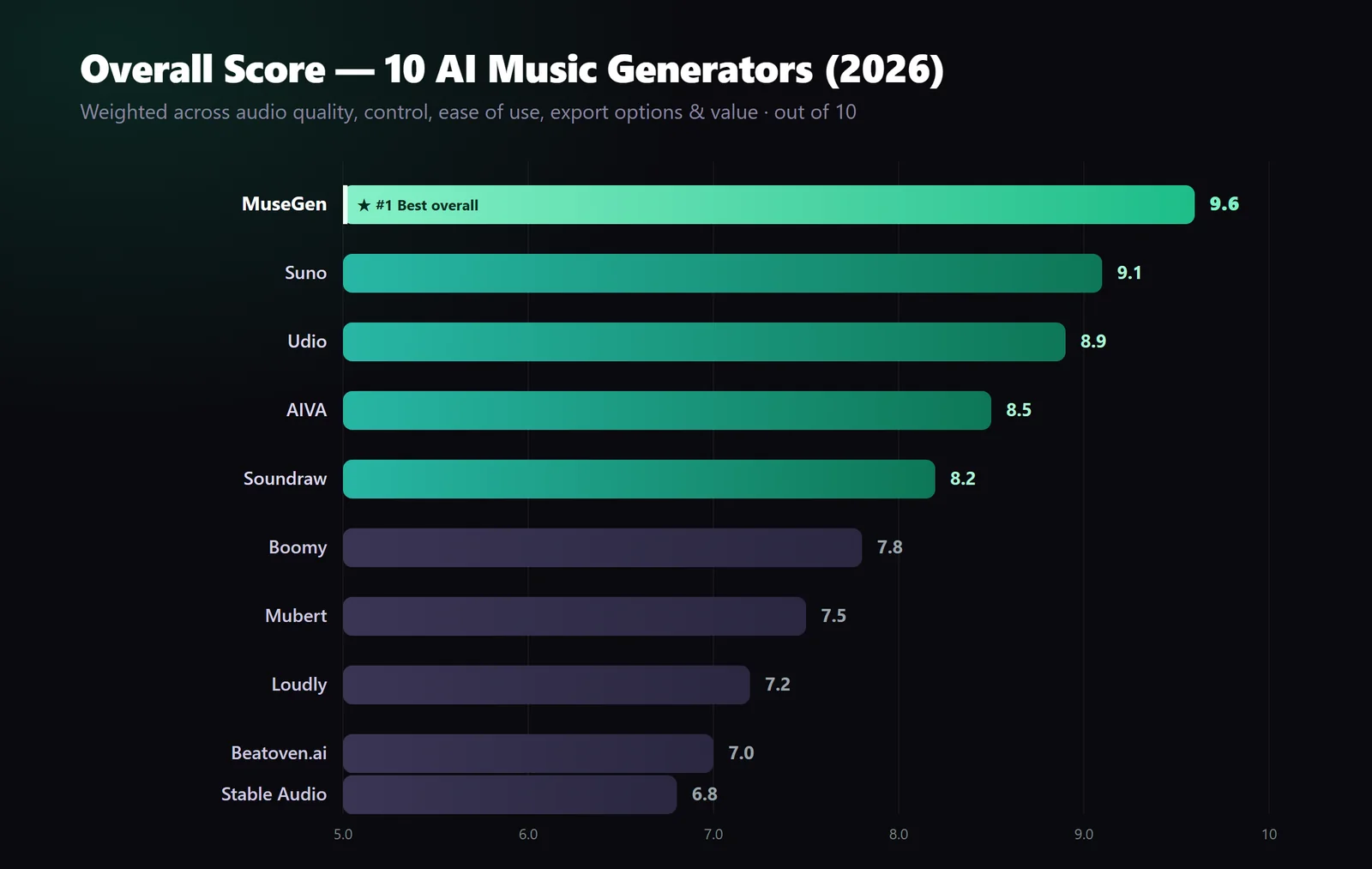
Overall weighted scores across audio quality, control, ease of use, export options, and value.
How we ranked them
Each tool is scored the same way across five weighted factors.
Every tool is judged the same way: matched prompts across several genres, including cinematic, pop, lo-fi, orchestral, and electronic, followed by scoring on five weighted factors. The weighting reflects what matters when you are trying to finish and ship music, not just make a novelty clip:
- Audio quality — 30%. Does it sound ready to use, or does it need heavy cleanup?
- Creative control — 25%. Prompt precision, section editing, and how much of the arrangement you can shape.
- Ease of use — 15%. How quickly a newcomer gets a usable result.
- Export options — 15%. Formats offered today, including WAV or MP3 and, where available, stems or MIDI.
- Value — 15%. Free tier, pricing, and commercial-use terms.
Scores are our own weighted assessment, current as of August 2026. No tool is perfect for everyone, so each entry below explains exactly who it is best for. For another perspective, watch this 2026 side-by-side comparison of Suno, Udio, and MusicGPT.
Product features change quickly, so always confirm a tool's current capabilities, pricing, and terms on its own site before committing.
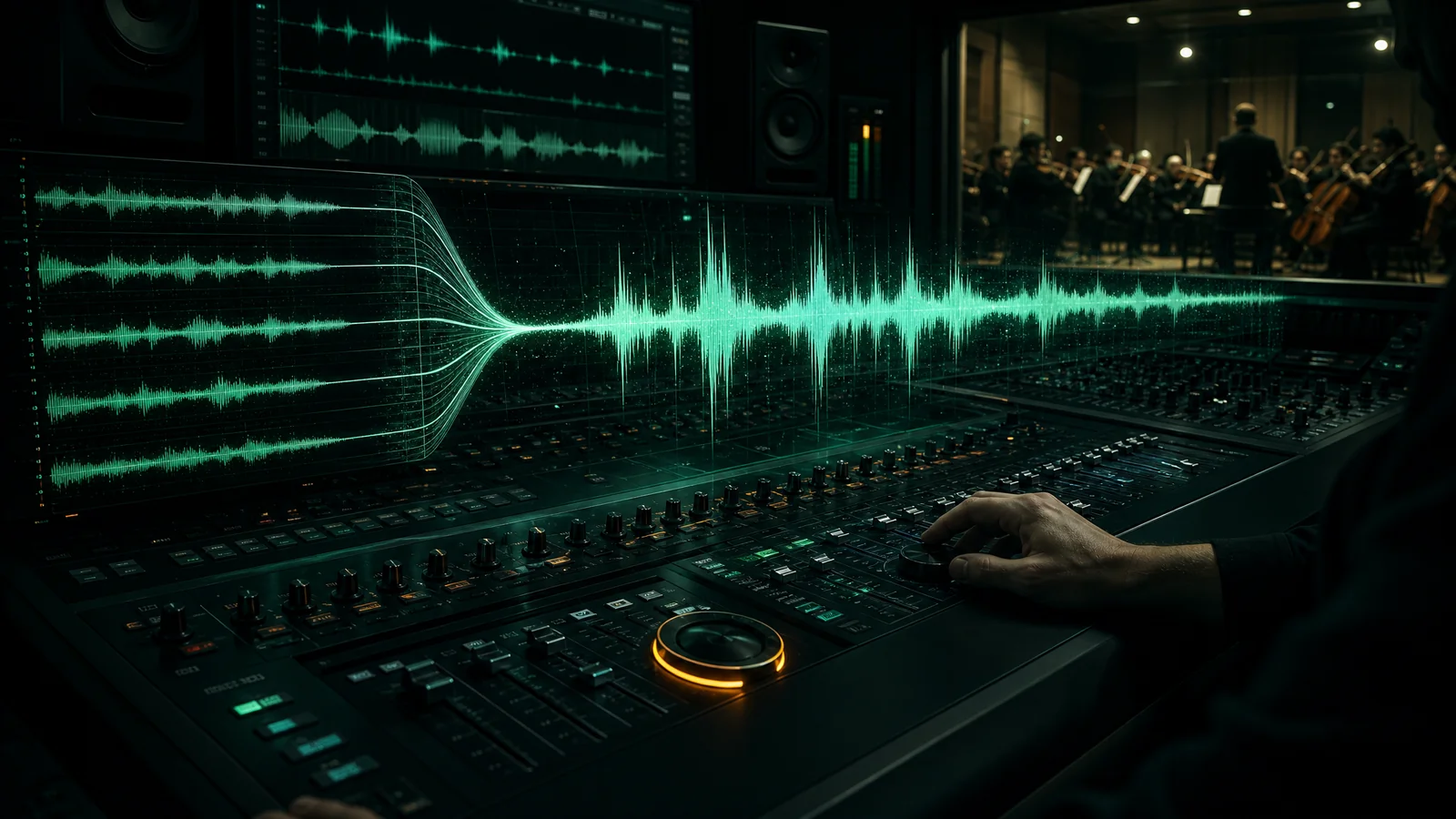
Audio quality and full-song control carry the most weight: they separate a usable track from a novelty clip.
The 10 best AI music generators of 2026
1. MuseGen — Best overall
MuseGen tops our list because it balances strong full-song generation with practical control after the first result. You can generate a song from a text description or your own lyrics, then extend it from a chosen point or replace a selected section to refine the arrangement. It also includes a free AI Lyrics Generator when you want help writing the words first.
Finished tracks can be exported as royalty-free MP3 or WAV. Separated stems and MIDI export are coming soon, not available today. MuseGen runs in the browser, offers a free starting point, and keeps the path from an idea to an editable song in one workspace. New to prompting? Start with our guide to writing better AI music prompts.
- Pros: Full-song generation, extend and section-replacement workflows, cinematic output, browser-based creation, MP3/WAV export, and a free starting point.
- Cons: A newer platform; stems and MIDI export are not live yet; specific prompts usually produce better results.
- Best for: Creators who want a fast idea-to-track workflow with room to revise a song.
Try it yourself — a reproducible MuseGen workflow
Open MuseGen and start with a specific brief such as:
warm lo-fi hip-hop, 80 BPM, mellow Rhodes keys, soft vinyl crackle, relaxed head-nod groove, 45 seconds
- Generate two or three variations and pick the one with the best groove.
- Extend the chosen result from a useful point to build a longer arrangement.
- Use Edit Song to replace a 7–60 second section when a verse, transition, or ending needs another pass.
- Export the finished result as a royalty-free MP3 or WAV for your video or podcast.
You can repeat the same workflow with any brief: swap in "epic orchestral trailer" or "upbeat synthwave," then generate, extend, refine, and export. Separated stems and MIDI remain on the roadmap.
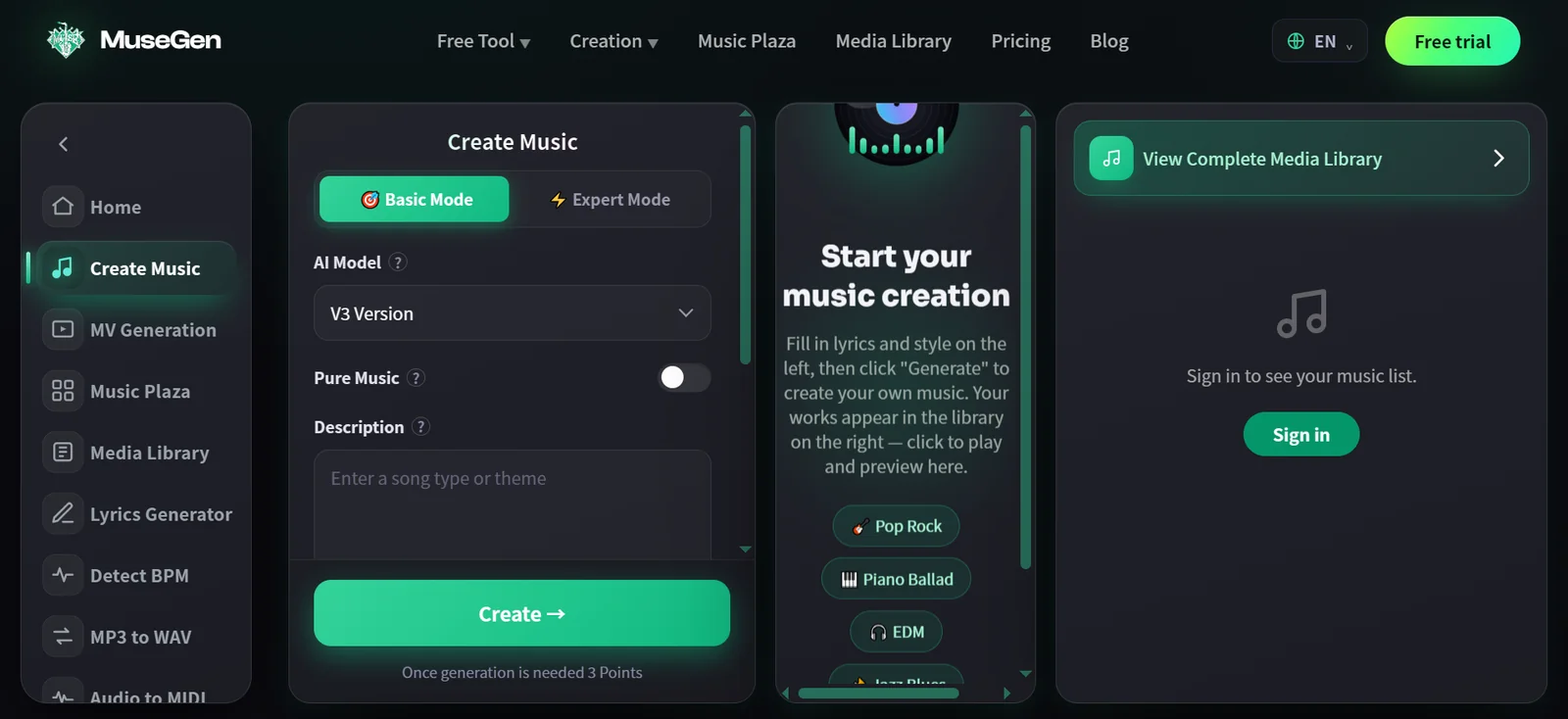
The Create Music workspace lets you choose a mode and model, describe the track or select Pure Music, and start generating.

The MuseGen home page takes you from a text prompt or your own lyrics to a full song with AI vocals or an instrumental-only mode.
2. Suno — Best for full songs with vocals
Suno is superb at turning a short prompt into a complete song with convincing vocals and structure. It is fast and fun, making it ideal for songwriters who want a finished demo in seconds. Its workflow offers less granular control than a section-focused editing process, but for vocal-led tracks it is excellent. Coming from Suno? See our Suno-to-MuseGen guide.
- Pros: Strong vocals, quick full songs, and a low learning curve.
- Cons: Less granular editing and fewer production-oriented export options.
- Best for: Songwriters and hobbyists who want a complete, radio-style song with vocals from a single prompt.
3. Udio — Best audio fidelity
Udio produces some of the cleanest, most detailed audio in the category, with strong mixing out of the box. It is a favorite for polished results, though it can feel less flexible when you need detailed structural edits.
- Pros: High-fidelity output and strong mixing.
- Cons: More limited structural control than some editing-focused workflows.
- Best for: Producers and creators who prioritize clean, detailed audio quality.
4. AIVA — Best for classical music and scores
AIVA specializes in orchestral, classical, and soundtrack composition, and supports MIDI export for scoring work. It is a strong choice for composers who want editable notation more than a finished vocal mix.
- Pros: Strong orchestral and score workflows, plus MIDI export.
- Cons: A narrower genre range than general-purpose song generators.
- Best for: Film, game, and classical composers who need editable MIDI and orchestral scores.
5. Soundraw — Best for royalty-free background music
Soundraw makes it easy to build customizable, royalty-free tracks for videos and podcasts. You can adjust mood, length, and instruments, making it useful for content creators who need safe background music quickly.
- Pros: Royalty-free output, approachable customization, and a video-friendly workflow.
- Cons: Results can feel more template-driven and less distinctive.
- Best for: YouTubers and video editors who need background music they can tune to a project's length and mood.
6. Boomy — Best for absolute beginners
Boomy is one of the fastest ways to make a song with no production experience, and it can help users distribute music to streaming platforms. Output can feel generic, but the low barrier to entry is hard to beat.
- Pros: Beginner-friendly workflow and built-in distribution options.
- Cons: Generic output and limited editing depth.
- Best for: Complete beginners who want to make and potentially distribute a song quickly.
7. Mubert — Best for streaming and loops
Mubert generates continuous, adaptive background streams and loops. That makes it useful for apps, livestreams, and ambient playlists rather than traditional standalone songs.
- Pros: Continuous generative streams and API access.
- Cons: Not designed around structured songs.
- Best for: Streamers, app developers, and businesses that need adaptive background audio.
8. Loudly — Best for fast genre templates
Loudly uses genre templates to create tracks quickly through a clean, library-style interface. It is a solid choice when speed matters more than originality.
- Pros: Fast workflow, genre templates, and an organized library.
- Cons: Template-bound results can sound less distinctive.
- Best for: Creators who want fast, genre-specific tracks without a steep learning curve.
9. Beatoven.ai — Best for mood-based video scoring
Beatoven.ai focuses on mood- and scene-based, royalty-free music for video creators, with simple controls for matching music to the tone of footage.
- Pros: Mood-based controls, royalty-free positioning, and a creator-friendly workflow.
- Cons: A simpler feature set than broader song-generation platforms.
- Best for: Podcasters and video creators who want music matched to a scene or mood.
10. Stable Audio — Best for experimental sound design
Stable Audio is a strong option for sound designers and experimental producers exploring textures and effects. It is powerful and flexible, but comes with a steeper learning curve than beginner-focused tools.
- Pros: Strong texture and sound-effect generation with flexible prompting.
- Cons: A steeper learning curve.
- Best for: Sound designers and experimental producers exploring unconventional audio.
Quick comparison table
| Tool | Score | Best for | Stems/MIDI | Free tier |
|---|---|---|---|---|
| MuseGen | 9.6 | Full-song workflow & cinematic | Coming soon | Yes |
| Suno | 9.1 | Vocal songs & demos | Limited | Yes |
| Udio | 8.9 | Audio fidelity | Limited | Yes |
| AIVA | 8.5 | Classical music & scores | MIDI | Yes |
| Soundraw | 8.2 | Royalty-free background music | No | Trial |
| Boomy | 7.8 | Beginners | No | Yes |
| Mubert | 7.5 | Streams & loops | No | Yes |
| Loudly | 7.2 | Genre templates | No | Yes |
| Beatoven.ai | 7.0 | Video scoring | No | Trial |
| Stable Audio | 6.8 | Sound design | Limited | Yes |
Stems/MIDI reflects availability as of August 2026. MuseGen's stem and MIDI export are on the roadmap; verify every tool's current capabilities on its official site.
The verdict
Every tool here is capable, but the best AI music generator depends on your goal. Want quick vocal songs? Suno. Clean audio? Udio. Orchestral scores with MIDI? AIVA. For creators who want quality output and a practical way to revise a full song, MuseGen is our top overall pick.
If you make games, see our guide to AI music for game levels.
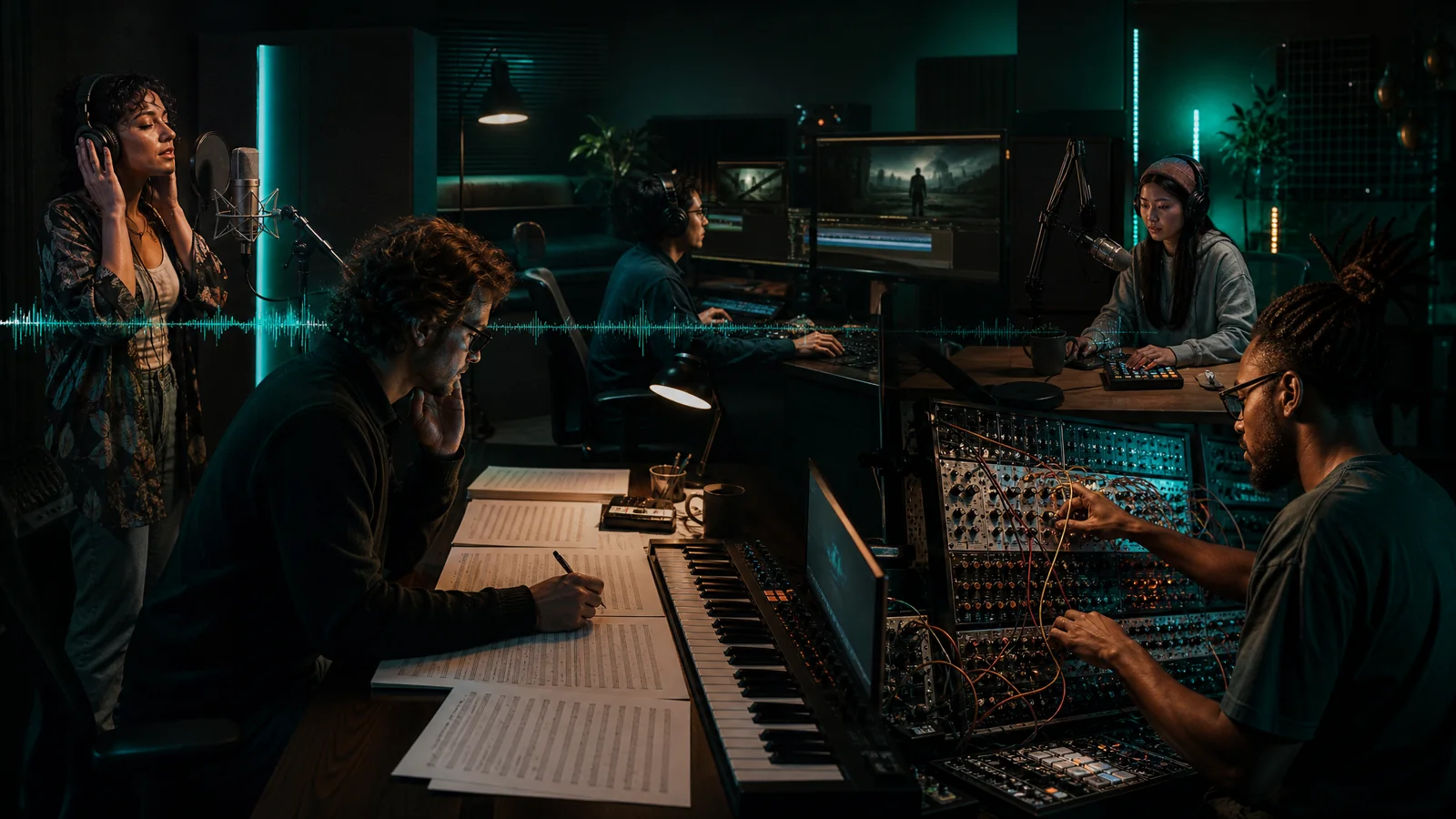
The right pick depends on the work: vocals, scores, video, podcasts, or sound design.
Ready to make your first track? Try MuseGen free to generate, refine, and export a song in your browser.
Frequently asked questions
What is the best AI music generator in 2026?
In our weighted comparison, MuseGen is the best overall AI music generator in 2026 because it combines full-song creation with practical extension and section-replacement workflows. Suno and Udio are strong runners-up for vocal songs and audio fidelity. As the publisher of this guide, we disclose that MuseGen is our own tool and score it against the same weighted criteria as every other entry.
Is there a free AI music generator?
Yes. Several tools on this list offer a free tier or trial, including MuseGen, Suno, Udio, Boomy, and Stable Audio. Free plans usually limit generations, monthly credits, or commercial rights, so check each tool's current terms before releasing music.
Which AI music tool is best for content creators?
For royalty-free background music in videos and podcasts, Soundraw and Beatoven.ai are strong options. If you want full songs with extension and section-level editing in the same workflow, MuseGen is the stronger choice for creators.
Can I use AI-generated music commercially?
Often yes, but it depends on the tool and your plan. Many platforms grant commercial rights on paid tiers, while free tiers may restrict monetization. Always confirm the licensing terms of the specific AI music generator you use.
Do AI music generators export stems or MIDI?
Some do. AIVA exports MIDI for scoring, while several tools export only a finished mix. MuseGen currently exports MP3 and WAV; separated stems and MIDI export are coming soon. If your workflow requires stems or MIDI today, confirm availability before committing to a platform.
How do AI music generators work?
AI music generators learn patterns of melody, harmony, rhythm, instrumentation, and song structure from large audio datasets. You describe what you want with a text prompt or lyrics, and the model creates a new track that matches the brief. Some platforms then provide editing tools for extending or revising the result.
Are AI music generators better than royalty-free music libraries?
It depends on your goal. A royalty-free library gives you finished tracks to browse and license, while an AI music generator creates a track tailored to a specific brief. AI can be a better fit for a precise edit or mood; a library still wins when you need a large catalog of ready-made songs and sound effects. Many creators use both.
How do I choose the right AI music generator?
Weigh audio quality, creative control, ease of use, export options, value, and licensing. Match those factors to your use case, test a free tier where possible, and confirm current capabilities and commercial terms before committing.
Keep reading
- How to Write Perfect AI Music Prompts for Cinematic Tracks
- Switching From Suno to MuseGen
- How to Make AI Game Music for Any Level: Prompts and Looping
Sources
- Suno for current product information.
- Udio for current product information.
- AIVA for scoring and MIDI features.
- Soundraw for background-music features and licensing information.
- Boomy for creation and distribution features.
- Mubert for streaming and API features.
- Loudly for genre-template features.
- Beatoven.ai for mood-based scoring features.
- Stable Audio for sound-design features.
- Which AI Music Generator is Best? Suno vs Udio vs MusicGPT for a side-by-side comparison.