Suno's New Download Limits (Sept. 3, 2026): What Changed and Your Options

MuseGen Team
8/17/2026
You open your AI music tool to grab last week's track, hit download - and this time there is a counter. From September 3, 2026, Suno is putting hard limits on how many songs you can download on every plan, and the limits apply to music you have already made. If exporting your work is part of how you actually use it, this change is worth understanding before the date arrives.
In short
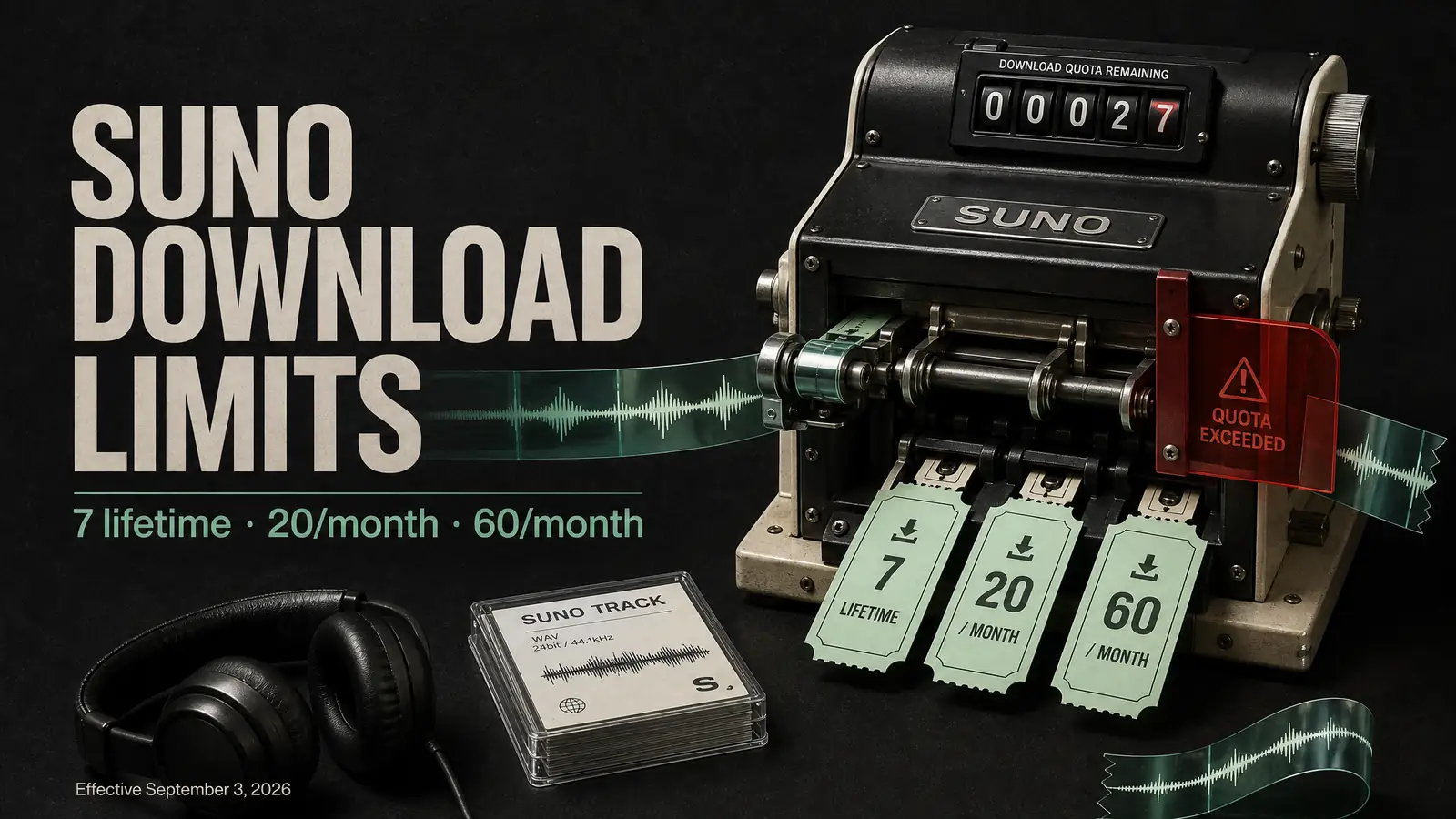
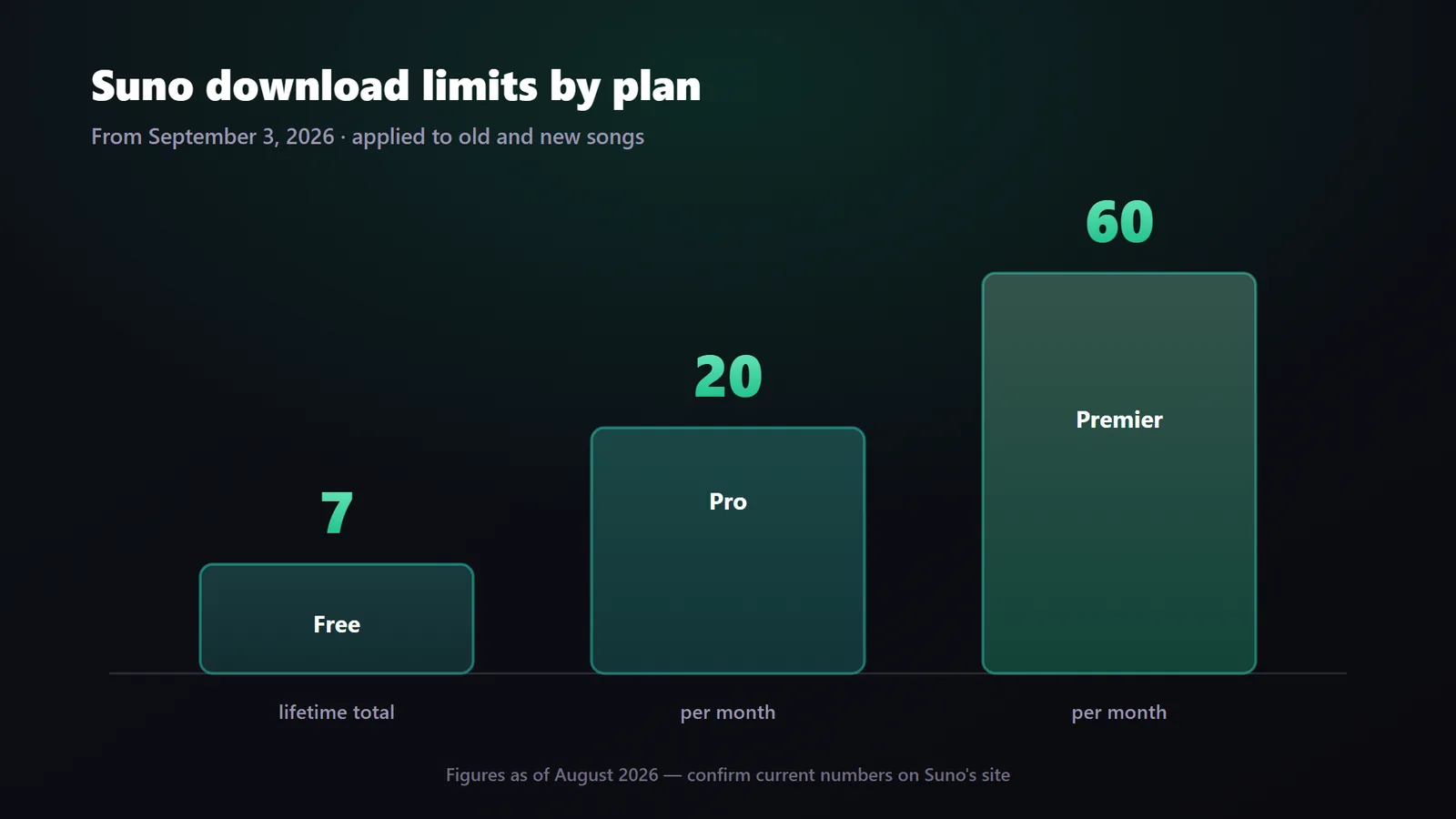
From September 3, 2026, Suno caps downloads at 7 lifetime on Free, 20 per month on Pro, and 60 per month on Premier. The limits apply retroactively to older songs, and the updated terms make downloading the step that unlocks commercial use. Export the tracks you care about before the deadline. If per-track download caps get in your way, consider a download-friendly tool such as MuseGen, whose paid plans export royalty-free MP3 and WAV files without a stated per-track cap. Always check each service's current terms before relying on it.
| Quick fact | Detail |
|---|---|
| What's changing | Suno is capping how many songs users can download on each plan |
| Effective date | September 3, 2026, alongside updated Terms of Service |
| Free | 7 downloads for the lifetime of the account, for personal use only |
| Pro | 20 downloads per month, replacing previously uncapped downloads |
| Premier | 60 downloads per month; Suno Studio downloads are excluded from the cap |
| Retroactive | Yes, the limits also apply to songs created before September 3 |
| Commercial use | A track must be downloaded before it can be released, sold, or licensed |
| Information checked | August 2026; confirm current figures on Suno's site |
What Suno Is Changing
Until now, downloading a finished song from Suno was effectively unlimited on paid plans and generous on the free tier. That is changing. As Music Business Worldwide reported, each plan receives a fixed number of downloads from September 3, 2026:
- Free: 7 downloads for the lifetime of the account. They do not reset monthly and are limited to personal, non-commercial use. The free tier previously ran on a daily credit allowance.
- Pro: 20 downloads per month, replacing previously uncapped downloads. The plan costs around $8-$10 per month, depending on billing.
- Premier: 60 downloads per month. Downloads made through Suno Studio on Premier are not counted against the cap. The plan costs around $24-$30 per month, depending on billing.
A few details soften the change. The limits are retroactive, so they apply to songs generated before September 3 as well as new ones. Existing tracks are not deleted: they remain playable and shareable on Suno, while only downloading is metered. Re-downloading a song already exported in any format does not count a second time, and all separated stems for one song count as a single download. Users who run out can purchase additional downloads.
Downloads Now Gate Commercial Use
The download count is the headline, but the quieter change matters more if you release music. Under Suno's updated terms, downloading becomes the gateway to commercial use: an output can be released, sold, or licensed only after it has been downloaded through an approved Suno channel. In practice, you spend one download to unlock a track for commercial use. Paid tiers retain commercial rights to the songs they download, while free-tier downloads remain for personal use only.
Suno describes the policy as a way to protect the wider music ecosystem and make it harder for bad actors to mass-export catalogues of AI tracks. The move also follows licensing agreements with major rights holders, including Warner Music Group and BMG. Whatever the motivation, the practical takeaway is the same: if you plan to monetize a track, budget a download for it and check Suno's current terms before release.
How We Got Here
The caps follow a year of licensing moves that reshaped how AI music platforms handle rights:
- November 2025: Suno settles with and licenses music from Warner Music Group, signaling a shift toward rights-holder agreements.
- August 10, 2026: Suno publishes updated Terms of Service and announces the new download limits.
- September 3, 2026: The download caps take effect on every plan and apply retroactively to older songs.
- After September 3: Downloads are metered, and a track must be downloaded before it can be released, sold, or licensed.
Will This Actually Affect You?
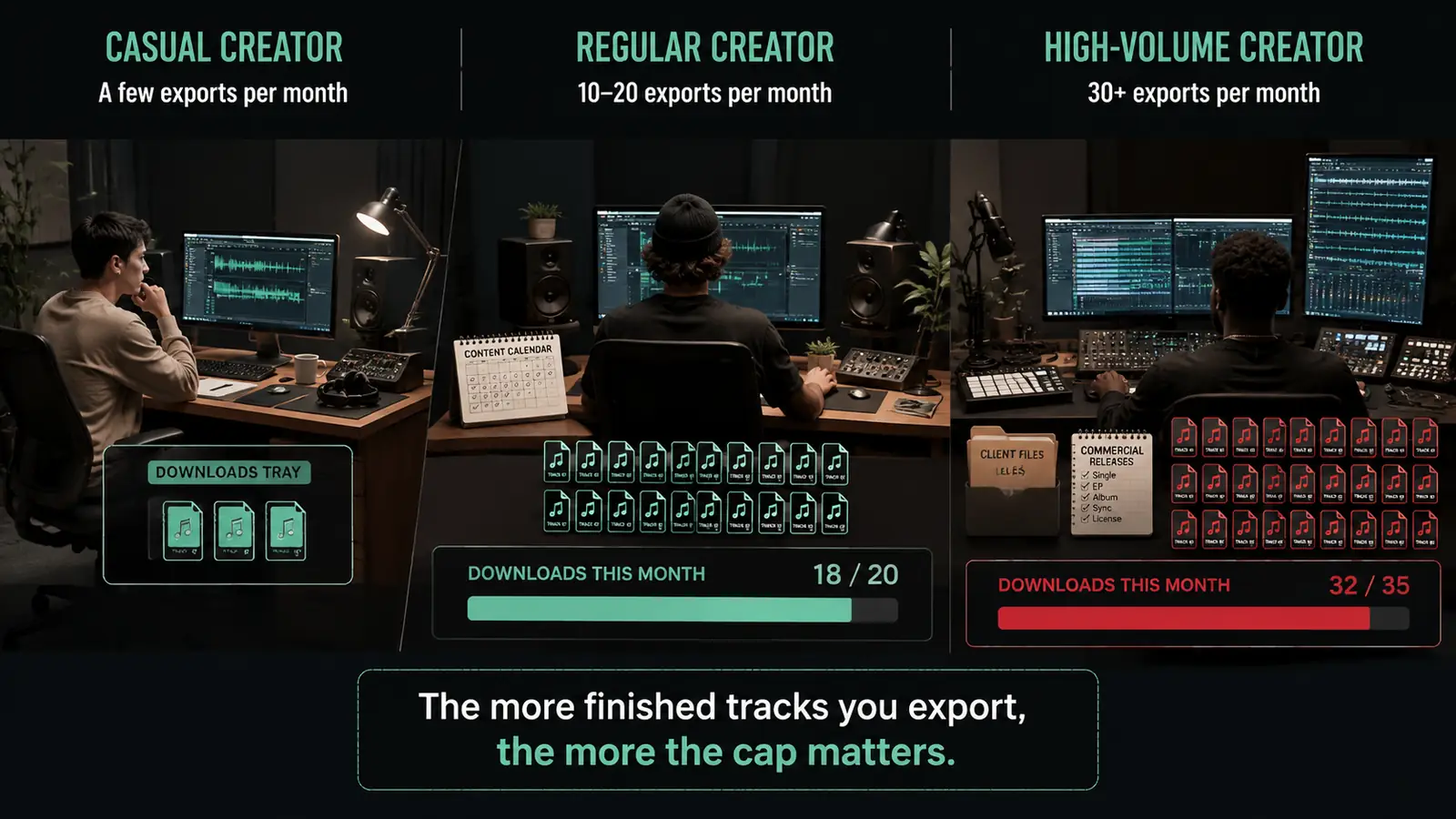
The impact depends on how many finished tracks you download in a typical month. Streaming and sharing on Suno remain unmetered; only exporting counts.
You Download a Handful
If you export fewer than a few tracks each month, mostly for fun, you will barely notice the change on a paid plan. The Free plan's 7 lifetime downloads will still feel restrictive if you like keeping local copies.
You Post Steadily
If you export roughly 10-20 finished tracks a month for social media or a channel, Pro's 20-download ceiling is something to watch. A busy month can reach it, so you may need to choose which versions to export.
You Produce or Sell Music
If you export 30 or more tracks per month, handle client work, or monetize a catalogue, even Premier's 60-download cap may matter. Every commercial release now consumes a download, so high-volume workflows need a clear export budget.
Suno Download Limit Myths vs. Facts
The change spread quickly online, and several misreadings came with it. Here is what the policy actually says.
Myth: Suno Is Deleting My Old Songs
Fact: Your existing library remains on Suno and stays playable and shareable. Only downloading is capped, though the caps apply retroactively to those older songs.
Myth: Every Stem Counts as a Separate Download
Fact: All separated stems for a single song count as one download. Re-downloading a track you have already exported, in any format, also does not count again.
Myth: Running Out of Downloads Leaves Me Stuck
Fact: You can purchase additional downloads beyond your plan's allowance. Suno Studio downloads on Premier are also excluded from the cap.
Myth: I Can Still Sell a Track Without Downloading It
Fact: Under the updated terms, a track can be released, sold, or licensed only after it has been downloaded through an approved Suno channel. A commercial release therefore consumes a download.
What to Do Before September 3
Downloads remain unlimited until the deadline, so creators have time to prepare. These four steps cover the highest-value actions:
- Export your back catalogue. Pre-deadline exports do not count against the new caps. Save the tracks you want to keep somewhere you control.
- Flag songs you may use commercially. Identify tracks you might release, sell, or license so they are not trapped behind a future download allowance.
- Match your usage to the right tier. Count how many finished tracks you export in a typical month, then compare that number with the 7 lifetime, 20 monthly, and 60 monthly allowances.
- Try a download-friendly alternative. If per-track caps interfere with your workflow, test a tool that meters exports differently. Check its current terms before relying on it.
Exporting Your Back Catalogue Step by Step
Because pre-deadline downloads are unlimited and do not count against the new caps, a focused export session is the most useful thing you can do before September 3:
- Prioritize songs you might monetize. Anything you may release, sell, or license later should come first because each commercial track will require a download after the deadline.
- Work through playlists or folders. Batch your library into groups instead of relying on memory, so tracks buried deep in your history are not missed.
- Choose the highest-quality available format. Export the best file and any stems your plan offers in one pass.
- Store copies somewhere you control. Keep the files on your own drive or cloud storage so you are not dependent on downloading them again.
For a rough usage check, publishing five finished tracks a week means 20 or more exports per month. That already reaches Pro's ceiling and consumes roughly a third of Premier's allowance.
A Download-Friendly Suno Alternative: MuseGen
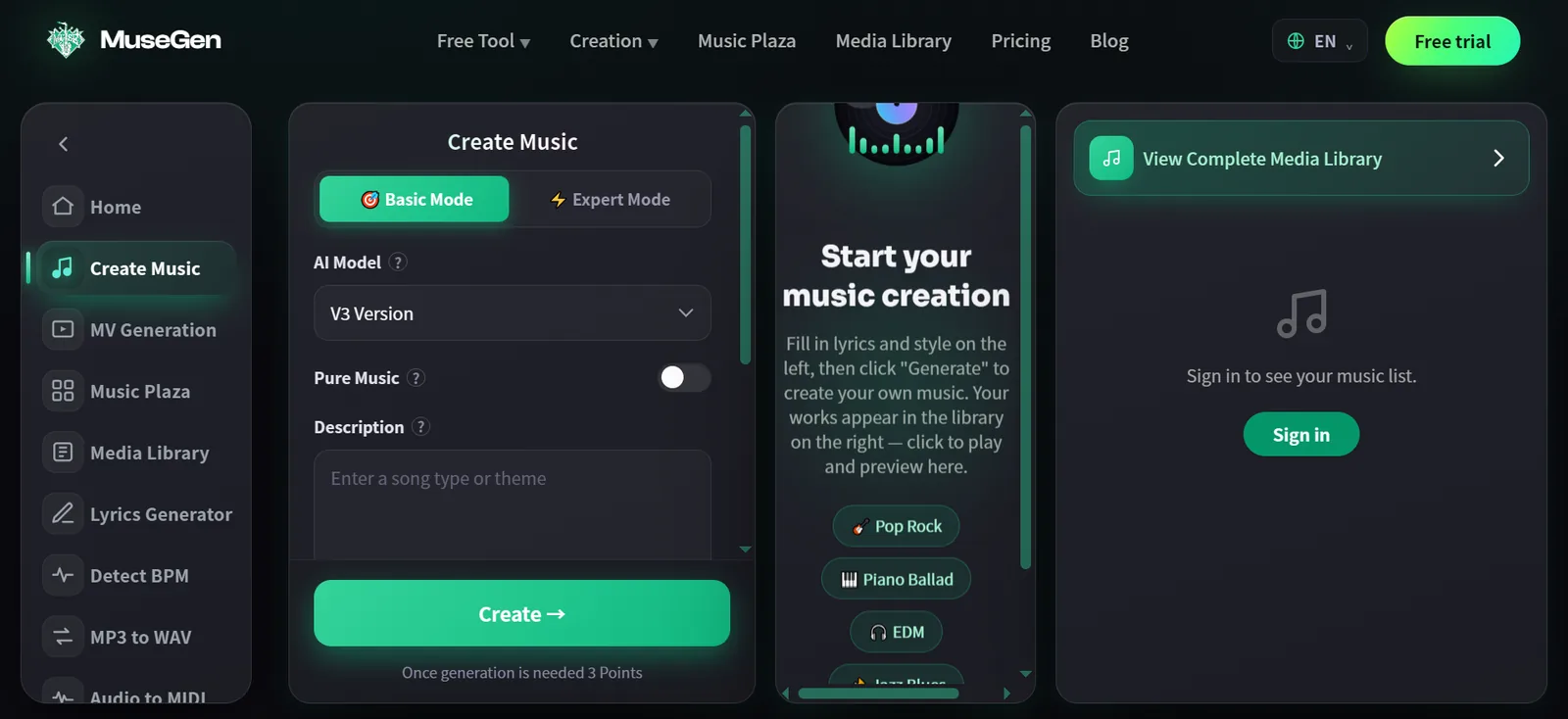
Full disclosure: MuseGen is our product, so weigh this comparison accordingly. It is relevant here because it uses a different export model. You can write lyrics, turn them into a finished song, and export from the same platform without a per-track download counter on paid plans.
- Free plan: Create and generate songs within daily limits, write lyrics, and keep your library stored while you try the workflow. Downloading is a paid feature.
- Paid plans: Download MP3 and WAV files without a stated per-track cap, with commercial use included. MuseGen describes generated tracks as royalty-free for uses including YouTube, TikTok, and podcasts. Review the current MuseGen pricing and terms before release.
"No download cap" does not mean unlimited everything. Paid plans still have monthly generation limits governing how many songs you can create, so high-volume users should compare those limits with their workflow. MuseGen currently exports MP3 and WAV; stem and MIDI export are coming soon. For a complete migration process, read our guide to switching from Suno to MuseGen.
Here is what creating a track looks like inside MuseGen, from the initial words to a finished, downloadable song:

Suno vs. MuseGen: Downloads and Exports
| Category | Suno from Sept. 3, 2026 | MuseGen |
|---|---|---|
| Free downloads | 7 for the account's lifetime, for personal use | Create and store songs; downloading is a paid feature |
| Paid downloads | 20/month on Pro, 60/month on Premier | No stated per-track download cap |
| Export formats | Audio, with stems on higher tiers | MP3 and WAV on paid plans |
| Commercial use | Available on paid tiers after downloading; check current terms | Included on paid plans; check current terms |
| Retroactive limits | Yes, including older songs | Not applicable |
The short version: If you download frequently or want exporting to remain a simple final step, Suno's caps are a meaningful workflow change. MuseGen's uncapped-per-track paid downloads are the main alternative in this comparison. Figures and licensing terms change quickly, so confirm the current policy on each tool's own site.
Ready to write, produce, and export a royalty-free MP3 or WAV file in one place? Make your track with MuseGen.
FAQ
When Do Suno's Download Limits Start?
The new caps take effect on September 3, 2026, alongside Suno's updated Terms of Service. Downloading remains unlimited until that date, so existing tracks can be exported beforehand without counting against the new limits.
How Many Downloads Does Each Suno Plan Include?
Based on Suno's announcement, Free includes 7 downloads for the lifetime of the account for personal use, Pro includes 20 per month, and Premier includes 60 per month. Suno Studio downloads on Premier are excluded from the cap, and additional downloads can be purchased. Confirm the current numbers on Suno's site.
Do the Limits Apply to Songs I Already Made?
Yes. The caps apply retroactively to tracks generated before September 3 as well as new songs. Existing tracks remain playable and shareable. Re-downloading a song already exported does not count again, and all stems for one song count as a single download.
Can I Still Use My Suno Songs Commercially?
Under the updated terms, an output can be released, sold, or licensed only after it has been downloaded through an approved Suno channel. Paid tiers retain commercial rights to downloaded songs. Because licensing terms can change, review Suno's current terms before monetizing a track.
Should I Export My Library Before September 3?
If you have tracks you want to keep or use later, exporting them before September 3 is sensible. Downloads are unlimited until then, and pre-deadline exports do not count against the new caps. Store the files somewhere you control.
What Happens When a Free User Runs Out of 7 Downloads?
The allowance is for the lifetime of the account and does not reset monthly. After using all 7 downloads, a Free user must purchase additional downloads or upgrade to export more tracks. Songs remain playable and shareable on Suno.
Do Stems and Re-downloads Count Against the Limit?
Not separately. All separated stems for one song count as a single download, and downloading an already exported track again in any format does not consume another allowance.
How Is MuseGen Different From Suno for Downloads?
The main difference is metering. Suno caps downloads by plan and requires a download before commercial use. MuseGen makes downloading a paid feature, but its paid plans export MP3 and WAV without a stated per-track cap and include commercial use. MuseGen paid plans still have monthly generation limits, so compare each service's current terms with your workflow.
Can I Use AI Music Commercially?
Often, yes. Many AI music tools permit commercial use and export royalty-free files, but the rules differ by service and can change. Always confirm current terms before releasing, licensing, or monetizing a track.
Keep Reading
- Switching From Suno to MuseGen: Migrate Your Prompt Library and Workflow
- The 10 Best AI Music Generators of 2026
- Why "Chai Ki Tapri" Went Viral and How to Make AI Music That Spreads
Sources
- "Suno limits subscribers to a set number of downloads per month" - Music Business Worldwide for plan limits, retroactive application, re-downloads, stems, and commercial-use changes.
- "Suno Unveils Download Caps for Free and Paid Tiers" - Variety for independent reporting on the policy announcement.
- "Updates to our Terms of Service" - Suno for Suno's official announcement and current policy language.
Policies and prices change. Figures in this article reflect information available in August 2026. Confirm current terms on each tool's own site before relying on them.