Suno AI Review 2026: Best Vocals, Metered Downloads

MuseGen Team
10/4/2026
Most opinions about Suno are still opinions about the 2024 version of it: type a sentence, get a song with vocals, be impressed for an afternoon. That description has gone stale in both directions. Suno now runs a workstation in the browser with multitrack editing, stem separation across dozens of instrument types, and MIDI export. It also, since September 3, 2026, counts your downloads — and under the new terms a download is the step that turns a track into something you are permitted to sell.
In short
Suno is the strongest tool in the category at the one thing it is built for: turning a short prompt into a complete song with convincing vocals and structure, faster than anything else does it. For most people it is still the first tool they are handed, and this review says so despite being published by a company that competes with it.
The real cost is not audio quality. It is the exit. Since September 3, 2026 every plan has had a fixed number of downloads, and downloading is now what unlocks commercial use. The free tier forbids commercial use outright and is widely reported to watermark its output, and the most capable editing and export tools sit behind the $30 per month Premier plan. If what constrains you is getting files out and turning them into something you can post, that is where tools like MuseGen focus instead.
Quick facts
- What it is: A text-to-music generator that writes lyrics, vocals and instrumental in one pass
- Current model: v6, released September 9, 2026, in three variants; the free tier runs v6-mini
- Generation length: Up to 8 minutes in a single generation, on all three v6 variants
- Plans: Free, Pro around $10/month, Premier around $30/month (roughly 20% off annually)
- Free tier: 50 credits a day, no commercial use; watermarking reported but not stated on Suno's own pages
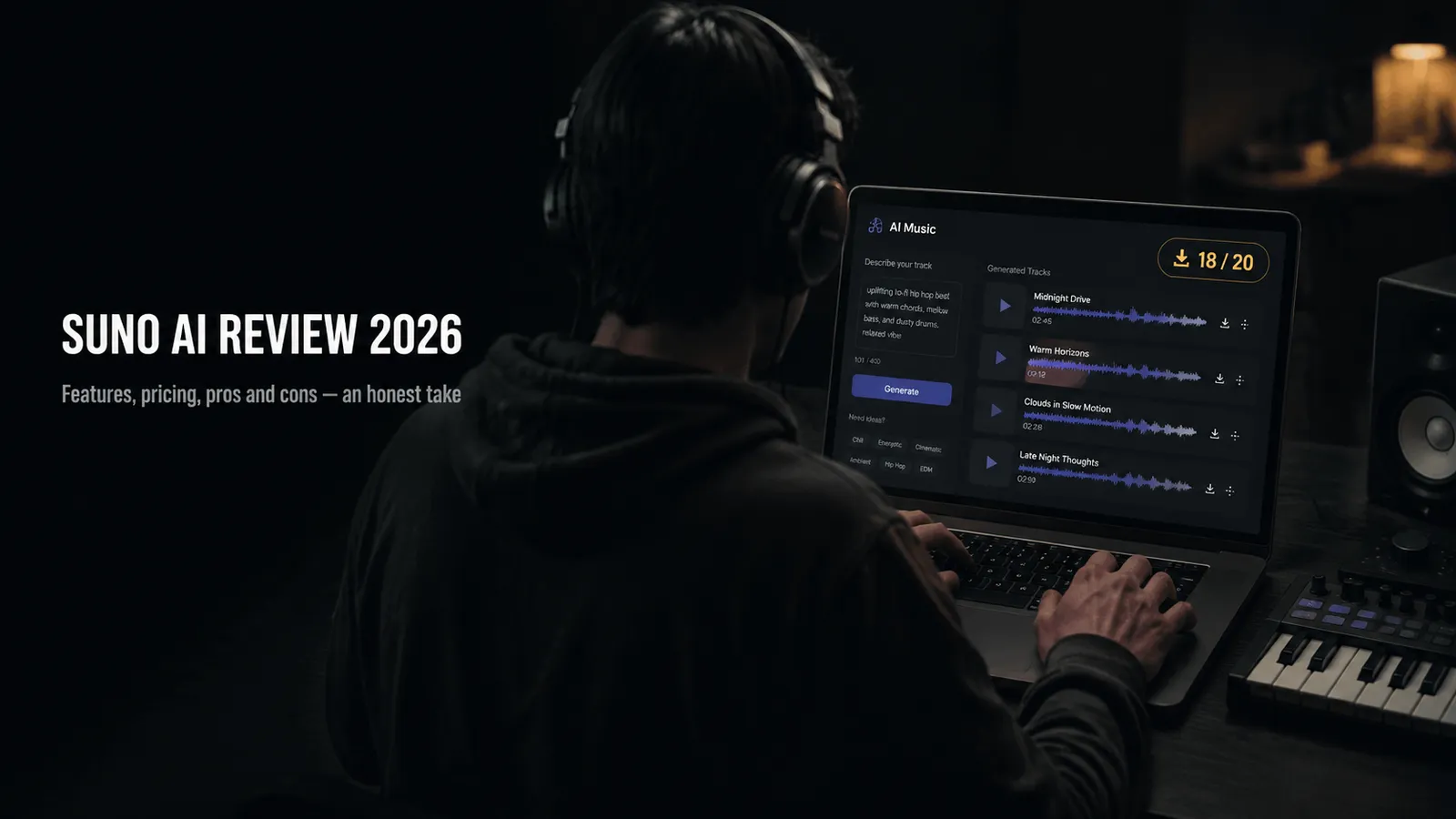
- Download limits: Since September 3, 2026: 7 for the life of a free account, 20/month Pro, 60/month Premier
- Commercial use: Only for outputs downloaded through an approved channel on a paid plan
- Premier only: Suno Studio, MIDI export and the Advanced Split stem separator
- As of: October 2026 — confirm current figures on Suno's own pricing and terms pages
What Suno is in 2026
Suno takes a text prompt — a genre, a mood, a few lines of lyrics, or all three — and returns a finished track with vocals, instrumentation, structure and a mix. That much has been true since 2023. Almost everything around it has moved.
The current model is v6, released on September 9, 2026, in three variants: v6 and v6-wild on the Pro and Premier plans, and a lighter v6-mini that is what free accounts now run. Every model before it has been retired, which means the version most existing Suno comparisons were written against is no longer in the dropdown. Three features sit alongside it that shifted Suno from a novelty towards something you can work with: Voices, which keeps a consistent singer across tracks; Custom Models, trained on material you supply and now running on v6; and My Taste, which steers generations towards what you have kept before. How the model picker and the rest of the create form behave is a separate subject, and we walk through it in our guide to using Suno. (Suno's v6 release notes and v6 FAQ)
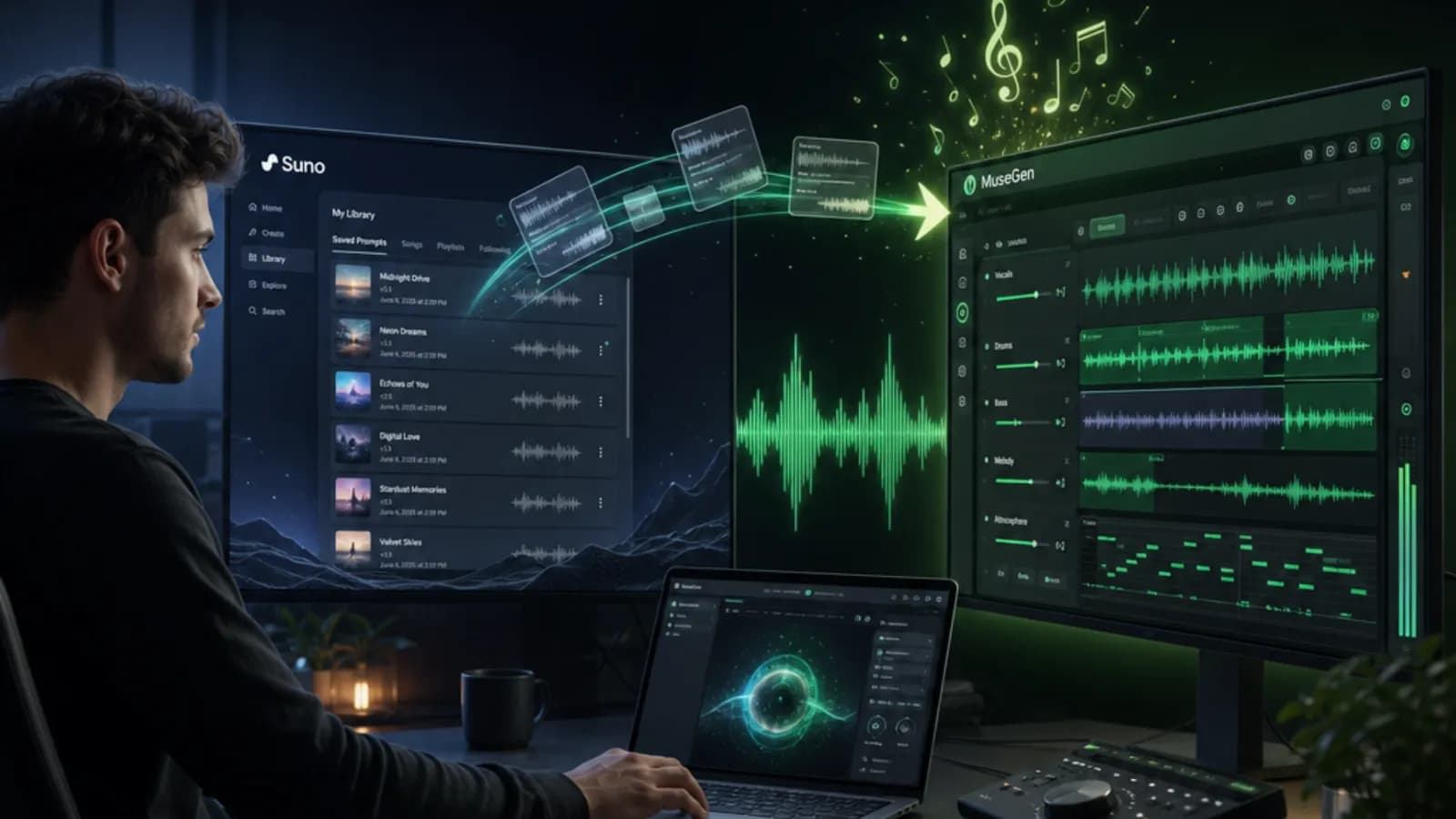
The bigger change is Suno Studio, a browser-based workstation included with Premier. It handles multitrack editing, regenerates individual stems, and exports MIDI. Whether that makes it a DAW is partly a question of definitions, but it does the things a DAW does, and it narrows the distance between "prompt a song" and "finish a record" considerably.
One gap has not closed. As of September 15, 2026, Suno still has no native music video generation, and no standalone utilities for tempo detection, format conversion or audio-to-MIDI transcription outside the Studio workflow — none appears on its pricing page or anywhere in its help centre.
What it actually sounds like
A review that skips this part is not a review. This one hands the question to people without a stake in the answer: what follows is what independent reviewers found during 2026, not our own scoring.
One thing has to be said before any of it. v6 is six days old at the time of writing, and no independent review of it exists yet. Every assessment quoted below was written against v5.5 or v4.5, models Suno has since retired. We have left those findings in rather than deleting them, because they are the only evidence anyone has and because the failure modes they describe are the kind that tend to persist across versions — but they describe the previous generation, and whether they still hold on v6 is a presumption rather than a finding. Read them as the last reliable picture of what Suno sounded like, and treat any claim about v6 — including the vendor's own — as untested until reviewers catch up.
Their conclusions are consistent and fairly narrow. On pop, EDM, hip-hop and rock, one prompt returns something that passes as a competent demo rather than an experiment: sections land where you expect them, the mix holds together at low volume, and the track resolves instead of fading out because it ran out of material. The clearest gain reviewers noted in v5.5 was vocal coherence — lyrics scan, phrasing sits against the beat rather than beside it, and a chorus comes back sounding like the same chorus. That is precisely what earlier models did badly, and it is why an opinion formed in 2024 undersells the current version.
The weaknesses cluster in the acoustic and the improvised. Folk, jazz and classical come back thinner than the electronic and band-based genres, which is what you would expect of material where the performance rather than the production carries the piece. Anything resting on a soloist making decisions in real time is where the seams are still visible.
One caveat lands squarely on the feature this review otherwise rates most highly. Several independent reviewers report that Suno Studio does not so much separate an existing mix as generate a fresh pass for each stem, with the result that individual stems can carry reverb or artefacts absent from the source and do not always sum back to the original track; the twelve-stem export from v5 was described as bleeding more than v4.5 did, both models now retired. Suno has not published a technical account of how Studio derives its stems, and we have not run a controlled test of our own, so this is reported experience rather than established fact. It does not undo the point made further down, since stems inside a full browser production environment remain rare in this category. It does change the question from whether Suno has stems to whether its stems are clean enough for the session you had in mind. (Undetectr; eesel AI)
▶ Watch on YouTube: "Is Suno Studio Worth It In 2026? (Honest Review)" — an independent assessment of the tier this review keeps returning to
The three plans, and what each one actually buys
Suno sells three tiers. The jump between them is mostly about volume and rights rather than a different product, with one exception at the top.
| Free | Pro | Premier | |
|---|---|---|---|
| Price | $0 | ~$10/mo ($8 annual) | ~$30/mo ($24 annual) |
| Credits | 50 per day | 2,500 per month | 10,000 per month |
| Downloads | 7 per account, for life | 20 per month | 60 per month |
| Models | Best free model (v6-mini) | Advanced models (v6 and v6-wild) | Advanced models (v6 and v6-wild) |
| Watermark | Reported | Not stated | Not stated |
| Commercial use | No | Yes | Yes |
| Suno Studio | No | No | Yes |
Two things are worth reading off that table. First, Pro and Premier grant identical rights — commercial use, Voices and custom models are the same on both. What the extra $20 buys is four times the credits, three times the downloads, and Studio. Second, credits do not roll over: unused monthly credits expire, and the free tier's daily allowance is use-it-or-lose-it as well. Subscribing replaces that daily free allowance rather than adding to it.
Suno does publish a rate for the thing people actually want costed: one generation returns two songs and spends ten credits in total. That puts a Pro month at 250 generations and a Premier month at 1,000 — far more than either plan will let you download. That is the standard rate; options that ask the model to spend longer on a single take cost more than it. Treat every number above as a planning approximation, and confirm it on Suno's own pricing page before committing to an annual plan. (Suno's v6 FAQ and pricing page; Music Business Worldwide)
What Suno does genuinely well
A review published by a competitor is worth nothing if the strengths are softened, so here they are without hedging.
- Vocals are the best in the category. Suno's singing holds pitch, phrasing and diction across a full song more convincingly than anything else generating music from a text prompt in 2026, and the margin is audible rather than theoretical.
- The path from idea to finished track is one of the shortest available. One prompt returns a structured song with a mix that stands up as a demo, which is why it is still the tool most people are handed first.
- Suno Studio is a real production environment. On the $30 Premier plan it offers multitrack editing, stem regeneration and MIDI export inside the browser. Nothing of the kind is available on the free or $10 plans.
- Stem separation goes further than the format suggests. Auto Split returns up to twelve separate tracks and is included from the $10 Pro plan; the Advanced Split separator added in June 2026, which resolves close to a hundred instrument types, is the one thing here that requires Premier.
- Section-level editing works from the Pro tier upwards. Song Editor lets you rework parts of a track in place rather than regenerating the whole thing and hoping the good bits survive. It is not part of the free tier.
- The licensing position is one of the most developed in the field. Suno has agreements with Warner Music and BMG, uses Musixmatch's Sentinel system for copyright detection, and screens uploads through Audible Magic.
The stem tooling deserves a second look, because separated parts are what make an AI track usable inside a real session rather than only as a finished file. If that idea is unfamiliar, our explainer on what stems are covers why they matter.
Where Suno falls short
None of the following is disqualifying on its own. Together they describe a tool that has become noticeably harder to plan around than it was a year ago. Each shortcoming below is paired with the fact that softens it.
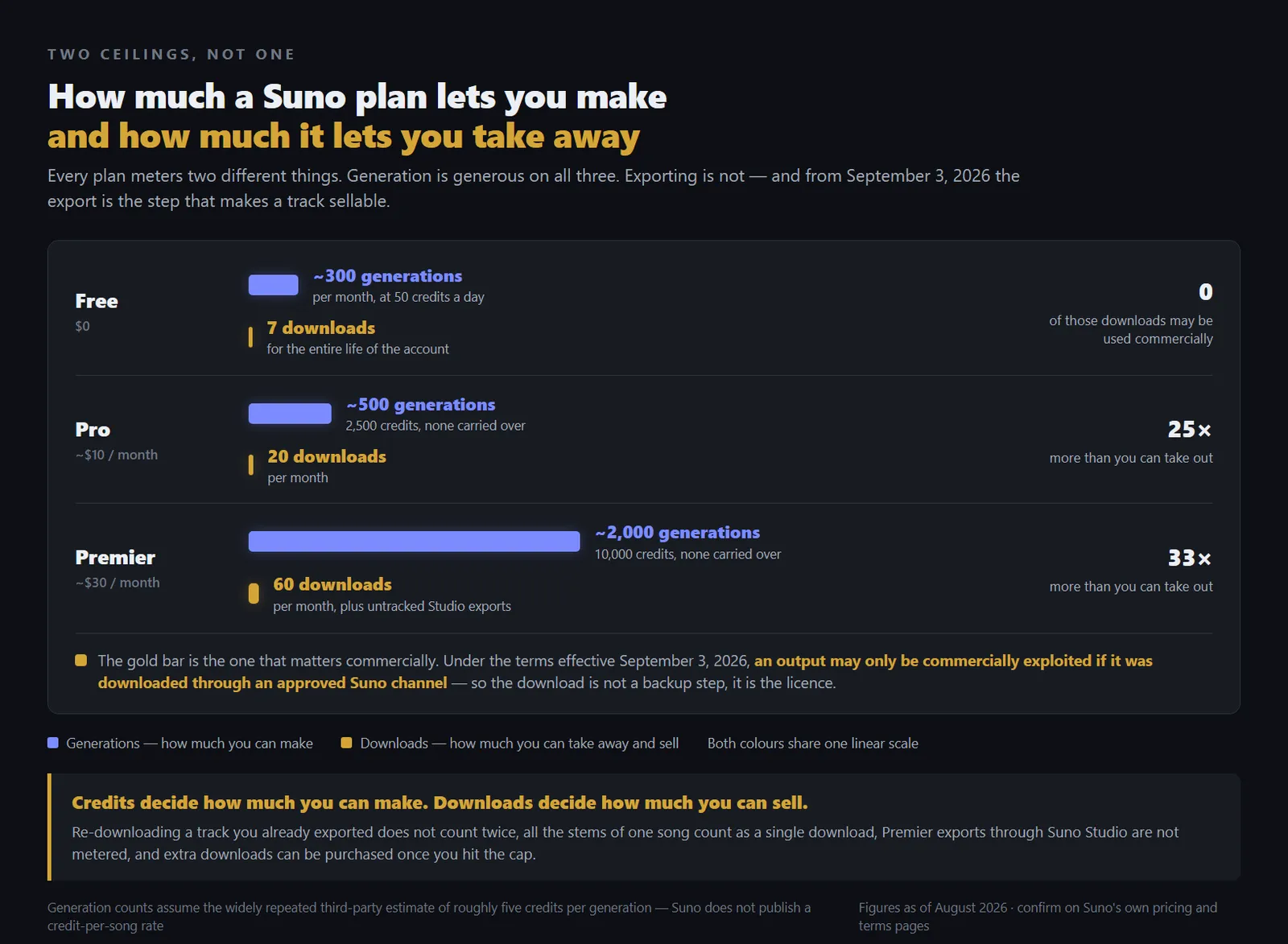
The two ceilings on a Suno plan — how much you can generate, and how much you can take out and sell
- ✗ Downloads have been capped on every plan since September 3, 2026, and a download is now the step that unlocks commercial use. ✓ Your library is not deleted and stays playable and shareable; re-downloading a track you already exported does not count twice, every stem from one song counts as a single download, Premier exports made through Studio are not metered, and extra downloads can be purchased.
- ✗ Every model before v6 was retired when v6 shipped on September 9, 2026. A workflow tuned to a particular version cannot be reproduced, and anything you go back to rework now runs on a model you did not choose. ✓ Suno's own commitment is that the songs themselves are untouched: they stay in your library, unchanged, playable and shareable. Extending, remixing or covering one still works — Suno simply says plainly that those operations run on the new models, so the result may sound different from the original generation.
- ✗ The free tier cannot be used for anything you intend to publish: it forbids commercial use, runs the lighter v6-mini rather than v6, and its output is widely reported to carry a watermark. ✓ It is a genuine free tier rather than a trial. Fifty credits a day is roughly ten songs, it refills indefinitely, and My Taste — which steers generations towards what you have kept — is available on it.
- ✗ The features that separate Suno from cheaper tools are concentrated on the $30 per month Premier plan. ✓ Commercial rights, Voices and custom models are identical on the $10 Pro plan, so Premier is only necessary if you actually need Studio, MIDI export or the volume.
- ✗ Credits do not roll over, and subscribing replaces the daily free allowance instead of adding to it. ✓ Purchased top-up credits do not expire, although they become inaccessible while a subscription is lapsed and return when it resumes.
- ✗ Suno makes no representation that copyright subsists in generated output, or that it does not infringe anyone else's rights. ✓ That is a candid statement of an unsettled legal position rather than a quirk of one company's terms, and paid plans still convey the contractual rights Suno is in a position to convey.
The download cap is the one that changes behaviour rather than merely irritating. Twenty exports a month is roomy for a hobbyist and tight for anyone shipping on a schedule, and because the limits reach back to tracks made before September 3, an existing library is not exempt. We went through the change and what to do about it in a separate piece on Suno's download limits. (Suno's announcement and changes FAQ; Digital Music News)
One further change is coming that is neither a strength nor a weakness, but will matter to some people. Suno has said it will add audio watermarking and fingerprinting so that other platforms can identify tracks made on it, describing the markers as resistant to tampering, and its terms now prohibit removing or obscuring them. (Engadget)
Where the copyright question stands
No honest review of an AI music tool in October 2026 can leave this out, and it is also the part most likely to have moved by the time you read it. What follows is status rather than a verdict.
Suno has signed licensing agreements with Warner Music Group and BMG. Those cover the catalogues of the parties that signed them. They are not a general clearance, and they do not resolve claims brought by rightsholders who did not sign: Universal Music Group and Sony Music both have actions against Suno that were still open when this was written.
The most consequential decision so far came in Europe. On July 31, 2026 the Munich Regional Court found that Suno had infringed by training on and reproducing works from the repertoire of GEMA, the German collecting society, in a case brought over six named songs. The court held that those works had effectively been memorised inside the model rather than merely learned from, barred several categories of use, and ordered disclosure along with damages that have yet to be quantified. Suno has said it disagrees and is weighing an appeal. Legal commentators have also noted the limits of the ruling: the jurisdictional route runs through a provision specific to collecting societies, and how such a judgment would be enforced outside Germany is an open question the decision does not address. (Variety; Bird & Bird)
For a creator the practical translation is narrower than the headlines suggest. What a paid plan gives you is permission from Suno to use what you generate. It is not a finding that copyright exists in the output, and Suno's terms are careful not to claim that it is. That gap is not peculiar to Suno; it is where this whole category currently sits. It is worth understanding before a track goes into something with a budget attached, and the sensible order for a release that matters is to read the terms in force on the day, keep your own record of what was generated and when, and treat the legal position as provisional rather than closed.
Who Suno suits, and who should look elsewhere
Most disagreement about Suno is people arguing across different use cases. Three rough profiles cover it.
You write occasionally and want to hear an idea sung back. Suno is the right tool and the free tier is enough to find that out. Be clear, though, that nothing made on it can be published commercially until you are on a paid plan and have spent a download on the track.
You publish steadily — a video channel, a podcast, a release schedule. Pro is the natural tier, and its twenty-download ceiling is the number to hold against your real monthly output before subscribing. If you routinely export more than that, the cap will shape your month whether you want it to or not.
You want to finish and mix properly. Premier with Studio turns generation into a production environment, with multitrack editing and MIDI in the browser. Whether $30 a month is worth it turns entirely on whether you will use Studio or merely generate.
You export more than the cap allows. This is the one profile where the answer is a different tool rather than a different Suno tier, and Udio is not it — it exports nothing at all. The alternatives below cover the realistic options, ours among them, and the migration piece is honest about what a move actually costs you.
The subscription test. Do not price Suno by how many songs you can make on it. Price it by how many you expect to take out and use, because that is now the number the plan actually meters.
Alternatives worth knowing
Nothing here replaces Suno outright. Each is stronger on one axis and weaker on others, so the useful question is which axis you are being held back by.
MuseGen — built around the export rather than the generation
If the thing constraining you is getting a file out and doing something with it, that is the part MuseGen is built around: on paid plans the export is MP3 or WAV and commercial use is included — check MuseGen's current terms, and the limits of the plan you are on, before you rely on either. It also covers the step Suno leaves out, generating a music video from a track you have already made.
Udio — the fidelity peer, with a serious caveat
Udio has always argued on audio quality, and on detail and mix polish it still competes at the top. The caveat is large. Following its settlement and licensing deal with Universal Music Group, Udio stopped letting users download their own tracks, including ones made long before the agreement; a 48-hour download window was opened in November 2025 after the backlash, but exporting remains unavailable to most accounts, and the joint platform planned with Universal has been described as a walled garden where creations stay on the service. If you are choosing a tool in order to get files out of it, that is disqualifying rather than inconvenient. (Billboard; Rolling Stone)
Soundraw — the calmest licensing position
Soundraw trains on music its own producers write, which removes the training-data question hanging over most of this category and makes it the least anxious option for commercial background music. What you give up is songs: there are no generated vocals, and the result is closer to a very good royalty-free library with a generator attached than to a songwriting tool. Its plans have moved several times during 2026, so check the current rates directly.
AIVA — for scoring rather than songs
If the output has to be edited as notation rather than heard as a finished record, AIVA exports MIDI and specialises in orchestral and soundtrack work. It does not do pop vocals and is not trying to.
For how these and six others compare against a single set of criteria, see our ranked list of AI music generators, which scores every entry, our own included, on the same weighting.
Transparency note
We build MuseGen, an AI music generator. That puts us in direct competition with the product this review covers, and it is worth naming rather than leaving for you to find. What we build for is a different part of the job: getting a finished file out and turning it into something you can publish. Scores live in our ranked overview, where Suno and MuseGen sit on the same weighted scale; here the job is claims you can go and check. Every figure above is sourced below, and the ones that come from third-party reporting rather than Suno's own pages are marked as such.
Disclosure — the MuseGen team
FAQ
Is Suno free?
There is a free tier, but it is limited in ways that matter. It gives 50 credits a day, roughly ten songs, and those credits do not carry over. Generation runs on the lighter v6-mini model rather than v6, output is widely reported to carry a watermark, and commercial use is not permitted. Since September 3, 2026 a free account can download 7 songs for its entire lifetime, for personal use only. It is enough to evaluate the tool properly, and not enough to publish from.
Is Suno safe for commercial use?
On a paid plan, with a caveat worth reading carefully. Pro and Premier both grant commercial rights, but under the terms effective September 3, 2026 an output can only be commercially exploited if it was downloaded through an approved Suno channel, which makes the download part of the rights process rather than a backup step. Separately, Suno makes no representation that copyright subsists in AI-generated output or that it does not infringe third-party rights, and litigation from major labels is unresolved. Read Suno's current terms before you release anything.
How many songs can you download from Suno?
Since September 3, 2026: 7 for the lifetime of a free account, 20 per month on Pro, and 60 per month on Premier. The limits apply retroactively, so songs generated before that date count against them. Some of the counting is forgiving. Re-downloading a track you have already exported does not count a second time, every stem from a single song counts as one download, and Premier exports made through Suno Studio are not metered. Extra downloads can be purchased once you reach the cap.
Does Suno watermark AI-generated songs?
Free-tier output is widely reported to carry a watermark, though as of October 2026 no such watermark is described on the Suno pricing page or anywhere in the help centre. Beyond that, Suno announced in August 2026 that it will add audio watermarking and fingerprinting to generated tracks so other platforms can identify and label music made on it, describing the markers as durable and resistant to tampering. Its terms now prohibit removing, altering or obscuring them. Full technical documentation has not been published, and Suno has not said that every listener will see a visible label.
What is the difference between Suno Pro and Premier?
Less than the price gap suggests, in one respect that matters. Commercial rights, Voices and custom models are the same on both tiers, so the extra $20 a month buys you no additional permission to release anything. What it buys is headroom and one feature: 10,000 credits a month rather than 2,500, 60 downloads rather than 20, and Suno Studio, the browser production environment with multitrack editing, stem regeneration and MIDI export. Exports made through Studio are also not metered against the download cap. So the question is not which plan is better but whether you will genuinely use Studio, because if you will not, Pro carries the same rights at a third of the price.
Is Suno AI music any good?
On the genres it is strongest in, yes, and audibly rather than theoretically. Independent reviewers through 2026 broadly agree that pop, EDM, hip-hop and rock come back as competent demos rather than experiments: structure arrives where you expect it, the balance survives quiet playback, and vocals scan and stay in character across a full song. Folk, jazz and classical are the weak spots, along with anything that depends on a live player making choices in the moment. Those are independent assessments rather than our own, for the reason set out in the transparency note above.
Is Suno better than Udio?
For most people in 2026, yes, though not on audio quality alone, where the two are close and Udio is arguably ahead on fidelity. The decisive difference is that Udio stopped allowing downloads after its settlement with Universal Music Group, and exporting is still unavailable to most accounts. A tool you cannot get files out of is not a substitute for one you can, whatever it sounds like. If the joint Udio platform restores exporting, this answer changes.
What's a good Suno alternative?
It depends which part of Suno is not working for you. If it is the licensing question, Soundraw trains only on music it commissions. If you need editable notation, AIVA exports MIDI for scoring work. If the constraint is getting files out and turning them into something you can post, MuseGen is ours: downloading is a paid feature, exports are MP3 and WAV, commercial use is included, and it generates music videos, which Suno does not. Check the current terms in each case, ours included.
Related reading
- Suno's New Download Limits — what changed on September 3 and what to do first
- The 10 Best AI Music Generators of 2026 — the same tools scored side by side
- What Are Stems? — why separated parts change what you can do with a track
- What Is a DAW? — the category Suno Studio is edging into
- How to Use Suno AI — the create form, the model picker and every control this review only names
- Switching from Suno to MuseGen — for readers the export ceiling has already decided for
Sources
- Suno — An update to our downloads policy and Terms of Service for the download-cap policy and the terms that make a download unlock commercial use.
- Suno — Terms of Service, effective September 2026 for the terms effective September 2026 covering commercial use and Suno's copyright representations.
- Suno Help Centre — What's new in v6? for the three variants and the plans they sit on.
- Suno Help Centre — v6 FAQ for the retirement of earlier models and the ten-credit generation rate.
- Suno Help Centre — Advanced Stem Separation for which split tiers belong to Pro and which to Premier.
- Suno Help Centre — Upcoming Changes FAQ: Downloads, Models, and Terms of Service for how the download caps apply retroactively and what counts against them.
- Suno — Pricing for the plan prices, credit allowances and download limits.
- Music Business Worldwide — Suno limits subscribers' downloads per month for the per-plan monthly download limits.
- Digital Music News — Suno announces sweeping download and labeling changes for the sweeping download and labelling changes.
- Engadget — Suno is adding audio watermarks so AI-generated songs are more easily identifiable for the planned audio watermarking and fingerprinting.
- Billboard — Udio says users can download AI songs for 48 hours after backlash to UMG settlement for the 48-hour Udio download window opened after the backlash.
- Rolling Stone — Why Universal Music Group is teaming with Udio for Udio's settlement with Universal Music Group and the joint platform.
- Variety — Suno loses landmark AI lawsuit to German performing rights society GEMA for the Munich court's ruling against Suno in GEMA's case.
- Bird & Bird — Munich District Court rules on AI-generated music: GEMA v Suno for the legal analysis of the Munich ruling and its limits.
- Undetectr — Suno Studio review for the reported Suno Studio stem behaviour (independent review).
- eesel AI — Suno review 2026 for output quality by genre (independent review).